A ListView with rows that swipe open and closed.
npm install react-native-swipe-list-view 
`` is a vertical ListView with rows that swipe open and closed. Handles default native behavior such as closing rows when ListView is scrolled or when other rows are opened.
Also includes ` if you want to use a swipeable row outside of the `
--------
🔥🔥 BREAKING CHANGES 🔥🔥
For use with RN 0.60+ please use react-native-swipe-list-view@2.0.0+
RN 0.60 and RNSLV 2.0.0 deprecate the use of ListView entirely, please see example.js for examples and see the migrating-to-flatlist doc for a migration guide if you aren't already using FlatList.
The useFlatList prop is no longer required, as FlatList is the default ListView used.
--------
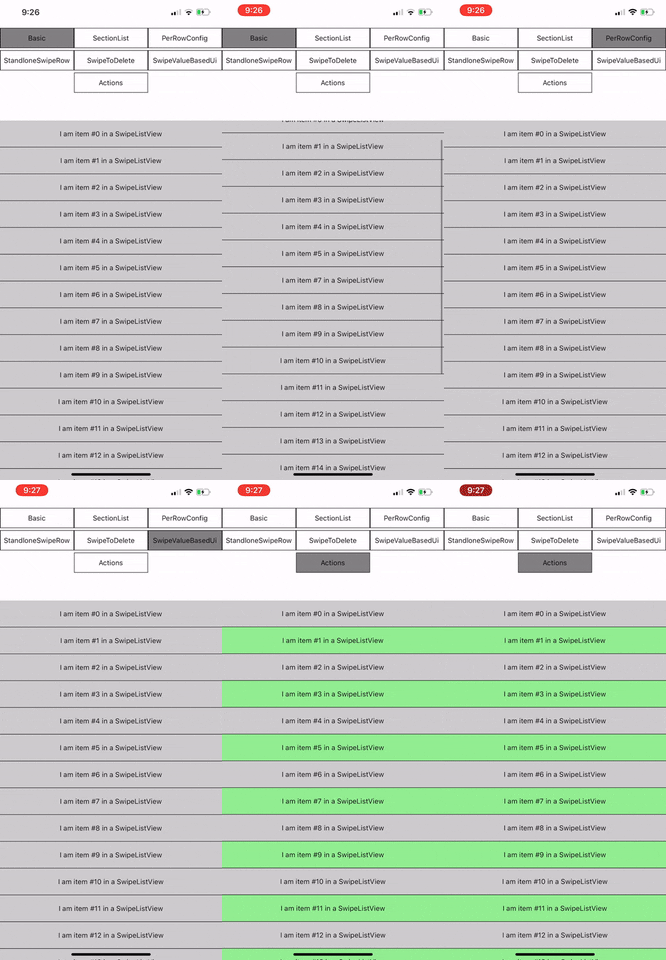
Try it out! https://snack.expo.io/@jemise111/react-native-swipe-list-view
`bash`
npm install --save react-native-swipe-list-view
The application under ./SwipeListExample will produce the above example. To run execute the following:
* `git clone https://github.com/jemise111/react-native-swipe-list-view.git`
* cd react-native-swipe-list-view`
* cd SwipeListExample`
* yarn`
* cd ios`
* pod install`
* cd ..`
* react-native run-ios | react-native run-android`
> Android: If you get the following error SwipeListExample/android/app/debug.keystore' not found for signing config 'debug'.:`
> bash`
> cd android/app/ && keytool -genkey -v -keystore debug.keystore -storepass android -alias androiddebugkey -keypass android -keyalg RSA -keysize 2048 -validity 10000
> // answer the questions
> cd ../..
>
`javascript
import { SwipeListView } from 'react-native-swipe-list-view';
//... note: your data array objects MUST contain a key property
// or you must pass a keyExtractor to the SwipeListView to ensure proper functionality
// see: https://reactnative.dev/docs/flatlist#keyextractor
this.state.listViewData = Array(20)
.fill("")
.map((_, i) => ({ key: ${i}, text: item #${i} }));
//...
render() {
return (
renderItem={ (data, rowMap) => (
)}
renderHiddenItem={ (data, rowMap) => (
)}
leftOpenValue={75}
rightOpenValue={-75}
/>
)
}
`
See `example.js` for full usage guide (including using ` by itself)
#### Note:
If your row is touchable (TouchableOpacity, TouchableHighlight, etc.) with an `onPress` function make sure `renderItem` returns the Touchable as the topmost element.
GOOD:
`javascript`
renderItem={ data => (
)}
BAD:javascript`
renderItem={ data => (
)}
SwipeListView now supports FlatList and SectionList! (as of v1.0.0)
Please see the migrating-to-flatlist doc for all details.
And see example.js for a full usage example.
for help withRN Core added a SwipeList component as of v0.27.0
It is actively being worked on and has no documentation yet. So I will continue to maintain this component until a future date.
MIT