react-native-system-setting-update
v1.7.6TypeScript
provide some system setting APIs. Volume, brightness, wifi, location, bluetooth, airplane...
0/weekUpdated 3 years agoMITUnpacked: 82.3 KB
Published by Ninty
npm install react-native-system-setting-updatereact-native-system-setting
It provides some system setting APIs for you. Support iOS and Android both.
$3
* Volume ( with listener)
* Brightness
* Wifi switch
* Location
* Bluetooth
* Airplane
$3
Example only work in the real device
IMPORTANT!
This version of package is a fork of the original one:
react-native-system-setting, which includes a fix for Android brightness
$3
breaking change for permission since V1.5.0, see Android Permission
Look like
I really want to show the .gif, while it has no difference with .jpg for some system limit.
I strongly recommend you to run the example in real device to see how it works.
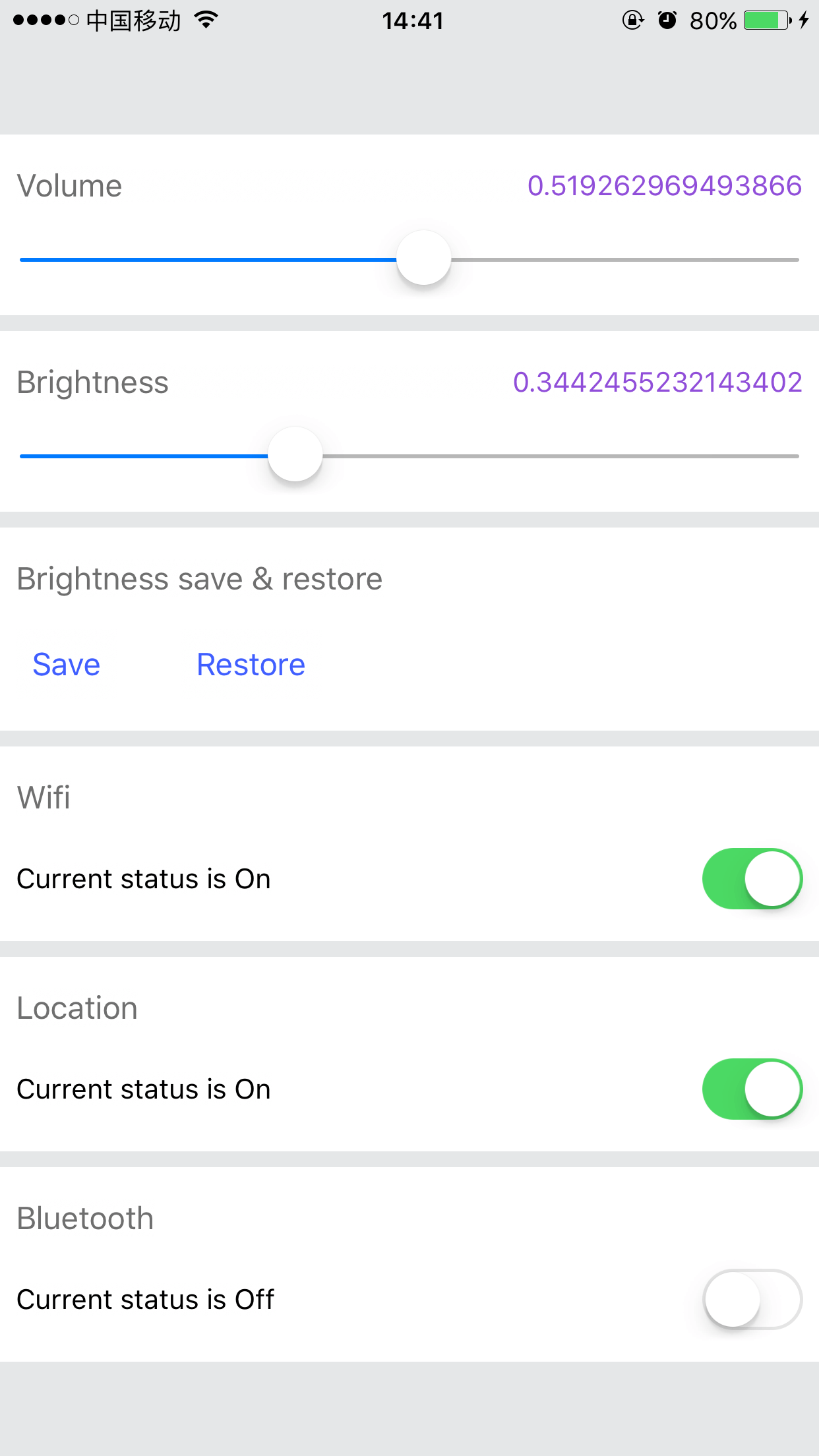
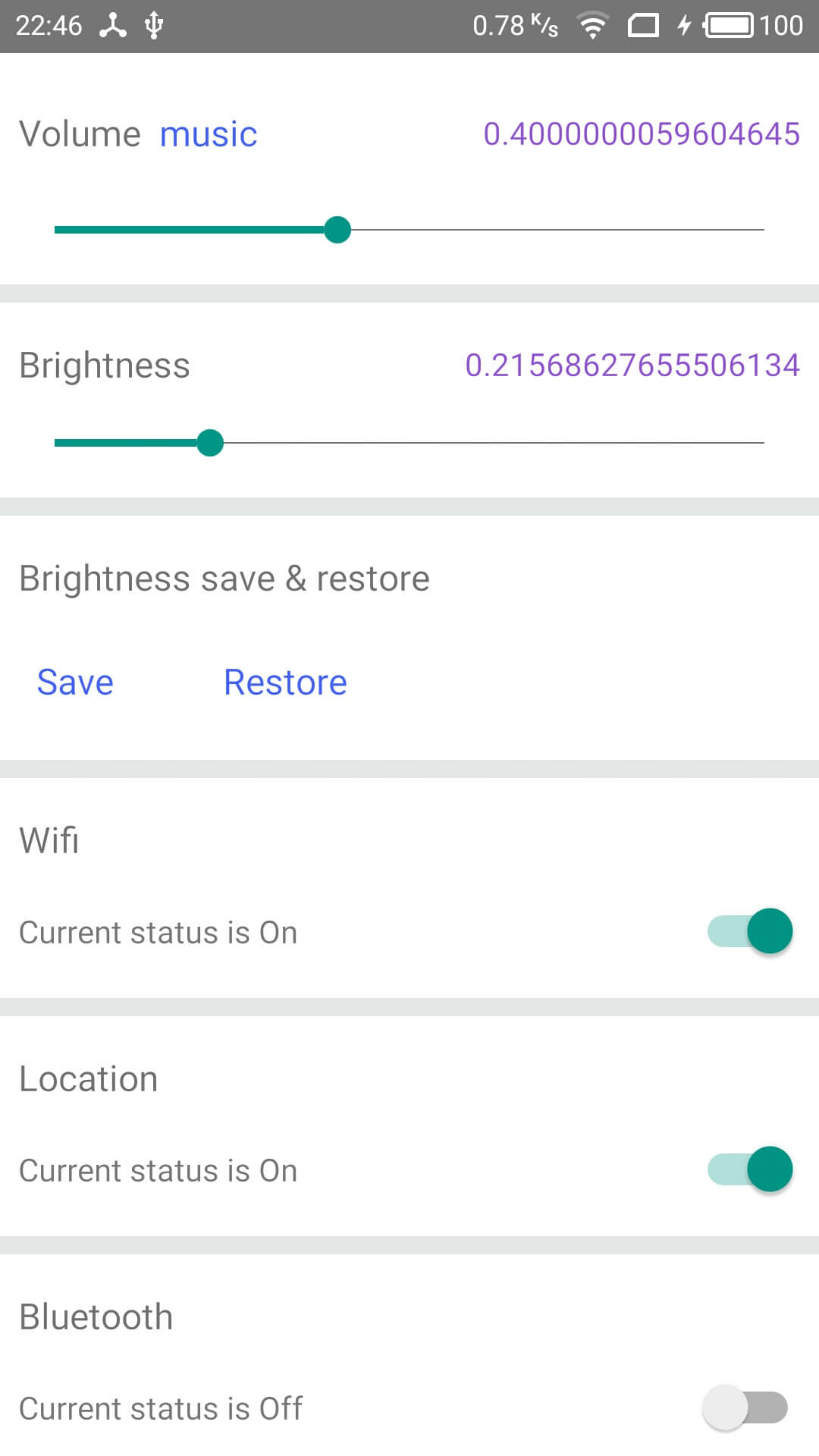
Install
Run
npm i -S react-native-system-settingNote: if your project was created by Create React Native App, you should Eject before link it.
#### iOS
Run react-native link to link this library.
Or add pod 'RCTSystemSetting', :path => '../node_modules/react-native-system-setting' in Podfile for Cocoapods.
If link does not work, you can do it manually.
#### Android
Run react-native link to link this library.
That's all.
If link does not work, you can do it manually. Just follow this way:
android/settings.gradle
``gradle`
include ':react-native-system-setting'
project(':react-native-system-setting').projectDir = new File(rootProject.projectDir, '../node_modules/react-native-system-setting/android')
android/app/build.gradle
`gradle`
dependencies {
...
compile project(':react-native-system-setting')
}
android/app/src/main/java/..packageName../MainApplication.java
On top, where imports are:
`java`
import com.ninty.system.setting.SystemSettingPackage;
Add the SystemSettingPackage class to your list of exported packages.
`java`
@Override
protected List
return Arrays.asList(
new MainReactPackage(),
new SystemSettingPackage()
);
}
Usage
Common import
`javascript`
import SystemSetting from 'react-native-system-setting'
volume
`javascript
//get the current volume
SystemSetting.getVolume().then((volume)=>{
console.log('Current volume is ' + volume);
});
// change the volume
SystemSetting.setVolume(0.5);
// listen the volume changing if you need
const volumeListener = SystemSetting.addVolumeListener((data) => {
const volume = data.value;
console.log(volume);
});
//remove listener when you need it no more
SystemSetting.removeVolumeListener(volumeListener)
`
> setVolume can do more, more detail
brightness
`javascript
//get the current brightness
SystemSetting.getBrightness().then((brightness)=>{
console.log('Current brightness is ' + brightness);
});
//change the brightness & check permission
SystemSetting.setBrightnessForce(0.5).then((success)=>{
!success && Alert.alert('Permission Deny', 'You have no permission changing settings',[
{'text': 'Ok', style: 'cancel'},
{'text': 'Open Setting', onPress:()=>SystemSetting.grantWriteSettingPermission()}
])
});
// save the value of brightness and screen mode.
SystemSetting.saveBrightness();
// restore the brightness and screen mode. you can get the old brightness value.
SystemSetting.restoreBrightness().then((oldVal)=>{
//if you need
})
// change app's brightness without any permission.
SystemSetting.setAppBrightness(0.5);
SystemSetting.getAppBrightness().then((brightness)=>{
console.log('Current app brightness is ' + brightness);
})
`
> setBrightness() & saveBrightness() need permission for Android
Wifi
`javascript
SystemSetting.isWifiEnabled().then((enable)=>{
const state = enable ? 'On' : 'Off';
console.log('Current wifi is ' + state);
})
SystemSetting.switchWifi(()=>{
console.log('switch wifi successfully');
})
`
> isWifiEnabled() need permission for AndroidswitchWifi()
>
> is disabled by default for iOS since V1.7.0, enable it
Location
`javascript
SystemSetting.isLocationEnabled().then((enable)=>{
const state = enable ? 'On' : 'Off';
console.log('Current location is ' + state);
})
SystemSetting.switchLocation(()=>{
console.log('switch location successfully');
})
`
> is disabled by default for iOS since V1.7.0, enable it
Bluetooth
`javascript
SystemSetting.isBluetoothEnabled().then((enable)=>{
const state = enable ? 'On' : 'Off';
console.log('Current bluetooth is ' + state);
})
SystemSetting.switchBluetooth(()=>{
console.log('switch bluetooth successfully');
})
`
> isBluetoothEnabled() need permission for Android
>
> All bluetooth-function are disabled by default for iOS since V1.7.0, enable it
Airplane
`javascript
SystemSetting.isAirplaneEnabled().then((enable)=>{
const state = enable ? 'On' : 'Off';
console.log('Current airplane is ' + state);
})
SystemSetting.switchAirplane(()=>{
console.log('switch airplane successfully');
})
`
> isAirplaneEnabled() will always return true for iOS if your device has no SIM card, see detailswitchAirplane()
>
> is disabled by default for iOS since V1.7.0, enable it
Other
`javascript`
// open app setting page
SystemSetting.openAppSystemSettings()
API
Run example
`
$ cd example/SystemSettingExample
$ npm install
// if android
$ react-native run-android
// else
$ react-native run-ios
iOS
To be more friendly to app store, I disable some APIs for iOS since V1.7.0, You can enable it in a few steps.
Android permission
$3
Default permissions are removed since V1.5.0, see this PR. You need to declare the corresponding permissions in your app's AndroidManifest.xml, see example AndroidManifest.xml
android/app/src/main/AndroidManifest.xml
`xml
android:versionCode="1"
android:versionName="1.0">
...
`
> There are some different APIs that end with silence. They can do the job programmatically without direct user consent. These APIs maybe useful when you develop a system management app. Or, you should call switchWifi() & switchBluetooth() to get a better user experience
$3
setVolume() may cause a crash: Not allowed to change Do Not Disturb state. See detail.
$3
Change brightness and screen mode need android.permission.WRITE_SETTINGS which user can disable it in phone Setting. When you call setScreenMode(), setBrightness() or setBrightnessForce() , it will return false if the app has no permission, and you can call SystemSetting.grantWriteSettingPermission() to guide user to app setting page. see example
> If you just want to change app's brightness, you can call setAppBrightness(val)`, and it doesn't require any permission. see API
In the end
Feel free to open issue or pull request
License
MIT