react-native-tear-lines
v1.0.5
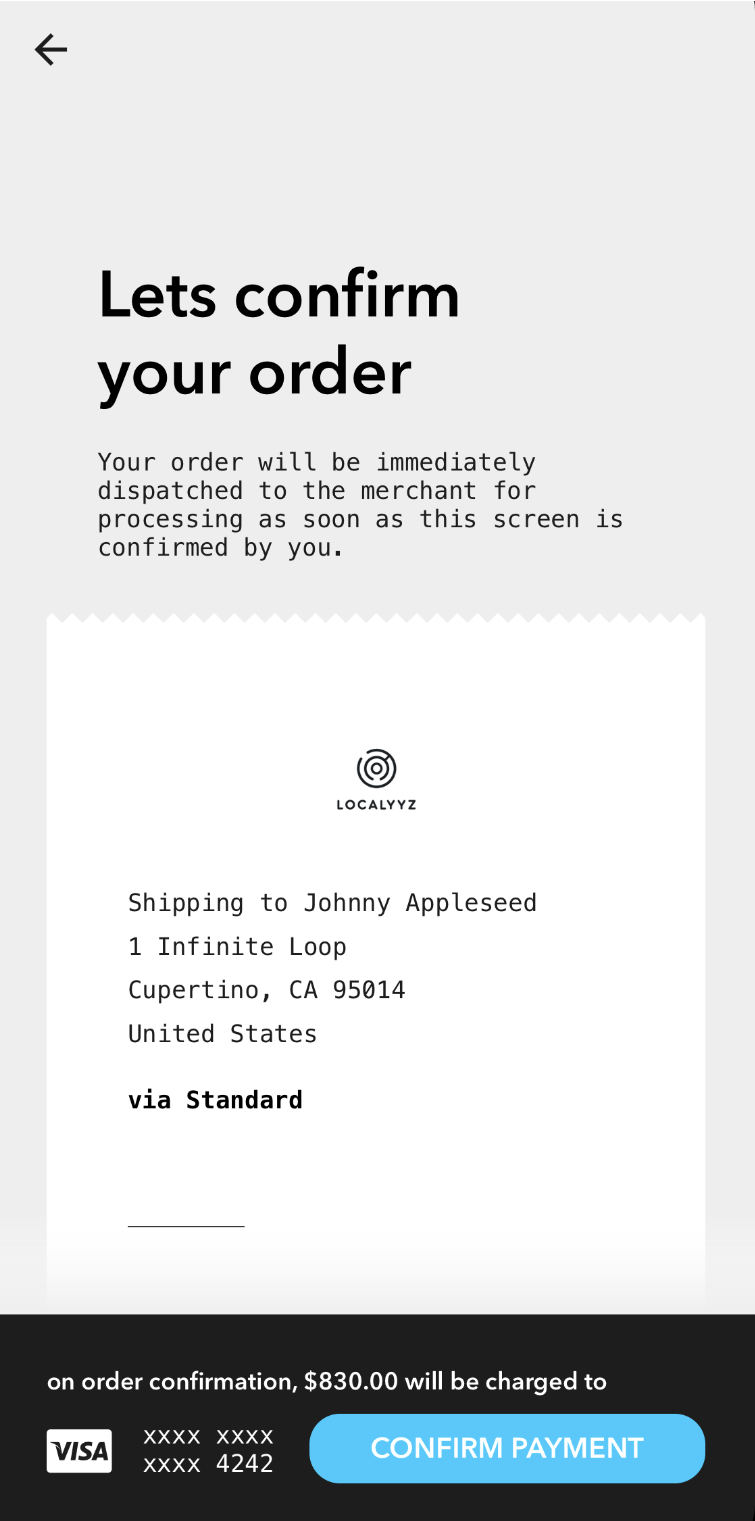
Zig-zag borders to simulate tear lines normally seen on receipts
0/weekUpdated 3 years agoMITUnpacked: 136.5 KB
Published by Kenneth Ma
npm install react-native-tear-linesreact-native-tear-lines
Zig-zag borders to simulate tear lines normally seen on receipts.
Installation
``
yarn add react-native-tear-lines
Usage
Use TearLines's onLayout method in the attached component's onLayout prop
to dynamically match its width as demonstrated below:
`js
import { View } from "react-native";
import TearLines from "react-native-tear-lines";
color="#FFFFFF"
backgroundColor="#CCCCCC">
onLayout={e => {
this.refs.top.onLayout(e);
this.refs.bottom.onLayout(e);
}} />
ref="bottom"
color="#FFFFFF"
backgroundColor="#CCCCCC">
`
Properties
| Prop | Description | Default | Required |
|---|---|---|---|
|isUnder|true if this TearLines is used at the bottom of the attached view rather than the top.|false|No|color
||Foreground color; should match attached content view's background color.|#FFFFFF|No|backgroundColor
||Background color, should match container's background color.|#CCCCCC|No|tearSize
||Specifies how large each tear tile is. Larger values will render less tiles.|10|No|width
||Width can be provided if you don't want to use the onLayout` method to dynamically match the attached content view.|None|No|
License
MIT License. © Kenneth Ma