react-native-typography
v1.4.1TypeScript
Pixel–perfect, native–looking typographic styles for React Native
0/weekUpdated 3 years agoMITUnpacked: 103.8 KB
Published by hectahertz
npm install react-native-typography
Pixel–perfect, native–looking typographic styles for React Native.


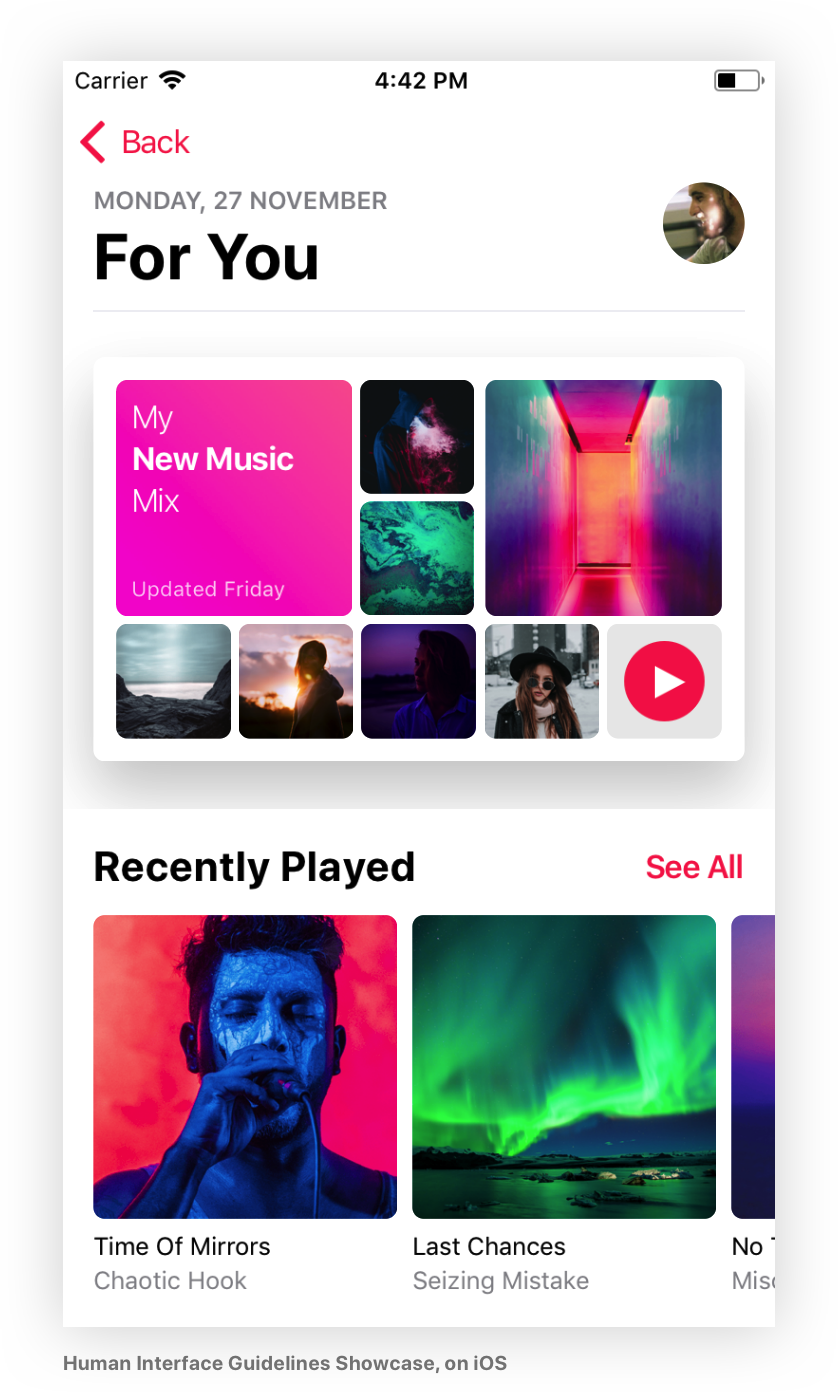

Why
Creating great Text Styles in React Native
is not a simple task,
it requires a lot of fiddling and handling edge cases.
This library provides a good set of defaults and helpers that cover the majority
of the cases you'll need, make your code much simpler and ✨bonus✨ render
great on iOS, Android and the web 😄
Quick start
Add the dependency:
``sh`
yarn add react-native-typography
Set a style in your component:
`JSX
import { material } from 'react-native-typography'
`
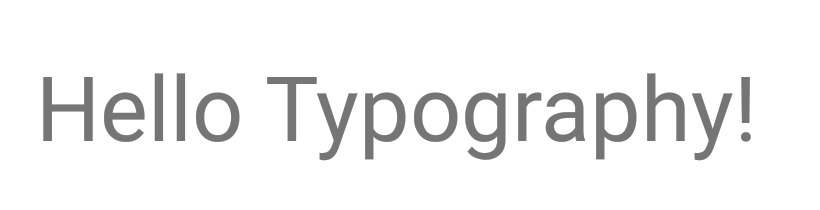
And it will look like this:
$3
* You can run the example app
via Expo or
check the code, all of the screenshots are taken directly
from there!
Typography collections
We provide a series of predefined collections for you to start with that match
the native design systems for iOS and Android.
You can use them directly wherever you would supply a
textStyle.
There's also the option of extending them to create
your own styles.
$3
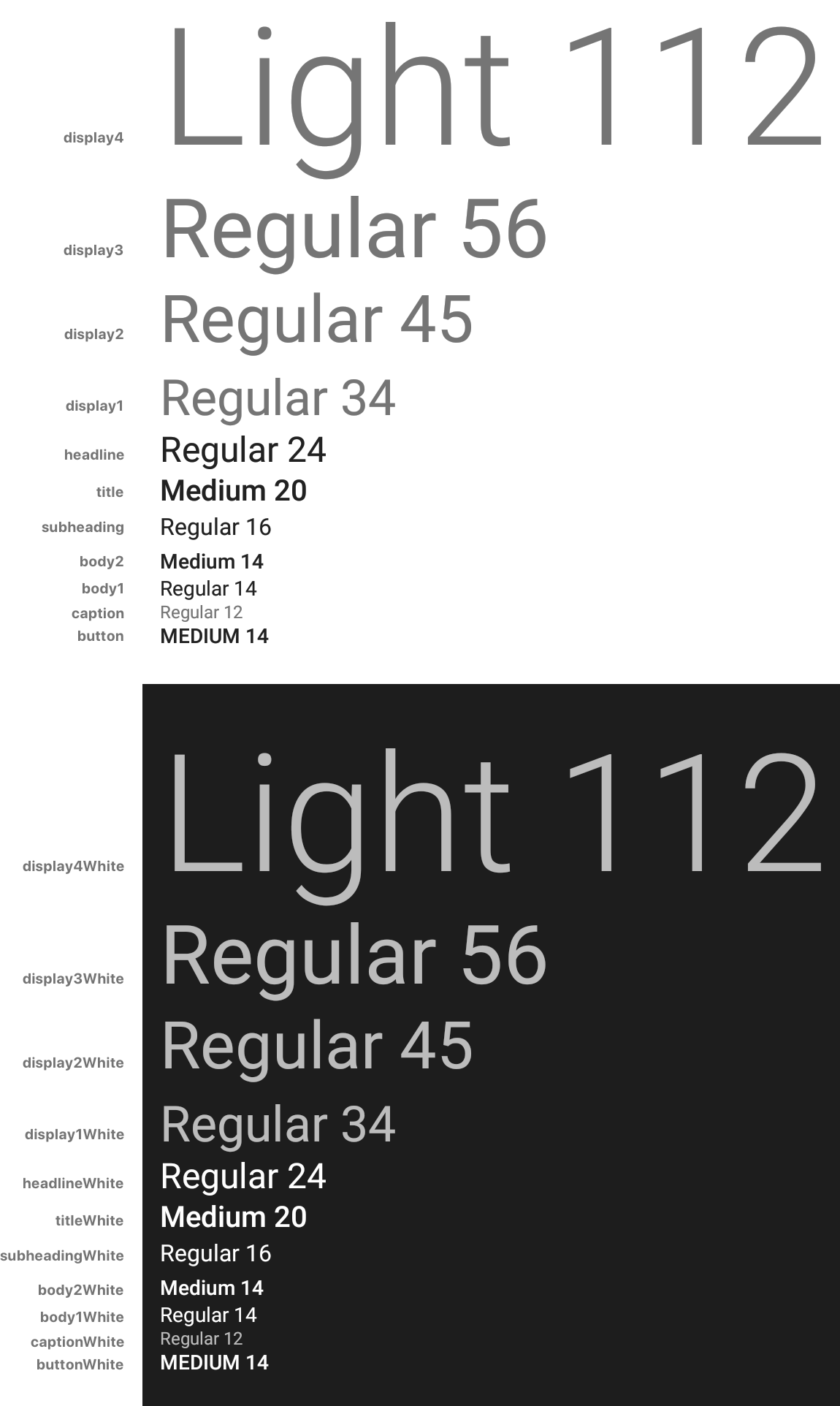
Includes all the styles defined in the
Material Design Guidelines.
Defines size, weight and color.
`JSX
import { material } from 'react-native-typography'
`
$3
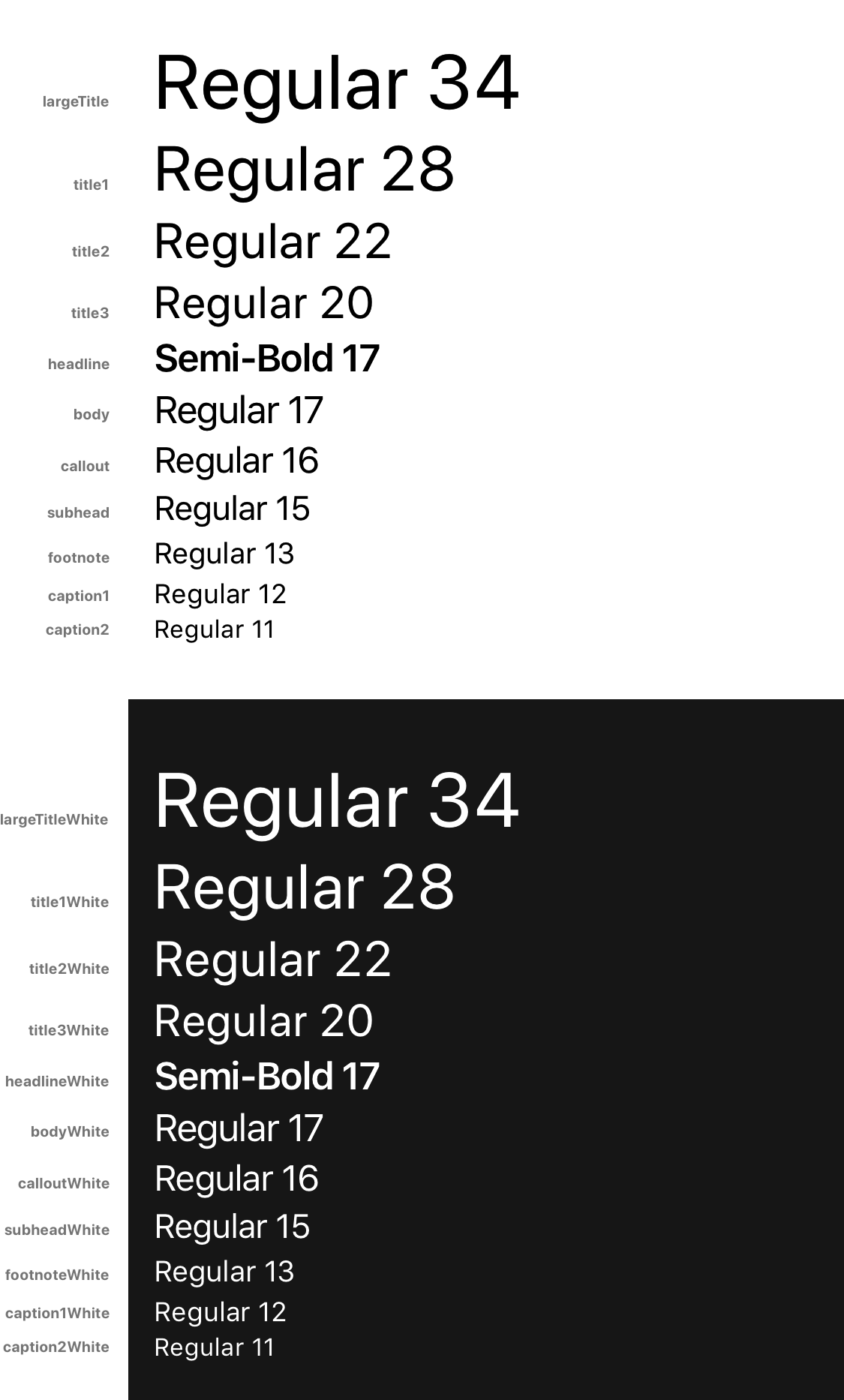
Defined in the
Human Interface Guidelines.
Defines size, weight and color.
`JSX
import { human } from 'react-native-typography'
`
$3
Extracted from
the official Apple sketch file
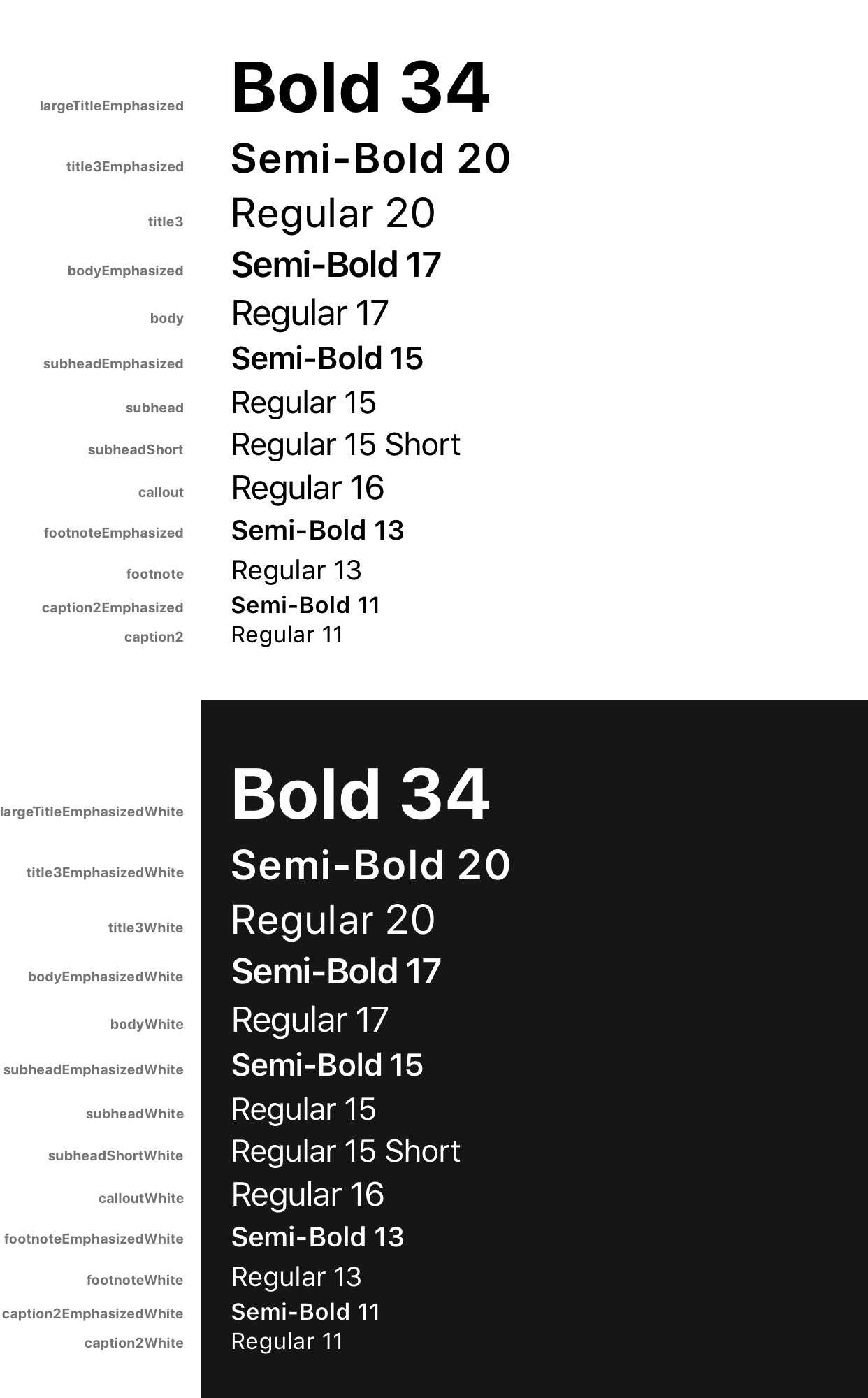
These are the text styles that fall under the category of iOS UIKit, and are
used to build the UI components of iOS Apps.
They build on top of the Human Interface styles, customizing some properties
such as weight or letter spacing.
`JSX
import { iOSUIKit } from 'react-native-typography'
`
Customization & Helpers
The collections provide every style in 2 different ways:
* As a StyleSheet, e.g.: material.title
* As a plain object, e.g.:
The basic way to use them is to set the StyleSheet directly where you would
supply a
textStyle:
`JSX`
To extend the styles, you can spread the object inside your own StyleSheet
and override some of its attributes:
`JSX
const styles = StyleSheet.create({
yellowTitle: {
...material.titleObject,
color: iOSColors.yellow,
},
});
`
Another option would be to combine the provided StyleSheet with your own
StyleSheet.
`JSX
const styles = StyleSheet.create({
yellow: {
color: iOSColors.yellow,
},
});
`
$3
A font weight in React Native is sometimes formed by a pair of a fontFamily and
a fontWeight, but not always! It depends on the typeface, sometimes it's just
defined by the fontFamily.
With these helpers, you don't have to worry about those inconsistencies.
To combine them with a collection style (or your own styles) just spread them,
as they are plain objects.
`JSX
const styles = StyleSheet.create({
lightTitle: {
...material.titleObject,
...systemWeights.light,
},
});
`
#### System Weights
`JSX`
import { systemWeights } from 'react-native-typography'
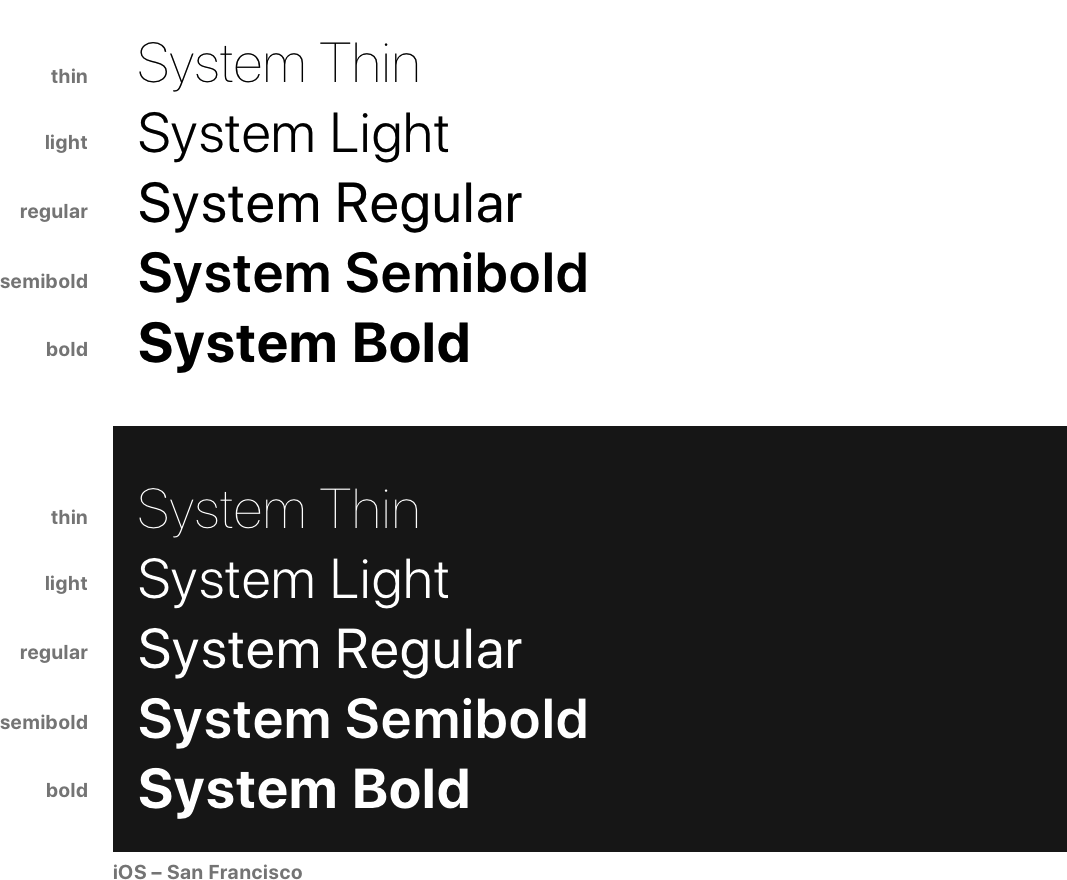
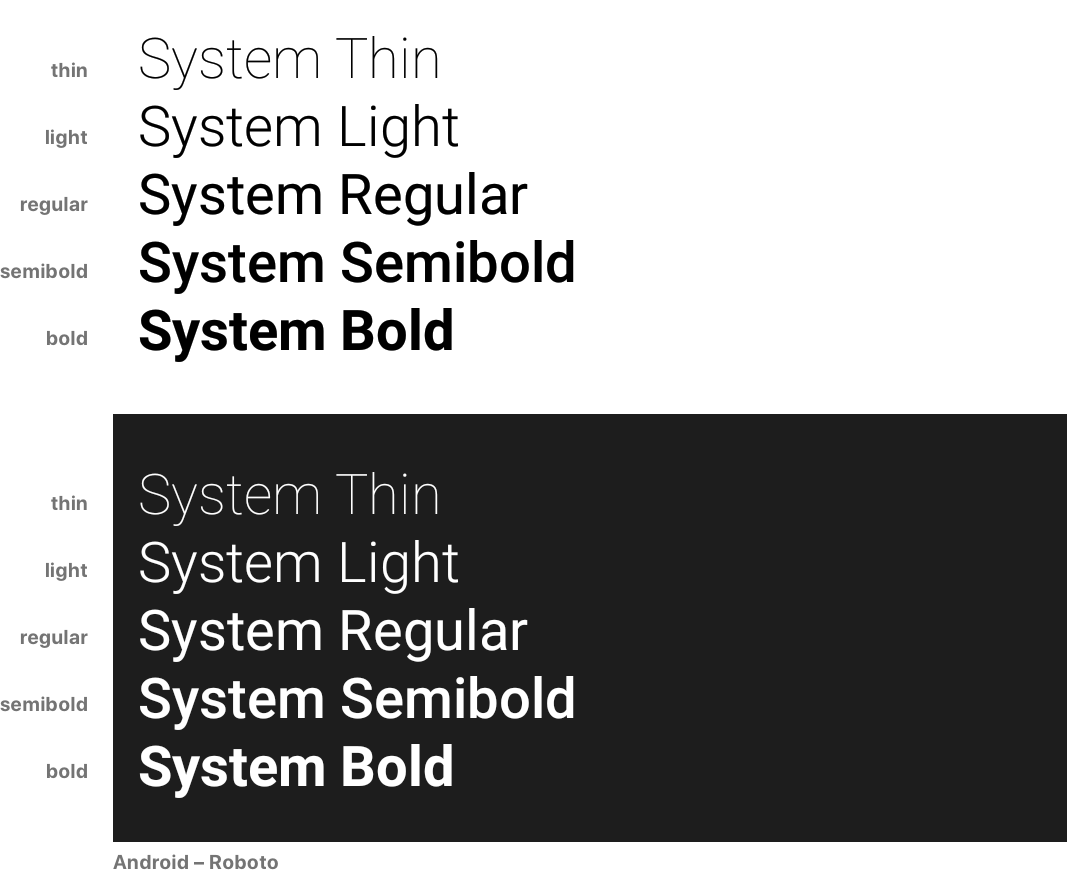
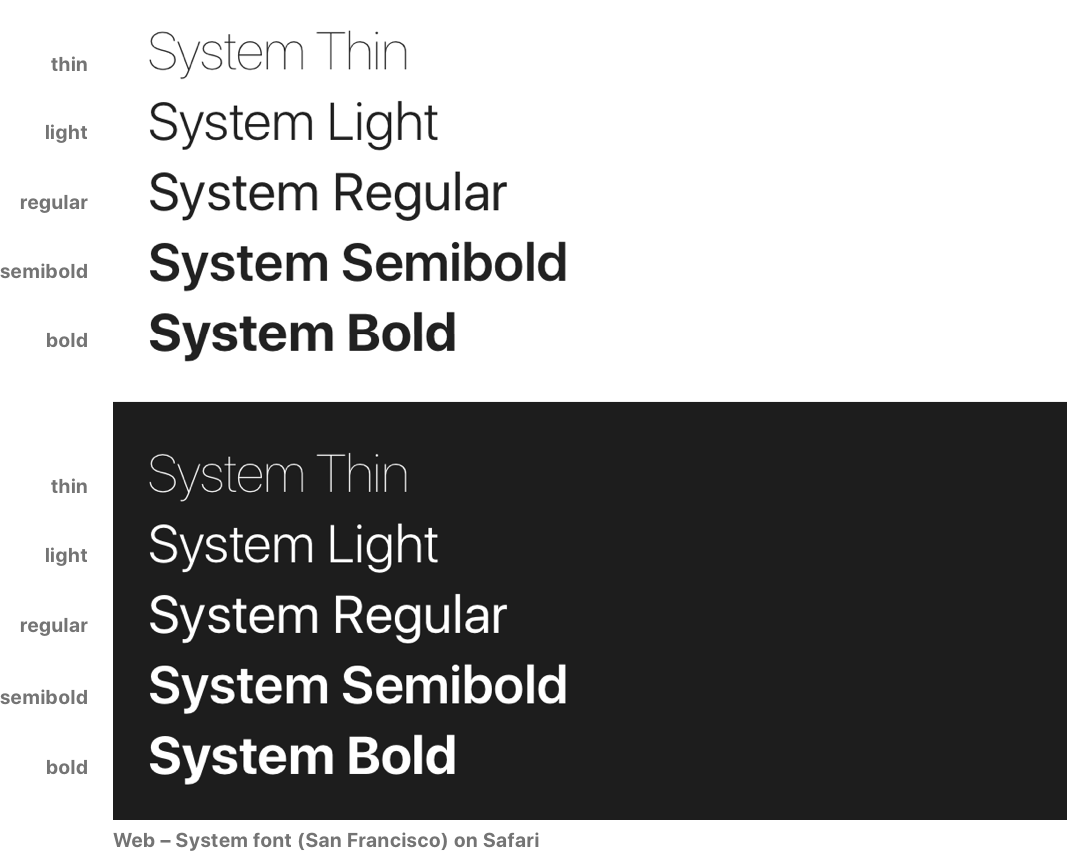
The System weights render visually similar weights of the **Native
typefaces** on each platform.
Read more about cross-platform here.
This is the recommended way of customizing your weights unless you really need
different visual styles for each platform.
They follow the San Francisco naming convention, as it has more steps, which
makes it more future–proof.
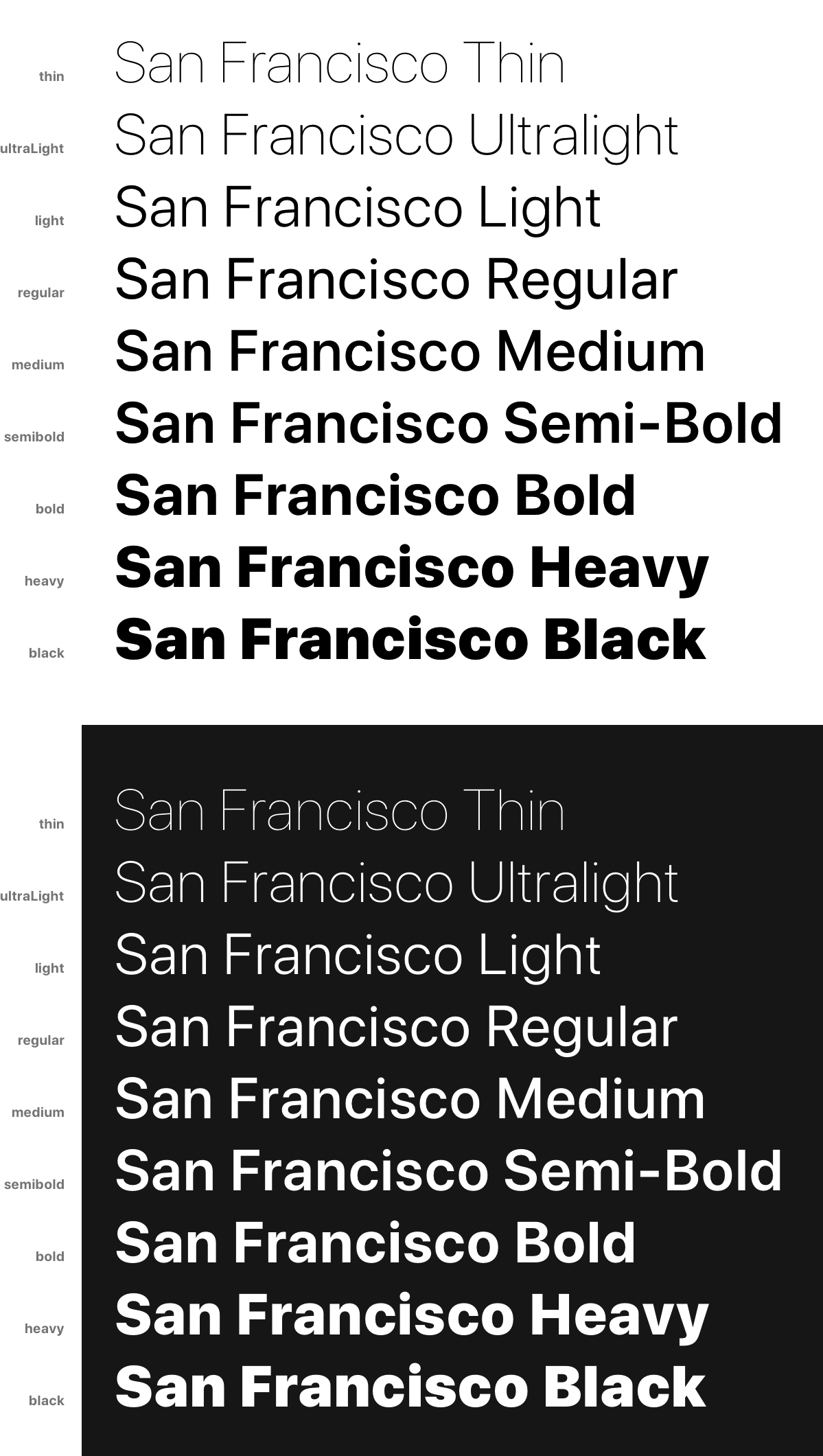
#### San Francisco Weights
`JSX`
import { sanFranciscoWeights } from 'react-native-typography'
These weights are only intended for iOS, as they directly reference the
native San Francisco typeface.
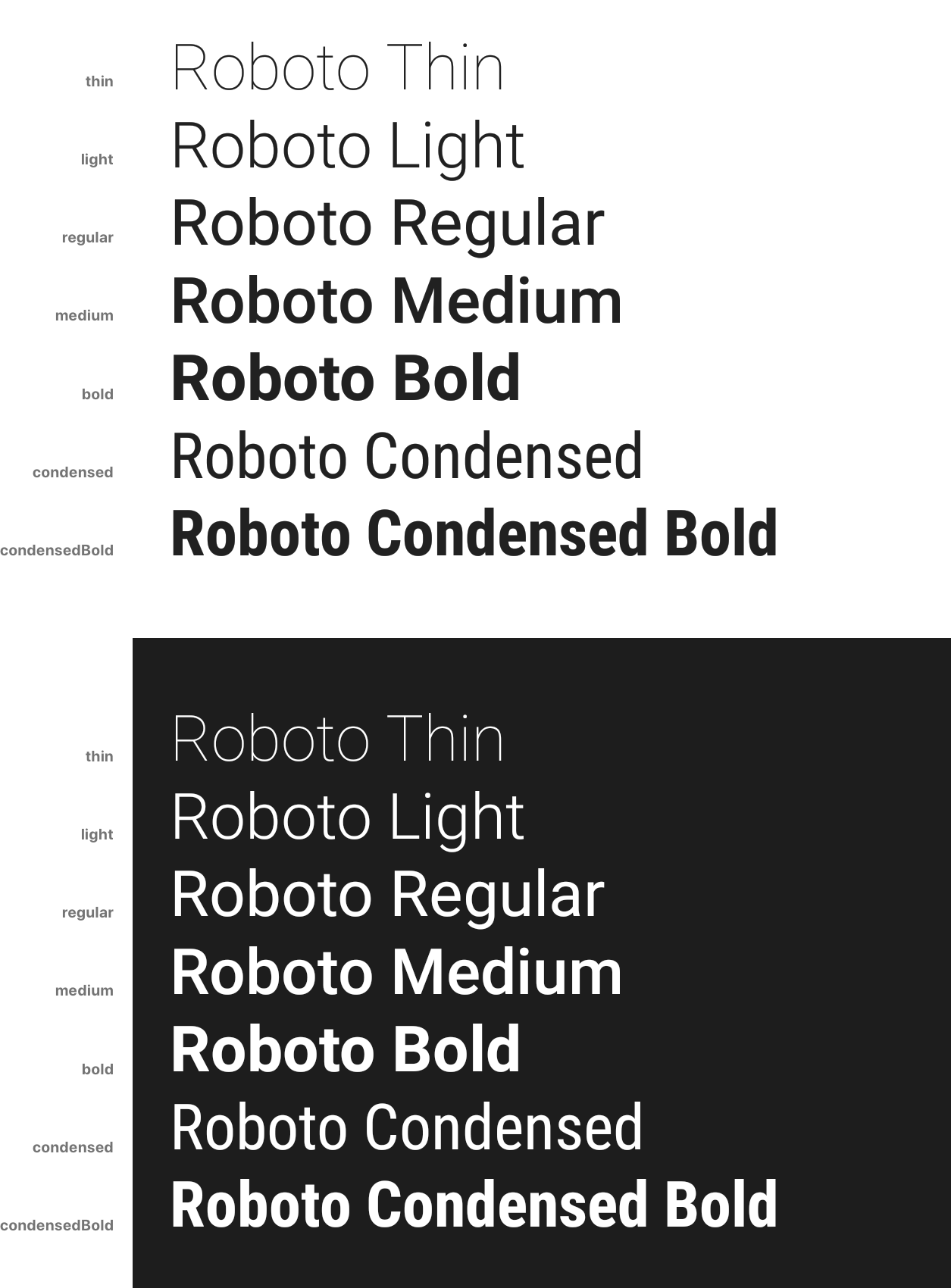
#### Roboto Weights
`JSX`
import { robotoWeights } from 'react-native-typography'
These weights are only intended for Android, as they directly reference the
native Roboto typeface.
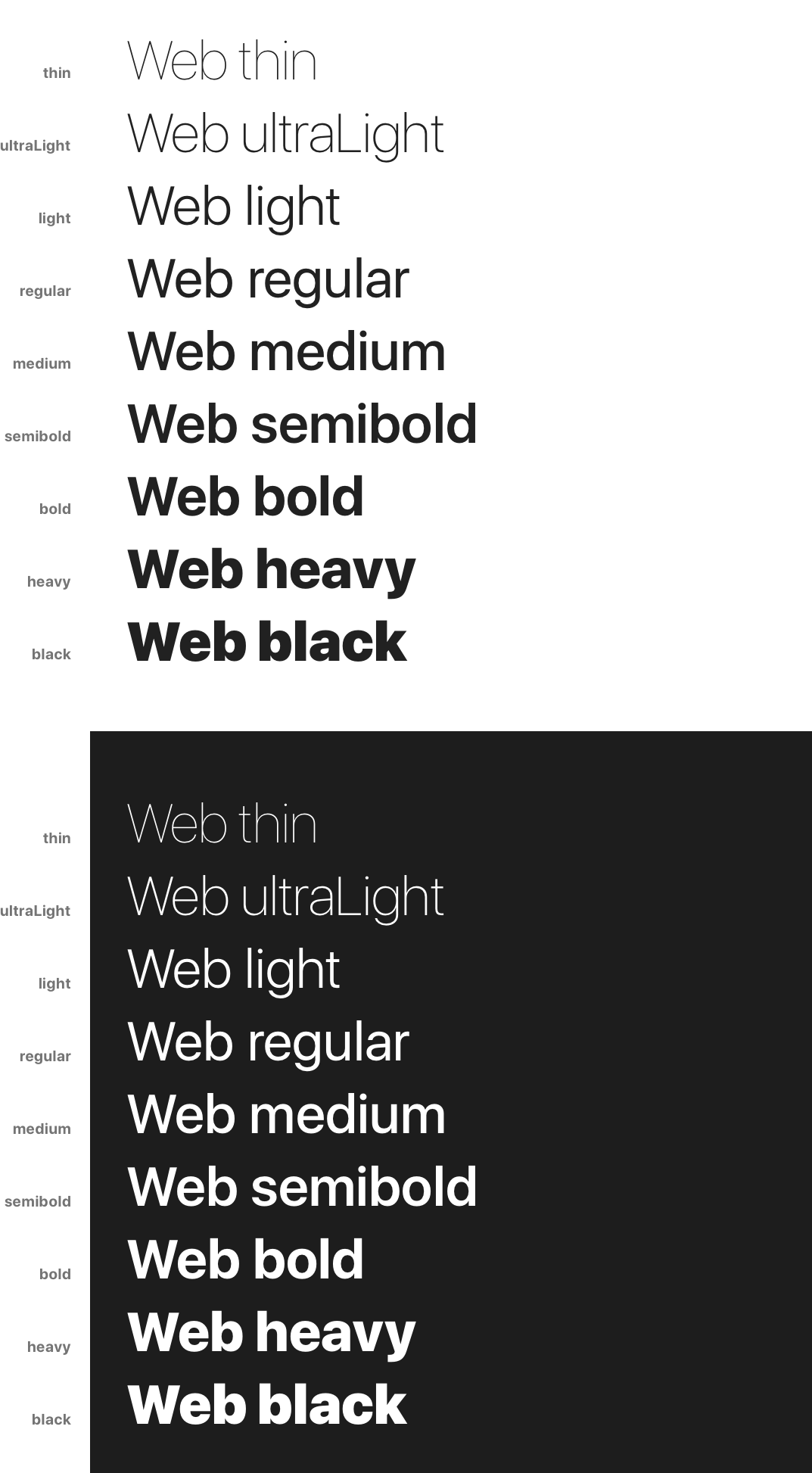
#### Web Weights
`JSX`
import { webWeights } from 'react-native-typography'
These weights are only intended for the web, and render react-native-web's system font stack.
$3
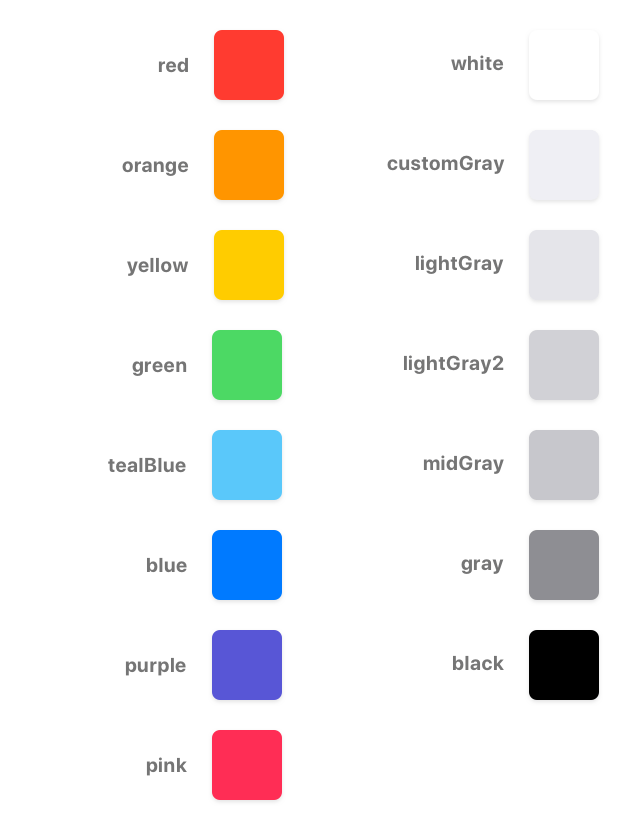
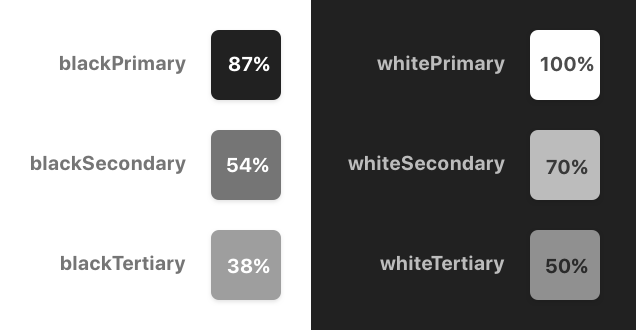
We also include the default text color hex values for each platform.
#### iOS
`JSX`
import { iOSColors } from 'react-native-typography'
`JSX
const styles = StyleSheet.create({
yellowTitle: {
...human.title3Object,
color: iOSColors.yellow,
},
});
`
#### Material
`JSX`
import { materialColors } from 'react-native-typography'
`JSX
const styles = StyleSheet.create({
tertiaryTitle: {
...material.titleObject,
color: materialColors.blackTertiary,
},
});
`
$3
#### San Francisco
The San Francisco typeface defines its letter spacing via Kerning. This
is not compatible with the React Native text style properties, as they take
letter-spacing instead.
To perform this conversion on iOS you can use the sanFranciscoSpacing function, which
receives the font size and returns the appropriate letter spacing.
This is not needed for the web as the browsers already take care of this.
`JSX
import { sanFranciscoSpacing } from 'react-native-typography'
const styles = StyleSheet.create({
customSize: {
..., // some other props
fontSize: 34,
letterSpacing: sanFranciscoSpacing(34),
},
});
`
This is already taken care of on the collections, but if you want to define your
own sizes you can adjust the spacing on iOS with this helper.
Dense and tall scripts
Dense and tall scripts are fully supported, check the full documentation here!
`JSX
import { materialDense } from 'react-native-typography'
``

Cross-platform
Quoting
the Material Design Platform recommendations
> The default typeface on iOS is San Francisco. Using this typeface is the
> easiest way to implement accessibility features like Dynamic Type. Using other
> typefaces may require making adjustments to get the same accessibility
> features.
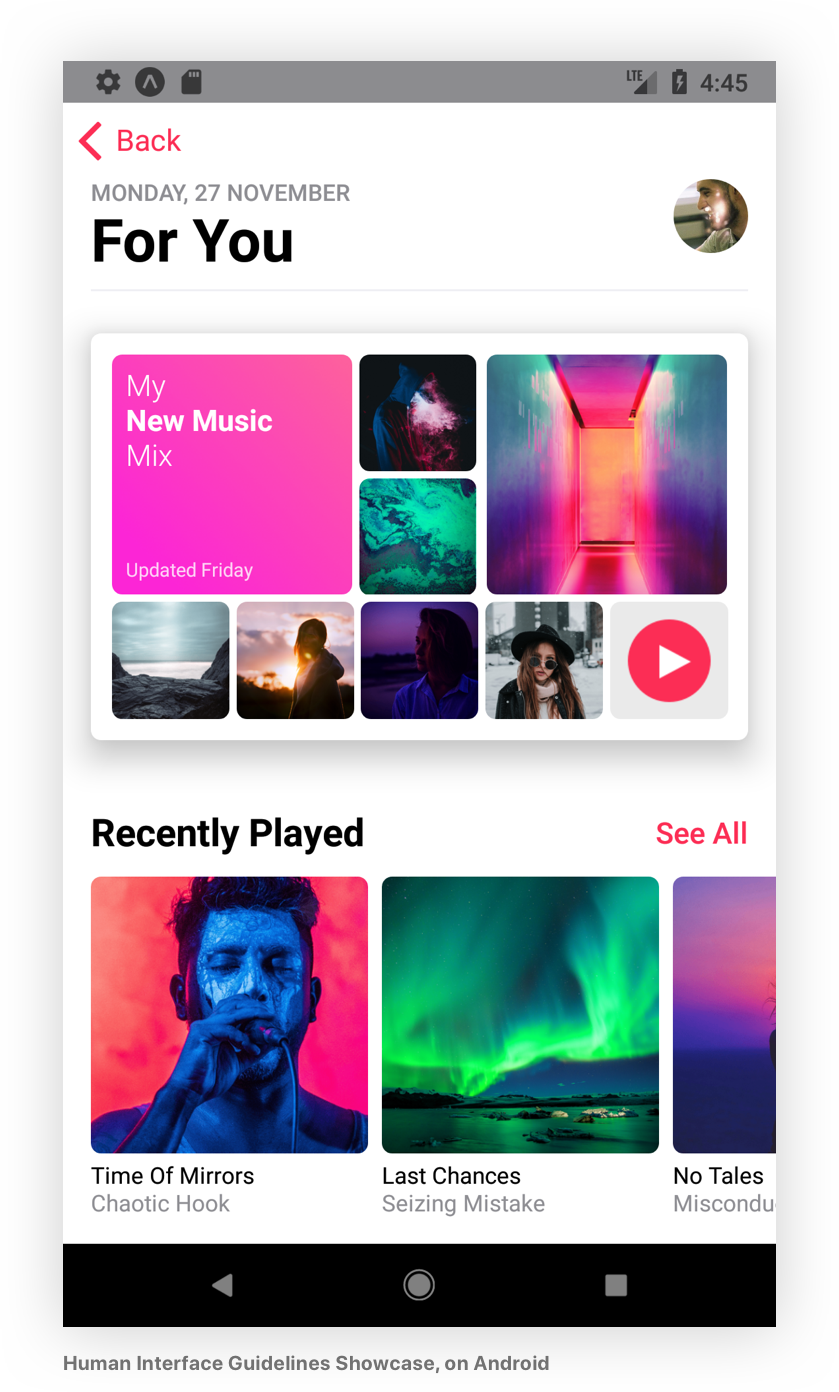
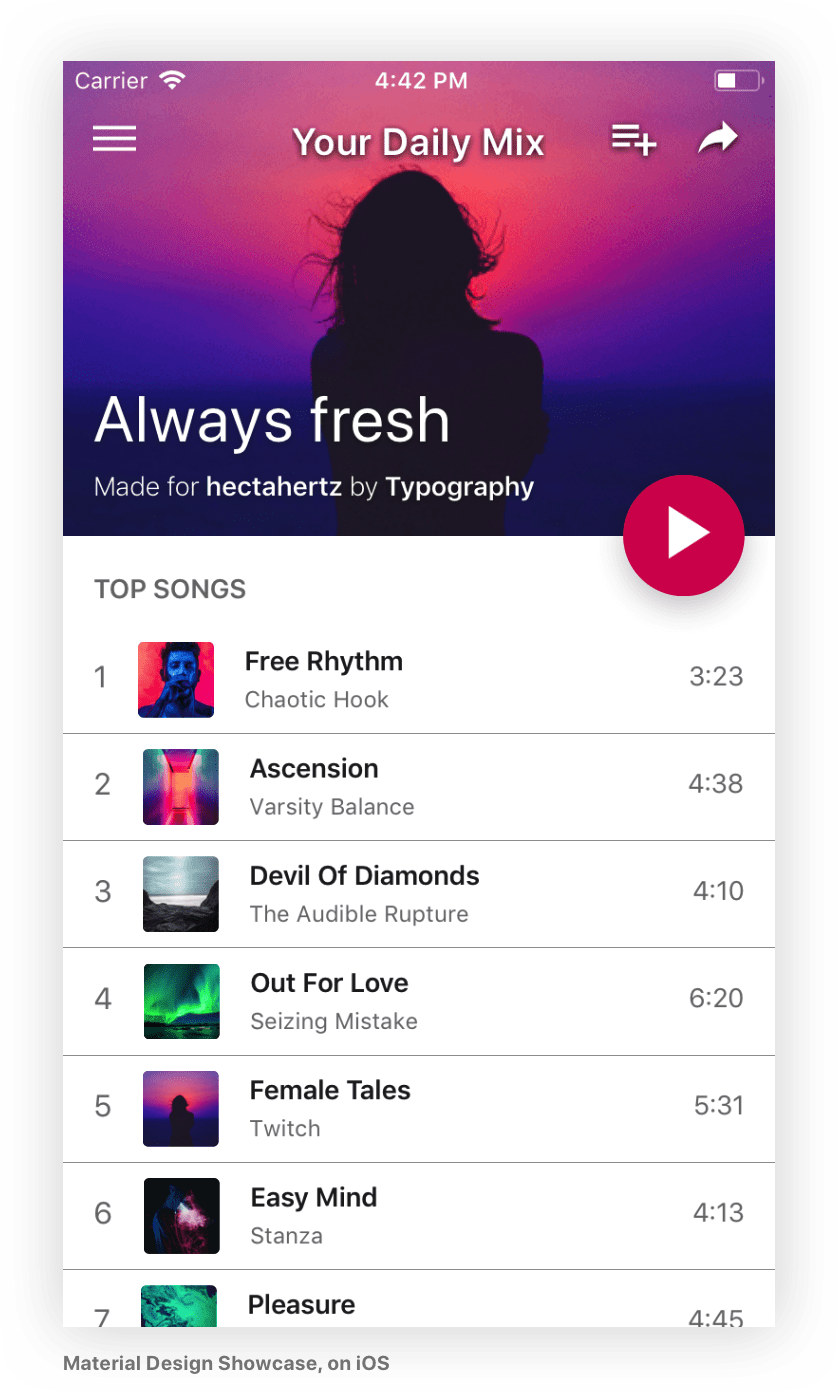
This is the approach that we like to follow, and all the collections exported
from this library render nicely on all the supported platforms with their respective native
typefaces, for that we use the System weight helper.
You can check the code of the example app where we included a
couple of screens that follow this philosophy, this is how they render on iOS and Android:
F.A.Q.
#### But I don't wanna use the Material Design or Human Interface Guidelines! Is there any reason why I should use this library?
Absolutely! The helpers are very convenient to build your own text styles as
they work around
the quirks of working with text styles on React Native,
even if you want to specify your own sizes and weights,
check them out!
#### Kerning is not 100% accurate on the Display sizes for the Material styles on Android
There's no support for letter spacing on React Native Android yet. ☹️
#### Where is Roboto Black?
It's not available by default on React Native Android yet. 😐
#### Why are there less weights available for CJK(Chinese, Japanese, Korean) languages on Android than iOS?
Android uses Noto Sans CJK (also known as Source Han Sans) to render those
languages, and
even though it has seven weights,
they're not shipped with Android. 😕
There are some issues tracking this already, hopefully they will be included in
the future.
* https://issuetracker.google.com/issues/37064674
* https://issuetracker.google.com/issues/37106325
#### I use styled-components/glamorous/etc. Can I use react-native-typography?
Of course! There are some examples in the provided app,
check the code!
#### Why is this library exporting StyleSheets and objects instead of components?
The idea behind it is that textStyles are the universally accepted way of
styling text and this makes integration
with many libraries
easier.
The StyleSheet/Object pattern is
already being used
in the React Native codebase to provide an easy way to extend exported
StyleSheets.
If you enjoy using pre-styled components for your text, you can easily
define them and just supply the desired styles from this library! 🙂
Versioning
We use SemVer for versioning. For the versions available,
see the
tags in this repository.
Authors
See also the list of
contributors
who participated in this project.
License
This project is licensed under the MIT License.
Acknowledgments
* Kyle Hickinson - thanks for
the work on the kerning values for San Francisco
and for being so nice!
* Bartol Karuza &
Chris Lewis - thanks for the work on fixing the
line heights inconsistencies in React Native.
* Alina Cvetkova - thanks for your help with the
UX and visual fine–tuning.
$3
* Sasha Freemind
* Seth Doyle
* Angel Jimenez
* Efe Kurnaz
* Mário Silva
* Paul Morris
* Joel Filipe
* Wild Vibez
References
* https://developer.apple.com/ios/human-interface-guidelines/visual-design/typography/
* https://material.io/guidelines/style/typography.html
* https://developer.apple.com/design/resources/
* https://facebook.github.io/react-native/docs/text.html#style
* https://medium.com/@knoland/typography-in-react-native-f09c43b5b435
* https://developer.apple.com/videos/play/wwdc2015/804/
* https://developer.apple.com/videos/play/wwdc2016/801/
* https://medium.com/react-native-training/list-of-available-react-native-fonts-ed78b48bd45e
* https://developer.apple.com/documentation/uikit/uifontdescriptor/font_weights
* https://v1.designcode.io/iosdesign-guidelines
* http://devsign.co/notes/tracking-and-character-spacing
* https://www.raizlabs.com/dev/2015/08/advanced-ios-typography/
* https://medium.com/@sauvik_dolui/handling-fonts-in-ios-development-a-simpler-way-32d360cdc1b6
* https://readymag.com/arzamas/132908/6/
* https://github.com/facebook/react-native/pull/14609
* https://github.com/react-native-training/react-native-fonts