react-nipple
v1.0.2
A react wrapper for the [nipplejs](https://www.npmjs.com/package/nipplejs) on-screen-joystick.
437/weekUpdated 3 years agoMITUnpacked: 257.7 KB
Published by loopmode
npm install react-nipplereact-nipple
A react wrapper for the nipplejs on-screen-joystick.
$3
- Github repository: https://github.com/loopmode/react-nipple
- NPM package: https://www.npmjs.com/package/react-nipple
- Docs: https://loopmode.github.io/react-nipple/
Installation
``bash`
yarn add react-nippleor using npm:
npm install --save react-nipple
Usage
Import and use the component. It supports all options from nipplejs. on
It provides callbacks for all supported event types in a camel-cased -notation, e.g. start -> onStart.
`javascript
import React from 'react';
import ReactNipple from 'react-nipple';
// optional: include the stylesheet somewhere in your app
import 'react-nipple/lib/styles.css';
class Example extends React.Component {
render() {
return (
// see https://github.com/yoannmoinet/nipplejs#options
options={{ mode: 'static', position: { top: '50%', left: '50%' } }}
// any unknown props will be passed to the container element, e.g. 'title', 'style' etc
style={{
outline: '1px dashed red',
width: 150,
height: 150
// if you pass position: 'relative', you don't need to import the stylesheet
}}
// all events supported by nipplejs are available as callbacks
// see https://github.com/yoannmoinet/nipplejs#start
onMove={(evt, data) => console.log(evt, data)}
/>
);
}
}
`
$3
- There is an additional
callback that receives the created nipplejs instance - you might want to use it for direct access to instance methods etc.
- You can pass the boolean static flag as a prop, which is a shortcut for options={{mode: 'static', position: {top: '50%', let: '50%'}}}Demo app
The repository is a yarn workspace that contains a small demo app next to the actual
 package.
You can play around with the demo after cloning the repository and installing the dependencies in the root folder.
`
git clone https://github.com/loopmode/react-nipple.git
cd react-nipple
yarn install
yarn demo
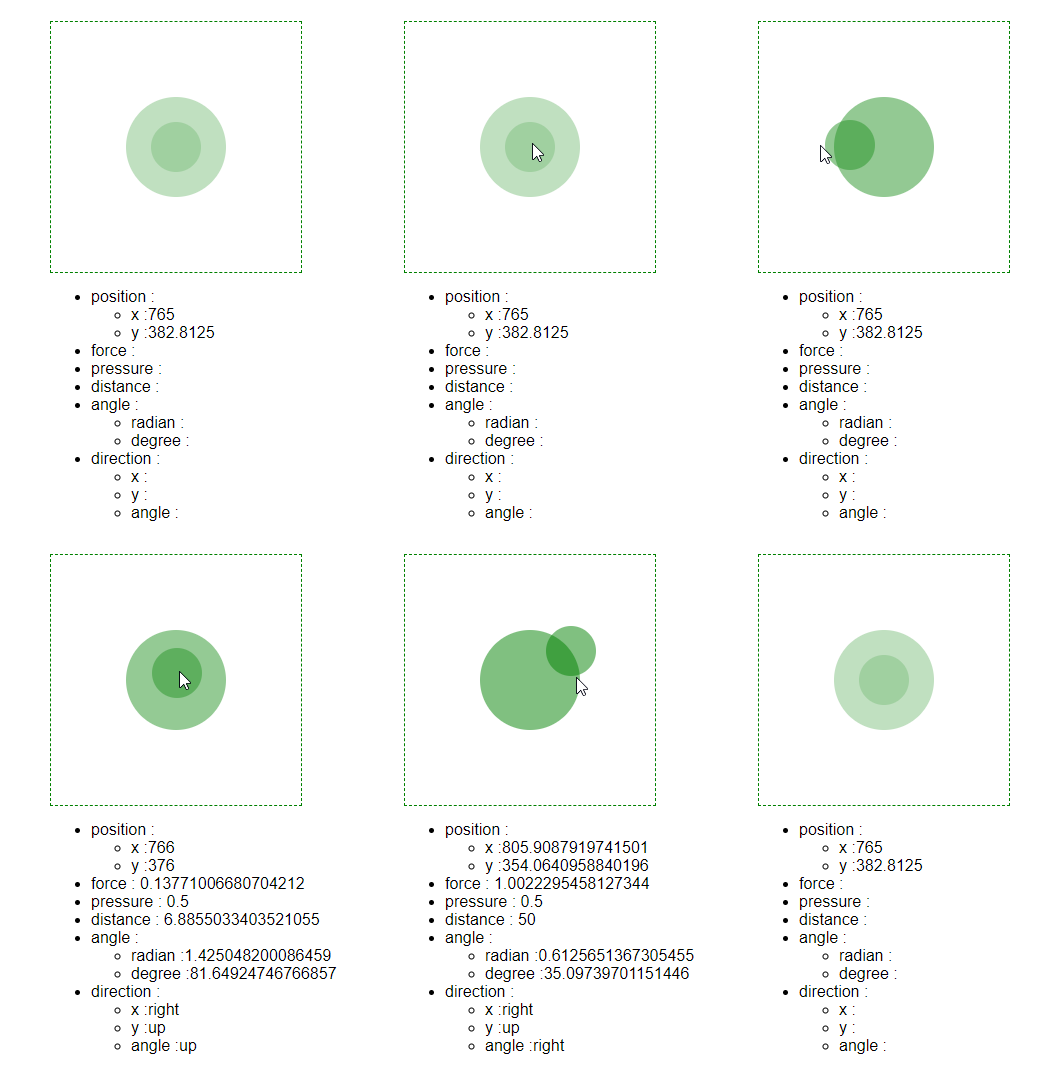
Debug view
There is a debug view based on the official codepen demo.
It supports a
prop that accepts the data object you receive with all nipplejs events, and simply renders its values.
Use it to quickly inspect the values.`javascript
import React from 'react';
import ReactNipple from 'react-nipple';
import DebugView from 'react-nipple/lib/DebugView';export default class DebugExample extends React.Component {
state = {
data: {}
};
render() {
return (
style={{
outline: '1px dashed red',
color: 'blue',
width: 150,
height: 150,
position: 'relative'
}}
onStart={this.handleEvent}
onEnd={this.handleEvent}
onMove={this.handleEvent}
onDir={this.handleEvent}
onPlain={this.handleEvent}
onShown={this.handleEvent}
onHidden={this.handleEvent}
onPressure={this.handleEvent}
/>
);
}
handleEvent = (evt, data) => {
console.log(evt);
this.setState({ data });
};
}
``