react-strp-counter
v1.1.1TypeScript
A lightweight counter that relies on CSS to rearrange numbers and doesn't rerender Elements
reactcounterdigitnumbercss counternumber counternumber animationcounter animationdigit animationcasino counter
0/weekUpdated 7 months agoMITUnpacked: 18.6 KB
Published by Arsen Mkrtchyan
npm install react-strp-counterreact-strp-counter
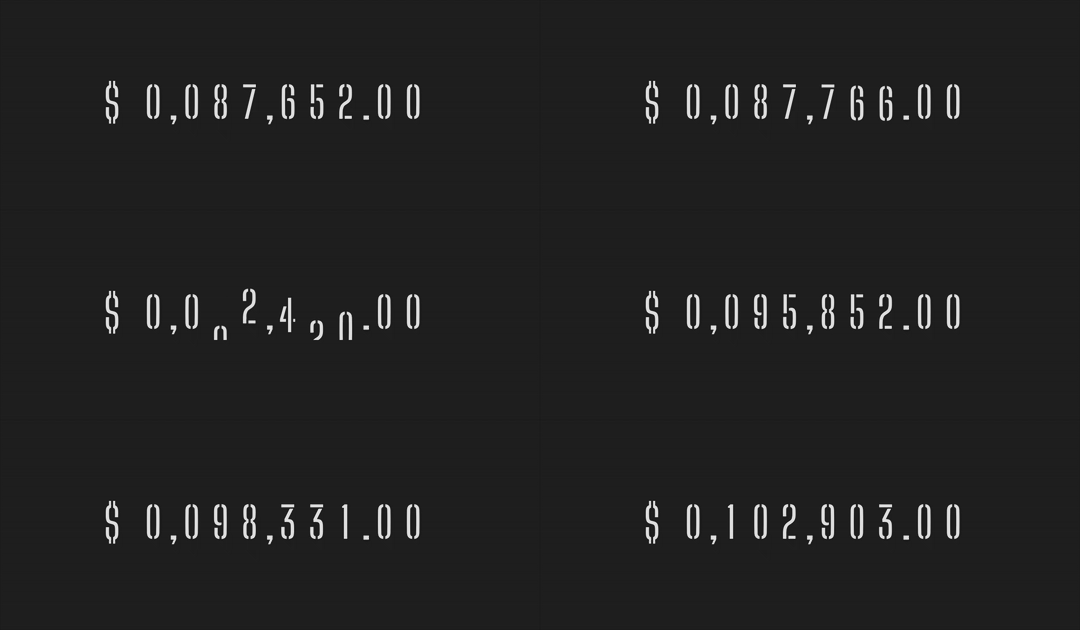
A high-performance, CSS-only animated counter for React that never re-renders on value updates.
Ideal for dashboards, KPIs, and animated counters where performance and visual smoothness matter.
_LIGHT Package Size:_

$3
---
✨ Features
- ⚡ Zero re-renders — DOM is fully static after mount
- 🔁 2 modes:
- Static: Only changed digits animate
- Rolling: Seamless jackpot-style rolling using duplicated digit strings
- 🧩 Accepts numbers or formatted strings
- 🏷 Optional unit label with positioning
- 🧠 Ripple-style animation with dynamic delay per digit
---
How It Works
This component avoids React re-renders by offloading all animation logic to CSS variables and direct DOM manipulation.
Every digit is pre-rendered via CSS content (:before) and animated with transform.
In rolling mode, digits animate smoothly from their current index to index + 10 (which wraps visually), and snap back
after the transition ends.
---
📦 Installation
``bash`
npm install react-strp-counter
or
`bash`
yarn add react-strp-counter
---
🚀 Usage
`tsx
// import STRPCounter
import {STRPCounter} from 'react-strp-counter';
// import CSS
import 'react-strp-counter/css';
fontSize="48px" // optional
minLength={9} // optional
delimiter="," // optional
decimalSeparator="." // optional
unitLabel="USD" // optional
unitLabelPosition="left" // optional
rollingMode={true} // optional
stepDuration={0.05} // optional
easing={"cubic-bezier(0.33,0.81,0.1,1.02)"} // optional
/>
`
---
🧩 Props
| Prop | Type | Required | Default | Description |
|---------------------|-----------------------------|----------|-----------------------------------------|------------------------------------------------------------------------------------------------------------------------------------------------------------------------------------------------------|
| value | number \| string | ✅ | — | The numeric value or formatted string to render |fontSize
| | string | ❌ | "28px" | Font size (used as --strp_fontsize CSS variable) |minLength
| | number | ❌ | — | Pad with zeroes on the left to reach minimum character length, used to avoid layout shifts when your number has to add a digit from the left side, optional, but I highly suggest to always use this |rollingMode
| | boolean | ❌ | false | If true, enables jackpot-style rolling animation |stepDuration
| | number | ❌ | 0.05 | Optional, used with rollingMode, Per-digit step duration (in seconds) used for timing delays |delimiter
| | string \| false | ❌ | false | Thousands delimiter (e.g. ",", " ") |decimalSeparator
| | string \| false | ❌ | false | Decimal point (e.g. "."), always add 2 decimals if you use this |unitLabel
| | string \| React.ReactNode | ❌ | — | Optional unit (e.g. "$", "kg", "
", "" etc.) |
| unitLabelPosition | 'left' \| 'right' | ❌ | "left" | Where to place the unit label |
| easing | string \| false | ❌ | "cubic-bezier(0.33, 0.81, 0.1, 1.02)" | If set to "false" component will use "linear" instead. Feel free to pass your custom easing |---
🧠 Best Practices
Use tabular fonts (e.g. Roboto Mono, JetBrains Mono, Menlo, SF Mono) for perfect alignment.
Font used in demo is Big Shoulders Stencil
---
🎨 Styling (Bring Your Own FONT)
You are required to supply your own FONT.
The package does not include any fonts to make it as lightweight as possible.
Code below:
`css
.strp_counter_wrap {
--strp_fontfamily: 'YOUR CUSTOM FONT FAMILY';
}
`or
css
:root {
    --strp_fontfamily: 'YOUR CUSTOM FONT FAMILY';
}
`---
🎨 Styling (for RTL users)
Everything inside the component is forced to render in LTR state, if you supply a RTL unitLabel please
force it to be rendered as RTL
css
.strp_counter_wrap .YOUR_CUSTOM_UNITLABEL {
    direction: rtl !important;
}
``---
Animation Modes
$3
- Digits animate directly to the new value using CSS transitions.
- No infinite-roll illusion; transitions go straight to the next index.
- Transitions are smooth but not "slot machine style".
- Ideal for standard animated counters and real-time updates.
$3
- Digits roll upward through a sequence of 10 values to reach the next digit.
- Designed to mimic a jackpot / slot machine animation.
- Digits on the right change first; left digits delay proportionally.
- After rolling, digits snap back to correct value without transition (visually seamless).
- Ideal for flashy counters, jackpots, or game-like UIs.
---
Ripple Effect Explained
Digits that change closer to the right animate first. Those to the left wait slightly longer.
This creates a smooth ripple reminiscent of jackpot reels or odometers.
If a digit doesn’t change, it doesn't animate.
---
Performance
This package is designed to animate without triggering any React re-renders or layout thrashing. No animations are
handled via JavaScript after setup. All transitions are GPU-accelerated and run purely via CSS variables.
---
Contributing
Pull requests are welcome. For major changes, please open an issue first
to discuss what you would like to change.
License
MIT