rn-autoheight-input
v1.0.1
React Native TextInput with auto height and multiline support
0/weekUpdated 3 years agoMIT
Published by Dariy Dzyndra
npm install rn-autoheight-inputrn-autoheight-input
React Native TextInput with auto height and multiline support
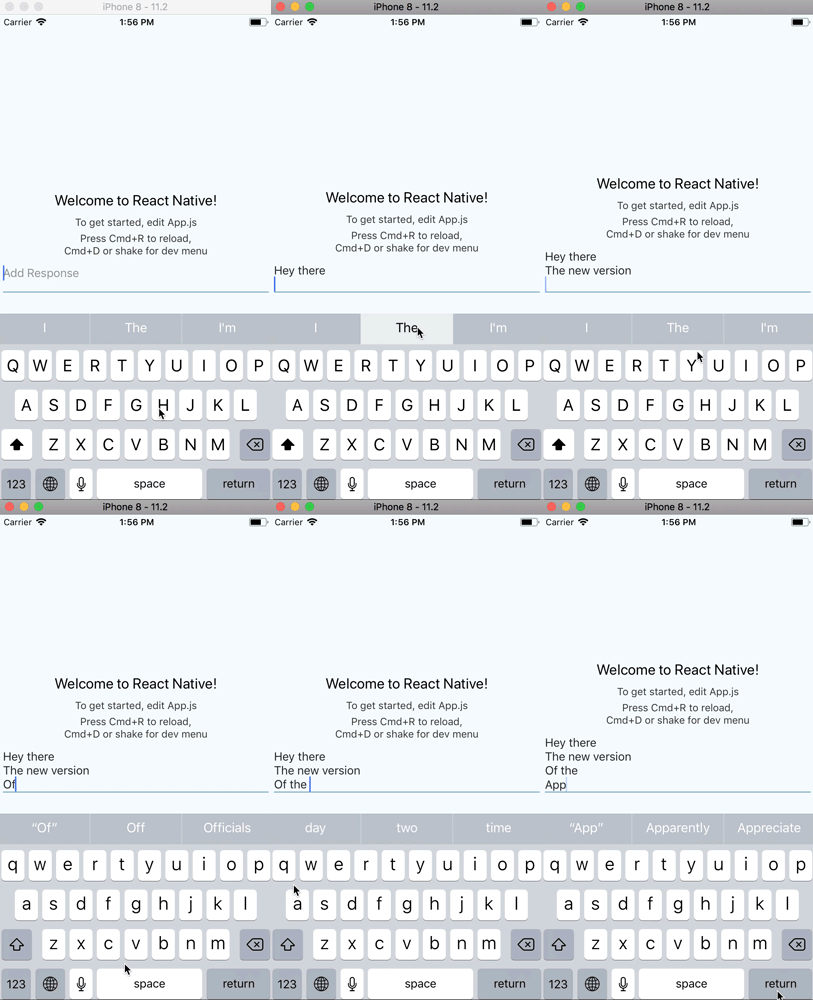
Installation
Install using `
npm or yarn:`shell
npm i rn-autoheight-input --save
`shell
yarn add rn-autoheight-input
`Usage
You can use this input wrapper together with , which can be installed from npm or yarn Import
rn-autoheight-input inside your component:`js
import InputView from 'rn-autoheight-input'
`jsx
contentContainerStyle={styles.container}
>
...
value={text}
onValueChange={(text) => this.setState({text})}
placeholder="Add Response"
onContentSizeChange={
(event) => {
this._scrollToInput(ReactNative.findNodeHandle(event.target));
}
}
/>
` is a callback function which is called when content size of input changes. This can be used to scroll to this input when cursur position changes.$3
`js
_scrollToInput = (reactNode: any) => {
let extraHeight = 30;
this.scroll.scrollToFocusedInput(reactNode, extraHeight);
}
`
API
$3
All the props will be passed.| Prop | Type | Description |
|----------|----------|-----------------|
|
blurOnSubmit | boolean | Set false to enable Multiline Support. Default value is true |
| value | string | Default value of input. |
| defaultHeight | number | Initial height of input. Default is 40 |
| viewStyle | Style Object | Style of Input View Wrapper. |
| inputStyle | Style Object | Style of Input. |
| onContentSizeChange | function | callback function with event argument which is called when content size of input changes. |
| onChangeText | function | callback function with text` argument which is called when value of input changes. |License
MIT.
Author
Dariy D.