simple-gpt-chat-gui
v1.0.52TypeScript
3D animated react button component with progress bar
82/weekUpdated 2 years agoMITUnpacked: 158.2 KB
Published by dddd
npm install simple-gpt-chat-gui

3D animated react button component with progress bar.











Documentation
·
Report Bug
·
Request Feature
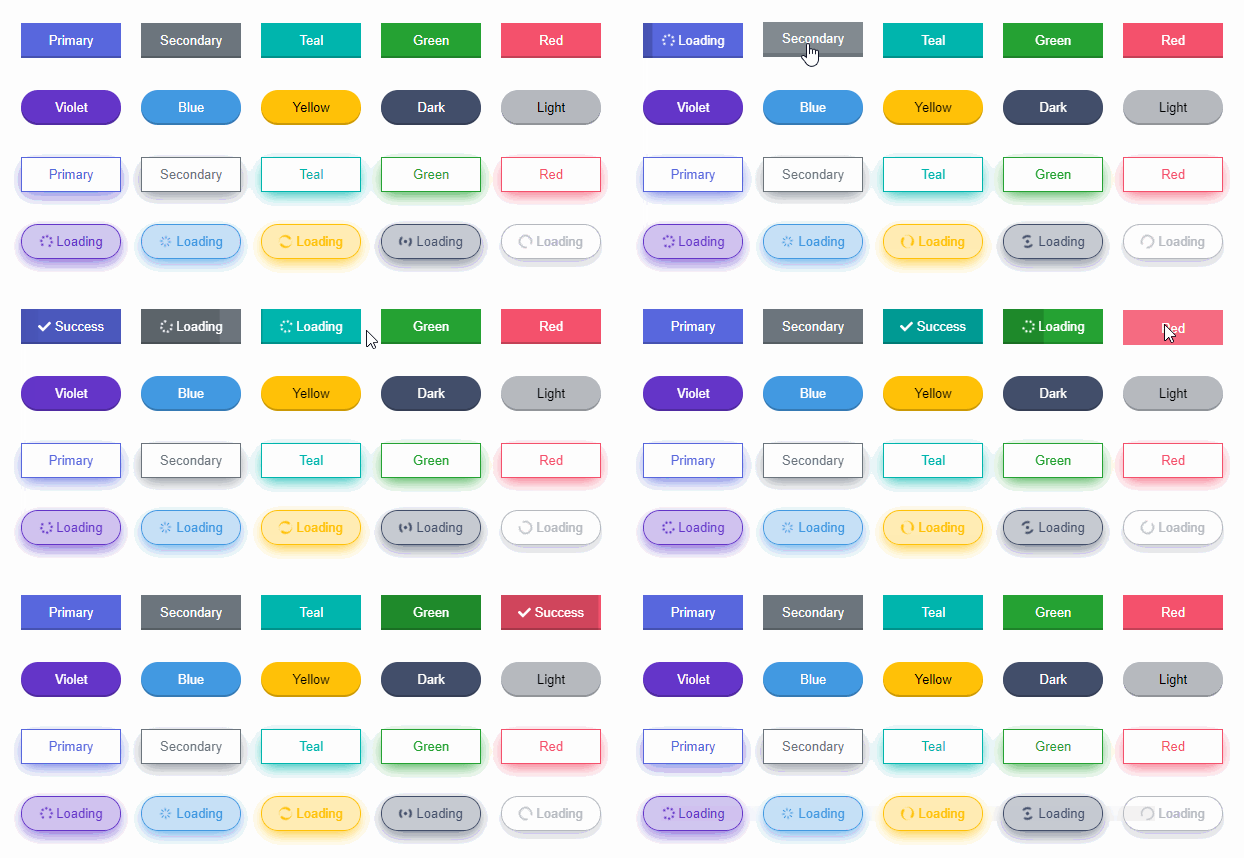
Reactive Button is a 3D animated react component to replace the traditional boring buttons. Change your button style without adding any UI framework. Comes with progress bar and the goal is to let the users visualize what is happening after a button click.
- 3D
- Animated
- Supports icons
- Zero dependency
- Progress indicator
- Notification message
- Supports TypeScript
- Super easy to setup
- Extremely lightweight
- Super easy to customize
- And much more !
Resources
- Documentation
- Playground
- StackBlitz
Installation
Install via NPM.
``
sh

npm install reactive-button
`
Or via Yarn.
`sh
yarn add reactive-button
`
Usage


The targets of the below example:


- Show a button showing the text '_Submit_'.

- After clicking the button, change the button text to '_Loading_' and send an HTTP request.

- Upon successful request, change the button text to '_Done_' as success notification.
`jsx
import { useState } from 'react';
import ReactiveButton from 'reactive-button';
function App() {
const [state, setState] = useState('idle');
const onClickHandler = () => {
setState('loading');
// send an HTTP request
setTimeout(() => {
setState('success');
}, 2000);
};
return (
idleText="Submit"
loadingText="Loading"
successText="Done"
onClick={onClickHandler}
/>
);
}
export default App;
`
$3


Reactive Button has all the functionalities of a normal button.


#### Color


It comes with 10 default color options.
`jsx
return (
<>
);
`
#### Size


There are 4 sizes available.
`jsx
return (
<>
);
`
#### Style


Make the buttons more beautiful with these customization options.
`jsx
return (
<>
);
`
#### Existing State


In your project, There might be existing state for loading indicator which accepts boolean value only. If you don't want to define new state for Reactive Button, then utilize the existing state.
`jsx
const [loading, setLoading] = useState(false);
return (
idleText={'Button'}
loadingText={'Loading'}
/>
);
`
#### Without State
state is not mandatory.
`jsx
return
`
#### Using Icons


You can use your own icons. Don't forget to wrap them with a parent element.
`jsx
return (
}
/>
);
`
#### Form Submit


If you need to submit form by button clicking, set the type prop as 'submit'.
`jsx
return (
);
`
#### Anchor Tag


To use Reactive button as anchor tag, simply wrap it with an anchor tag.
`jsx
return (
);
`
Available Props


|      Props      |          Type           |                                                            Description                                                            |   Default    |

| :-------------: | :---------------------: | :-------------------------------------------------------------------------------------------------------------------------------: | :----------: |

|   buttonState   |
string | 'idle' \| 'loading' \| 'success' \| 'error' | 'idle' |
| onClick | function | Callback function when clicking button | () => {} |
| color | string | 'primary' \| 'secondary' \| 'dark' \| 'light' \| 'green' \| 'red' \| 'yellow' \| 'teal' \| 'violet' \| 'blue' | 'primary' |
| idleText | string \| ReactNode | Button text when idle | 'Click Me' |
| loadingText | string \| ReactNode | Button text when loading | 'Loading' |
| successText | string \| ReactNode | Button text when loading successful | 'Success' |
| errorText | string \| ReactNode | Button text when loading failed | 'Error' |
| type | string | 'button' \| 'submit' \| 'reset' | 'button' |
| className | string | Button classnames | '' |
| style | React.CSSProperties | Custom style | {} |
| outline | boolean | Enable outline effect | false |
| shadow | boolean | Enable shadow effect | false |
| rounded | boolean | Enable rounded button | false |
| size | string | 'tiny' \| 'small' \| 'normal' \| 'large' | 'normal' |
| block | boolean | Block Button | false |
| messageDuration | number | Success/Error message duration in millisecond | 2000 |
| disabled | boolean | Disable button | false |
| buttonRef | React.Ref \| null | Button reference | null |
| width | string \| null | Override button width | null |
| height | string \| null | Override button height | null |
| animation | boolean | Button hover and click animation | true` |
Support
You can show your support by starring this project.

Contribute
To contribute, see the contributing guide.
License
MIT License