smart-webcomponents-community
v25.0.1
Web Components & Custom Elements Community Version
0/weekUpdated 2 months agoISCUnpacked: 32.1 MB
Published by https://htmlelements.com
npm install smart-webcomponents-community
Best Material Components for the Web
-----------------------------------------------------------------------------------------------------
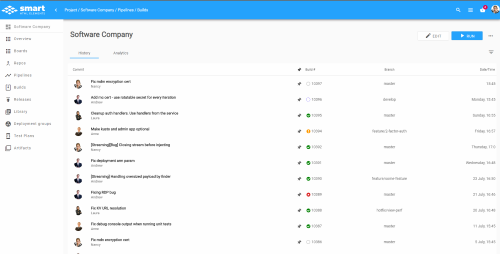
Build responsive, mobile-first projects on the Web with the most advanced front-end component library
-----------------------------------------------------------------------------------------------------
What is Smart HTML Elements?
----------------------------
Smart HTML Elements represents a framework based on Javascript, HTML and CSS for building web-based applications that run on PC, Touch and Mobile devices. Smart HTML Elements includes more than 40 UI components. All components are designed from ground-up and based on a powerful common core. The framework core provides fundamental capabilities like support for HTML Element extensions and inheritance, HTML Templates , Data Binding, Event handling and routing, property change notifications, device and browser compatibility detection and adjustments.
Works across devices and browsers
---------------------------------
Smart HTML Elements takes the JavaScript & HTML UI development to a new level. It is platform independent, cross-browser compatible and works on PC and mobile devices. Don’t spend time testing on different devices and browsers. Use a reliable, CSS compliant JavaScript library based on native technologies.The product supports all major desktop and mobile web browsers - Internet Explorer 11.0, Edge, Firefox, Safari, Opera, Google Chrome.
Professional/Enterprise and Community Comparison
Theme Builder
Web Components
--------------
A suite of polyfills supporting the Web Components specs is included in our examples. These polyfills ensure that Custom Elements are supported in all browsers.
Custom Elements
---
| Component | Status | Issues
| ----------| ------ | ------
|
|
|
|
|
|
|
|
|
|
|
|
|
|
|
|
|
|
|
|
|
Download and Installation
-------------------------
Download Smart HTML Elements
* ### The SDK files are located in the jqwidgets directory
In general you need to use files from this directory only.
#### Files list & description:
##### Files required in all projects using the SDK
* smart.element.js: Core Smart HTML Elements framework
* smart.elements.js: Smart HTML Elements bundle
* Stylesheet files. Include at least one stylesheet Theme file and the images folder:
* styles/smart.default.css: Stylesheet for the base Theme.
The smart.default.css file should be always included in your project.
* styles/images: contains images referenced in the stylesheet files
##### Files for elements. Include depending on project needs:
https://www.htmlelements.com/docs/scripts-dependencies/
* ### Examples
The index.htm file starts the demo/examples browser
Individual UI components examples are located in the /demos directory
* ### Documentation
Browse the documentation https://www.htmlelements.com/docs/
* ### Other files
The /scripts, /images, /styles folders contain the files used by the demos only.