strapi-plugin-init-admin-user
v0.2.3
Creates a strapi admin user on startup. Simplifies working with multiple strapi environments.
strapiplugininitializeadmininit adminbootstrapstrapi admin pluginstrapi-pluginstrapi-admininit-admin
0/weekUpdated 2 years agoMITUnpacked: 7.9 KB
Published by minzig
npm install strapi-plugin-init-admin-userstrapi-plugin-init-admin-user
Creates a strapi admin user on startup. Simplifies working with multiple strapi environments.
---
Latest Changes
November/19/2023: Updated & tested for strapi (v.
4.15.5). Added support for NodeJs 20.x.x. September/02/2023: Tested for Strapi (v.
4.13.1). February/10/2023: Small adjustments in case INIT_ADMIN is not a string.
January/11/2023: Updated & tested for strapi (v.
4.5.5). Added support for NodeJs 18.x.x. December/11/2022: Allow
INIT_ADMIN to be a JSON-String to minimize struggling with multiple environment variables. ---
Installation
Add strapi-plugin-init-admin-user to your strapi (v4!).`bash
npm:
npm install strapi-plugin-init-admin-user
`bash
yarn:
yarn add strapi-plugin-init-admin-user
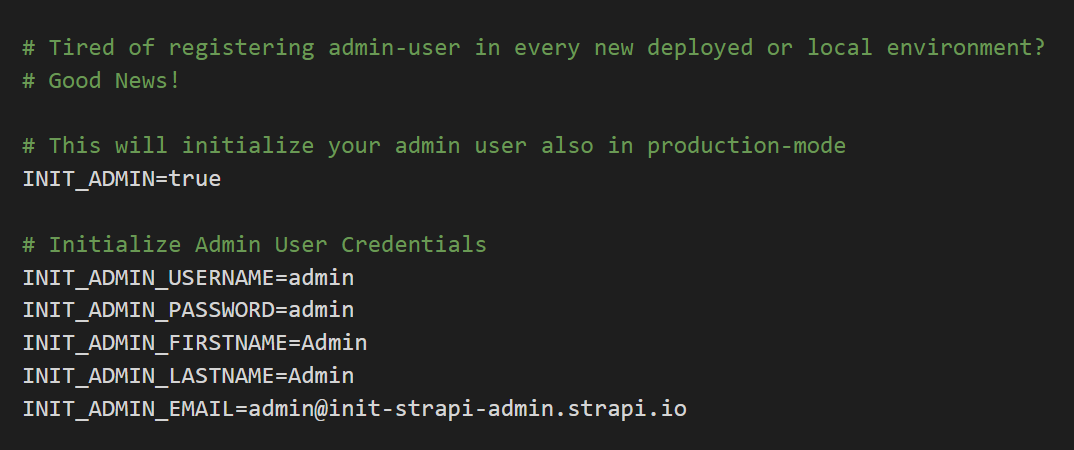
`Create these environment variables with your initial values.
INIT_ADMIN_USERNAME=admin
INIT_ADMIN_PASSWORD=admin
INIT_ADMIN_FIRSTNAME=Admin
INIT_ADMIN_LASTNAME=Admin
INIT_ADMIN_EMAIL=admin@init-strapi-admin.strapi.io
It is also possible to use
as JSON-String instead of the environment variables above.
`
INIT_ADMIN='{"username": "admin", "password": "admin", "firstname": "Admin", "lastname": "Admin", "email": "admin@init-strapi-admin.strapi.io"}'
If you decide to also use this plugin outside of
-mode you also need to add the following environment variable (or use INIT_ADMIN as JSON-String).`
INIT_ADMIN=true
---
Usage
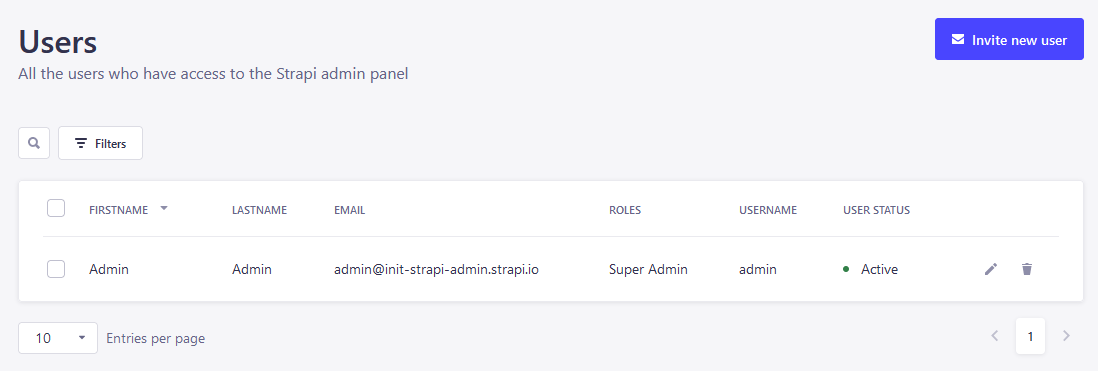
After installing the plugin and creating your environment variables start your strapi (locally: ) and watch out for the info`-log:> Created admin (E-Mail: admin@init-strapi-admin.strapi.io, Password: [INIT_ADMIN_PASSWORD]).
Note: By default the plugin will only create an initial admin-user if there is no existing user in your strapi application!

---
Support
Leave a 'Thank You' with a ⭐️ on Github and have a nice day!
---
Links
Plugin on Github
Plugin on NPM
Plugin on Strapi Marketplace
---
License
MIT License - Created by minzig🍃