targetj
v1.0.216
TargetJS is a JavaScript framework designed for creating animated and efficient web user interfaces.
771/weekUpdated 2 days agoMITUnpacked: 972.5 KB
Published by ahmad.wasfi
npm install targetjTargetJS: UI Development as a Sequence
targetjs.io


TargetJS is a high-performance JavaScript UI framework with ultra-compact syntax. It replaces the "State → Render" model with a Code-Ordered Reactivity. It unifies UI, animations, APIs, event handling, and state into self-contained "Targets" that stack together like intelligent Lego pieces.
It can be used as a full-featured framework or as a lightweight library alongside other frameworks. It is also a highly performant web framework, as shown in the framework benchmark.
The Philosophy Behind TargetJS
Traditional frameworks model the UI as a function of state: change state, re-render the UI. When state changes from A to B, the UI immediately jumps to B. The framework doesn’t naturally represent the journey from A to B. But modern, rich user experiences are built on sequences that unfold over time. For example:
> Click → Animate button → Chain secondary animation → Fetch data → Render list → Animate items → Pause → Animate an important item
TargetJS is built for this reality. Instead of managing complex flags, your code structure mirrors these sequences directly.
It achieves this through Targets. A Target is a self-contained unit that merges data (fields) and logic (methods) into a single reactive block. Each Target has its own internal state, timing, and lifecycle, acting like a living cell within your app. By simply ordering them in your code, you create complex asynchronous workflows without async/await or .then() chains.
In addition, animation is built directly into the framework’s logic.
By adopting a compact style, TargetJS makes the journey from A to B explicit, with significantly less code than traditional frameworks.
⚡ Quick Start (30 Seconds)
1. Install
``bash`
npm install targetj
2. The "Hello World" Sequence
This creates a blue box that grows, then turns red, and then logs "Hello World" in order.
`javascript
import { App } from "targetj";
App({
backgroundColor: 'blue',
height: 100,
width: { value: [100, 200], steps: 100 }, // 1. Animate width in 100 steps using the default 8 ms interval per step.
backgroundColor$$: { value: 'red', steps: 100 }, // 2. Wait ($$) then turn red in 100 steps
done$$() { console.log("Hello World!"); } // 3. Wait ($$) then log
}).mount("#app");
`
Understanding TargetJS Syntax
These symbols tell the framework when a target should run.
| Symbol | Name | Behavior |
| -------- | -------- | -------------------------------------------------------------------------------------------------------------------------|
| name | Standard | Runs immediately in the order it appears. |name$
| | Reactive | Runs every time the previous sibling target executes. |name$$
| | Deferred | Executes only after the entire preceding target chain including children, animations, and API calls has fully completed. |_name
| | Inactive | Does not run automatically. Trigger it manually via .activateTarget(). |
Examples: Like Button → Animated Like (in 3 Steps)
Let’s see how TargetJS handles a complex interaction that would usually require 50+ lines of React/CSS. The example demonstrates how to run four asynchronous operations in a strict sequential sequence, where each step waits for the previous ones to complete.
$3
One object defines a UI element without separate HTML/CSS. Static targets map directly to DOM styles/attributes. You can still use CSS if wanted.

`html`
`javascript
import { App } from "targetj";
App({
width: 220,
height: 60,
lineHeight: 60,
textAlign: "center",
borderRadius: 10,
html: "♡ Like",
// Runs immediately on mount
scale: { value: [1.2, 1], steps: 12, interval: 12 },
backgroundColor: { value: ["#ffe8ec", "#f5f5f5"], steps: 12, interval: 12 }
}).mount("#likeButton");
`
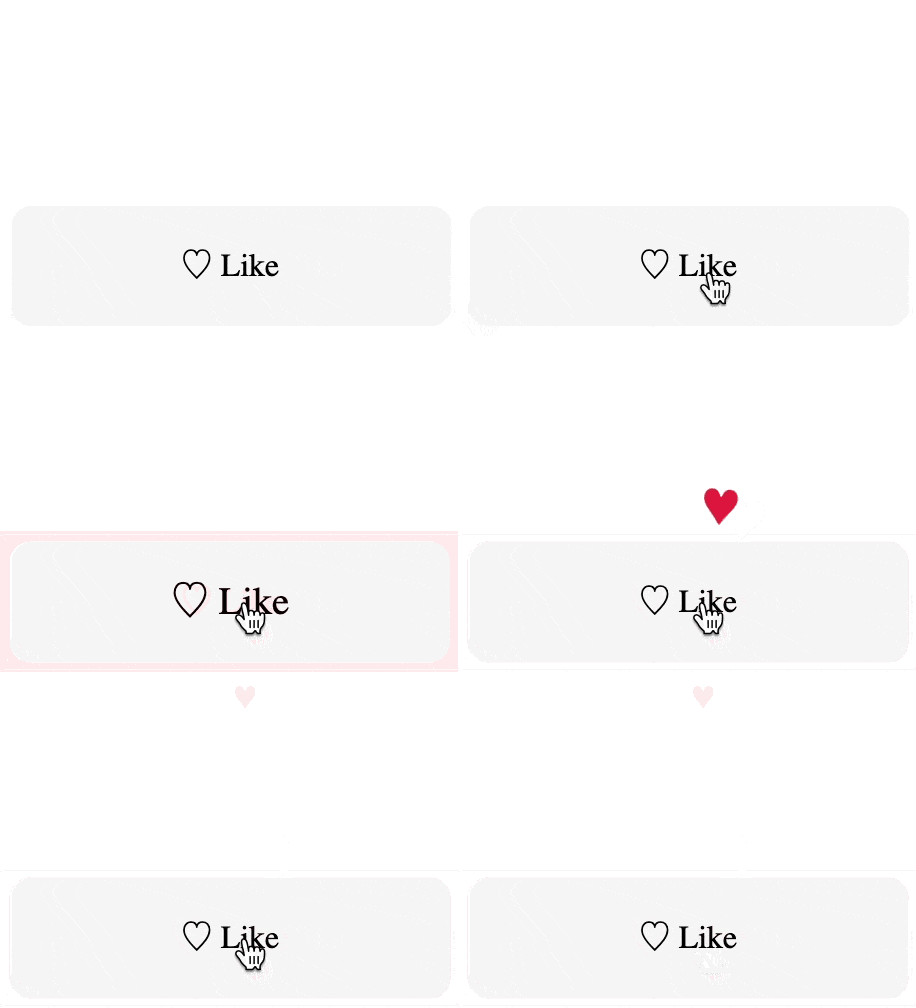
$3
We move the animation into an onClick and add a deferred heart animation.
`html`javascript
import { App } from "targetj";
App({
width: 220, height: 60, lineHeight: 60, textAlign: "center",
borderRadius: 10, backgroundColor: "#f5f5f5",
cursor: "pointer", userSelect: "none",
html: "♡ Like",
onClick() {
this.setTarget('scale', { value: [1.2, 1], steps: 8, interval: 12 });
this.setTarget('backgroundColor', { value: [ '#ffe8ec', '#f5f5f5' ], steps: 12, interval: 12 });
},
heart$$: { // Wait for the button animation to finish, THEN add and animate the heart.
html: "♥", color: "crimson", fontSize: 20,
fly() {
const cx = this.getCenterX(), cy = this.getCenterY();
this.setTarget({
opacity: { value: [0, 1, 1, 0.8, 0.1], steps: 20 },
scale: { value: [0.8, 1.4, 1.1, 0.9, 0.8], steps: 20 },
rotate: { value: [0, 12, -8, 6, 0], steps: 20 },
x: { value: [cx, cx + 22, cx - 16, cx + 10, cx], steps: 30 },
y: { value: [cy - 8, cy - 70, cy - 90, cy - 120, cy - 150], steps: 30 }
});
}
}
}).mount("#likeButton");
`
$3
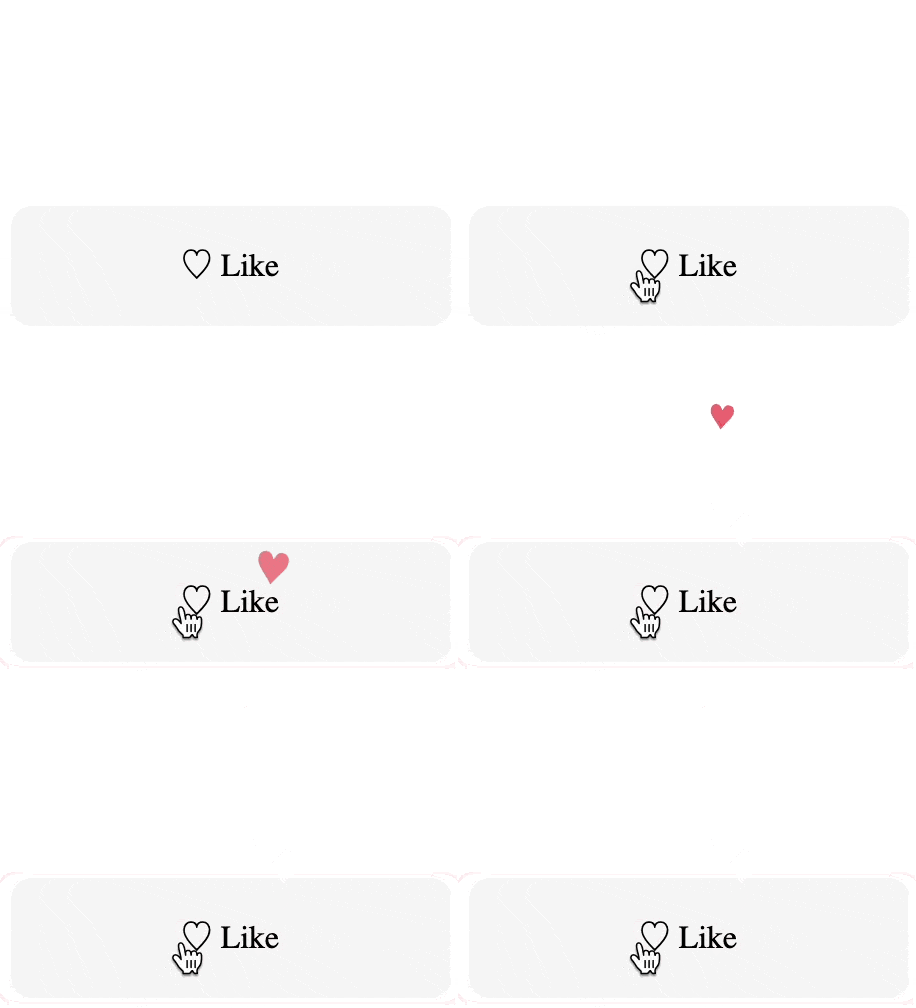
We handle UI, two animations, a POST request, and a cleanup.
`html`
`javascript
import { App } from "targetj";
App({
width: 220, height: 60, lineHeight: 60, textAlign: "center",
borderRadius: 10, backgroundColor: "#f5f5f5", cursor: "pointer", userSelect: "none",
role: "button", tabIndex: 0,
html: "♡ Like",
onClick() {
this.setTarget('scale', { value: [1.2, 1], steps: 8, interval: 12 });
this.setTarget('backgroundColor', { value: [ '#ffe8ec', '#f5f5f5' ], steps: 12, interval: 12 });
},
heart$$: {
html: "♥", color: "crimson", fontSize: 20,
fly() {
const cx = this.getCenterX(), cy = this.getCenterY();
this.setTarget({
opacity: { value: [0, 1, 1, 0.8, 0.1], steps: 20 },
scale: { value: [0.8, 1.4, 1.1, 0.9, 0.8], steps: 20 },
rotate: { value: [0, 12, -8, 6, 0], steps: 20 },
x: { value: [cx, cx + 22, cx - 16, cx + 10, cx], steps: 30 },
y: { value: [cy - 8, cy - 70, cy - 90, cy - 120, cy - 150], steps: 30 }
});
}
},
fetch$$: { method: "POST", id: 123, url: "/api/like" }, // Wait for hearts to finish, THEN fetch
removeHearts$$() { this.removeChildren(); }, // Wait for fetch to finish, THEN cleanup
onKey(e) { if (e.key === "Enter") this.activateTarget("onClick"); }
}).mount("#likeButton");
`
$3
Instead of wiring callbacks and effects, you write a sequence of targets. All targets execute automatically in the order they are written. $$ defers execution until all prior sibling steps finish. Animations, API calls, event handling, and child creation are all treated as the same kind of thing: targets. Complex asynchronous flows are expressed by structuring parent and child targets. In addition, targets also provide built-in capabilities such as onComplete callback, enabledOn, looping with delays, and more as explained below.
---
Table of Contents
1. 📦 Alternative Installation Via CDN
1. 🚀 Why TargetJS?
1. More Examples:
- Loading Five Users Example
- Infinite Loading and Scrolling Example
1. Target Methods
1. Special Target Names
1. How to Debug in TargetJS
1. Documentation
1. License
1. Contact
1. 💖 Support TargetJS
📦 Alternative Installation Via CDN
Add the following
`
This exposes TargetJS on window, so you can initialize your app with TargetJS.App(...).
> Ensure your code runs after the DOM is ready (use defer, place your script at the bottom of the
, or wrap it in a DOMContentLoaded listener).`html
`$3
TargetJS can also be used as a "no-code" library. Elements with tg- attributes are discovered and activated automatically.
html
tg-width="{ value: [100, 250, 100], steps: 20 }"
tg-height="{ value: [100, 250, 100], steps: 20 }">
`
🚀 Why TargetJS?
1. Zero Boilerplate Async: The $$ postfix handles the "wait" for you.
2. Unified State: State isn't "elsewhere". It's built into every Target.
3. Animation by Default: High-performance animations are baked into the logic.
4. Ultra-Compact: Write 70% less code than standard frameworks.
5. Lower Cognitive Load: Code reads from top to bottom, exactly how the user experiences the interaction.
More Examples
$3
In this example, we load five separate users and display five boxes, each containing a user's name and email.
-
calls five APIs to retrieve details for five users.
- child is a special target that adds a new item to the parent each time it executes. Because it ends with $ in this example, it executes every time an API call returns a result.
- TargetJS ensures that API results are processed in the same sequence as the API calls. For example, if the user1 API result arrives before user0, child will not execute until the result for user0 has been received. 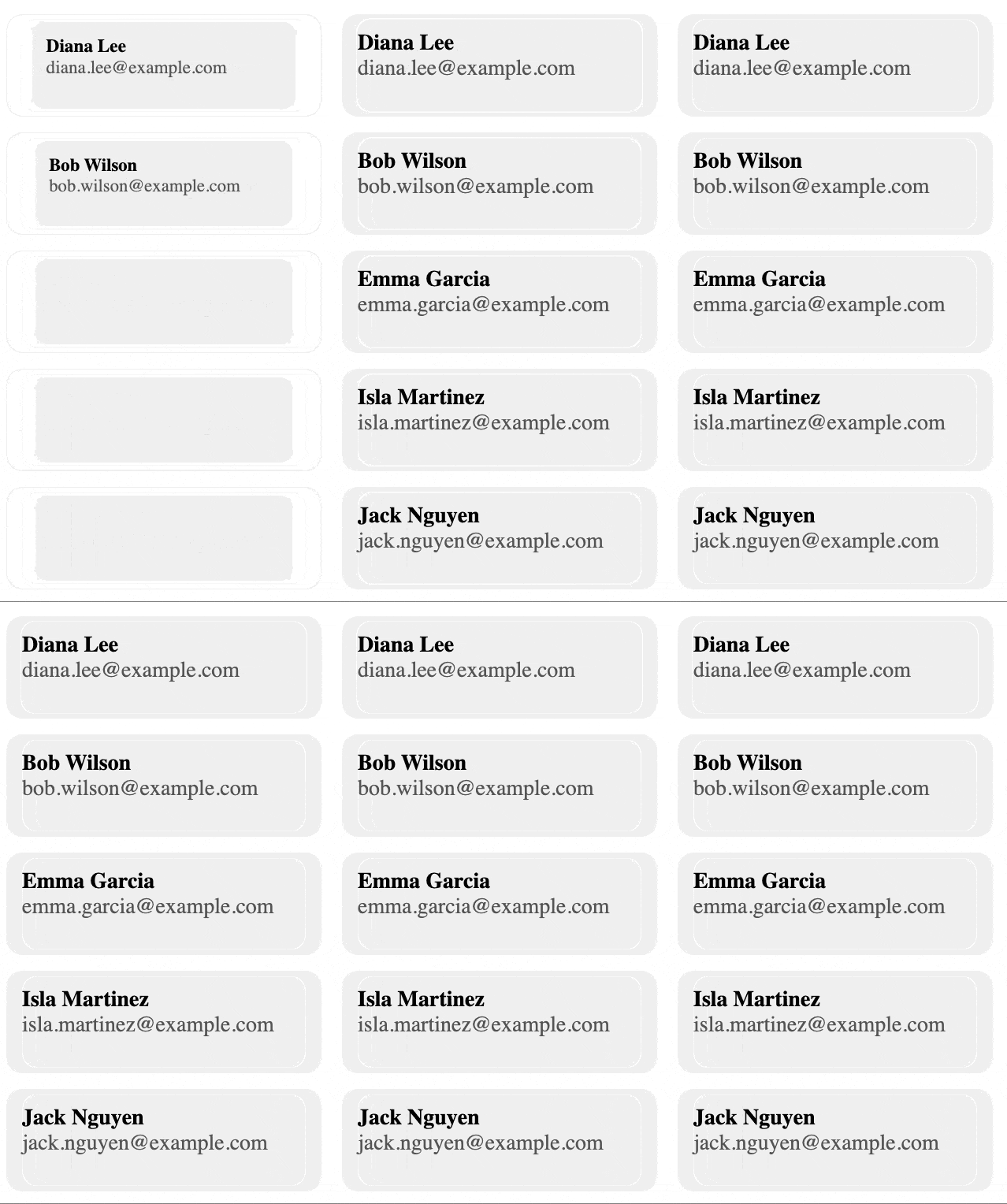
`html
`
javascript
import { App } from "targetj";
App({
gap: 10,
fetch: ['https://targetjs.io/api/randomUser?id=user0',
'https://targetjs.io/api/randomUser?id=user1',
'https://targetjs.io/api/randomUser?id=user2',
'https://targetjs.io/api/randomUser?id=user3',
'https://targetjs.io/api/randomUser?id=user4'
],
child$() {
// prevTargetValue Holds the previous target’s value. For fetch targets, this is each API result in code order,
// not the order in which responses arrive in the browser.
const user = this.prevTargetValue;
return {
width: 200,
height: 65,
borderRadius: 10,
boxSizing: "border-box",
padding: 10,
fontSize: 14,
backgroundColor: "#f0f0f0",
scale: { value: [0.8, 1], steps: 14, interval: 12 },
userName$$: {
padding: "10px 0 5px 10px",
boxSizing: "border-box",
fontWeight: 600,
opacity: { value: [0, 1], steps: 50 },
html: user.name
},
userEmail$$: {
paddingLeft: 10,
boxSizing: "border-box",
opacity: { value: [0, 0.7], steps: 50 },
html: user.email
}
};
}
}).mount("#users");
`It can also be written using a target’s
and interval properties/methods to fetch users at intervals instead of in a single batch. In this example, we set interval to 1000, making the API call once every second. 
`javascript
App({
gap: 10,
fetch: {
interval: 1000,
cycles: 4,
value(i) { return https://targetjs.io/api/randomUser?id=user${i}; }
},
child$() {
return {
// …same as the previous example…
};
}
}).mount("#users");
`$3
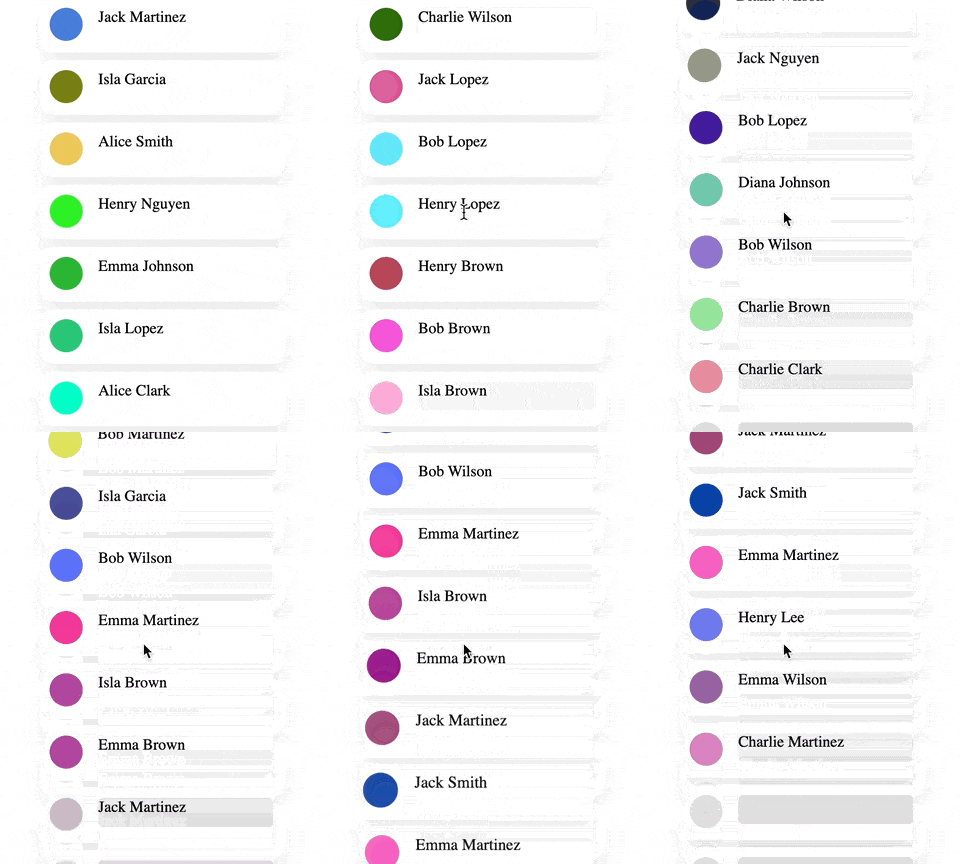
In this advanced example, we implement an infinite-scrolling application.
*
is a special target that adds multiple items to the container’s children each time it executes. The onVisibleChildrenChange event detects changes in the visible children and activates addChildren to insert new items and fill any gaps.*
photo and userName each add a div element inside every item, serving as placeholders for the photo and user name.*
pause$$ delays the execution of all targets that follow it by 100 ms.*
fetch$$ retrieves the user’s details.*
reveal$$ executes after fetch$$, revealing the user name and populating the photo with a random color.*
wave$$ executes only after all preceding children have completed their targets, giving each user item a coordinated animation.TargetJS employs a tree-like structure to track visible branches, optimizing scroller performance.
`html
`javascript
import { App, getEvents, getScreenWidth, getScreenHeight } from "targetj";App({
preventDefault: true,
width: 250,
height() { return getScreenHeight(); },
x() { return (getScreenWidth() - this.getWidth()) / 2; },
containerOverflowMode: "always",
addChildren() {
return Array.from({ length: 10 }, (_, i) => ({
height: 56,
width() { return this.parent.getWidth(); },
bottomMargin: 8,
borderRadius: 12,
backgroundColor: "white",
validateVisibilityInParent: true,
boxShadow: "0 8px 20px rgba(0,0,0,0.08)",
photo: {
x: 10, y: 10, width: 34, height: 34,
borderRadius: "50%",
backgroundColor: "#ddd"
},
userName: {
x: 60, y: 10, width: 180, height: 30,
overflow: "hidden",
borderRadius: 5,
backgroundColor: "#ddd"
},
pause$$: { interval: 100 },
fetch$$: "https://targetjs.io/api/randomUser",
reveal$$() {
const userName = this.getChild("userName");
userName.setTarget("html", this.val("fetch$$").name);
userName.setTarget("backgroundColor", { value: "white", steps: 20 });
this.getChild("photo").setTarget("backgroundColor", { value: "#" + Math.random().toString(16).slice(-6), steps: 20 });
},
}));
},
wave$$: {
interval: 30,
cycles() { return this.visibleChildren.length - 1; },
value(i) {
const child = this.visibleChildren[i];
child.setTarget("scale", { value: [1, 1.06, 1], steps: 18 });
child.setTarget("opacity", { value: [1, 0.92, 1], steps: 18 });
}
},
onScroll() {
this.setTarget("scrollTop", Math.max(0, this.getScrollTop() + getEvents().deltaY()));
},
onVisibleChildrenChange() {
const visibleCount = this.visibleChildren.length;
if (getEvents().dir() !== "up" && visibleCount * 64 < this.getHeight()) {
this.activateTarget("addChildren");
}
}
}).mount("#userList");
`
---Technical Reference
$3
Every target can be an object with these optional controls:
1. value
The data or function that determines the target's state.
1. steps
Turns a value change into an animation (e.g., steps: 20).
1. interval
The delay (ms) between steps or executions.
1. cycles
How many times to repeat the target.
1. onComplete
Callback when this target (and its children) finishes.
1. enabledOn
Determines whether the target is enabled for execution.
1. loop
Managed the repetition of target execution. Similar to
but uses boolean instead.1. easing
A string that defines a predefined easing function that controls how the actual value is updated in relation to the steps.
1. onValueChange
This callback is triggered when
value emits a new value.$3
TargetJS maps directly to the DOM for zero-friction styling. For example:
- Styles:
width, height, opacity, x, y, rotate, scale, backgroundColor.
- Structure: html, children, element, domHolder.
- Events: onClick, onScroll, onKey, onVisibleChildrenChange, onResize.How to Debug in TargetJS
TargetJS provides built-in debugging tools:
`js
TargetJS.tApp.stop(); // Stop the application.
TargetJS.tApp.start(); // Restart the application
TargetJS.tApp.throttle = 0; // Slow down execution (milliseconds between cycles)
TargetJS.tApp.debugLevel = 1; // Log cycle execution
`
- Use in the browser console to find an object by its oid.
- Use t(oid).bug() to inspect all the vital properties.
- Use t(oid).logTree()` to inspect the UI structure.Documentation
Explore the potential of TargetJS and dive into our interactive documentation at www.targetjs.io.
License
Distributed under the MIT License. See LICENSE for more information.
Contact
Ahmad Wasfi - wasfi2@gmail.com
💖 Support TargetJS
If you would like to show some appreciation:
- ⭐ Star this repo on GitHub to show your support!
- 🐛 Report issues & suggest features.
- 📢 Share TargetJS with your network.