teti
v5.1.0
Test DOM performance timings
5/weekUpdated 3 years agoMITUnpacked: 693.6 KB
Published by Michał Jezierski
npm install teti
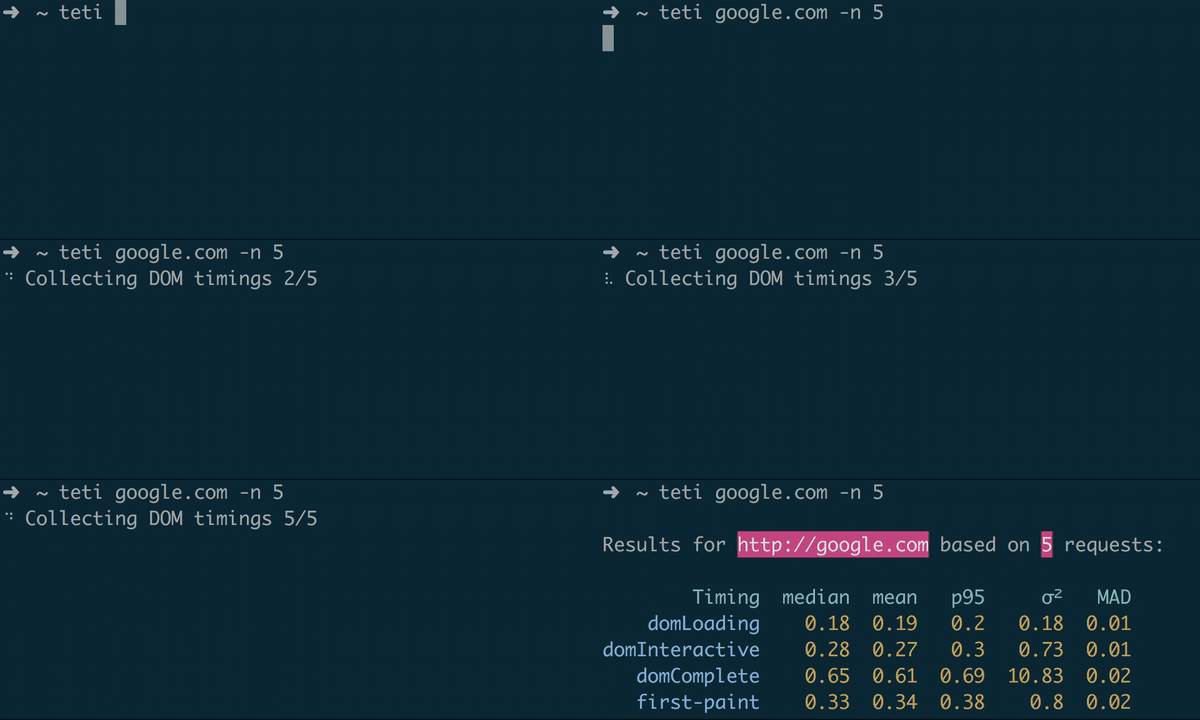
> CLI for testing DOM timings built upon Headless Chrome & Lighthouse 💜

Installation
``
npm i -g teti
Usage
`
$ teti --help
Usage
$ teti
Options
-n number of tests to run (10 is default)
--custom custom User Timing (performance.mark) to be measured
--verbose output all data
`
Examples
`
➜ teti google.com
Results for http://google.com based on 10 requests:
Timing median mean p95 σ² MAD
domLoading 0.2 0.2 0.22 0.18 0.01
domInteractive 0.29 0.29 0.32 0.36 0.02
domComplete 0.67 0.68 0.83 3.34 0.03
first-paint 0.35 0.35 0.4 0.44 0.01
`
`
➜ teti https://www.theguardian.com/football -n 30 --custom "commercial boot"
Results for https://www.theguardian.com/football based on 30 requests:
Timing median mean p95 σ² MAD
domLoading 0.16 0.16 0.17 0.03 0
domInteractive 0.68 0.67 0.8 7.73 0.07
domComplete 3.42 3.58 4.94 284.16 0.3
first-paint 0.34 0.34 0.38 0.58 0.01
commercial boot 0.87 0.84 1.06 17.73 0.1
``
Metrics & Timings
By default teti collects the following timings:
* domLoading
* domInteractive
* domComplete
* first-paint
Based on collected data, the following statistical metrics are calculated:
* median
* mean
* p95 - 95th percentile
* σ² - variance
* MAD - median absolute deviation
License
MIT © Michał Jezierski