total-diagram
v0.10.0
Simple, powerful, extensible and fast JavaScript/ES8 diagram renderer for web browsers.
0/weekUpdated 2 weeks agoMITUnpacked: 53.8 KB
Published by dariuszdawidowski
npm install total-diagram
Total Diagram
Simple, powerful, extensible and fast JavaScript/ES8 diagram renderer for web browsers.
v0.10.0


About
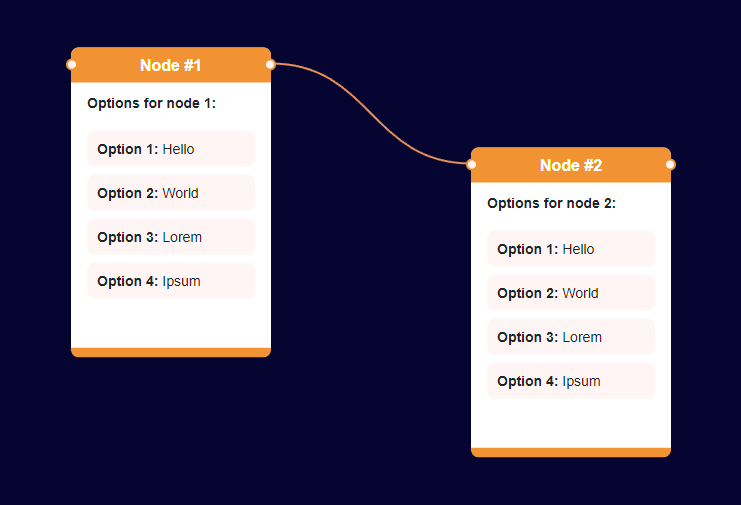
A library for rendering diagrams consisting of nodes and links.
Designed for simplicity, it can be the basis for creating a diagramming application or data representation on a website.
Quick Start
Browser Usage (Script Tag)
Load the library directly in your HTML:
``html`
Node.js/npm Usage (for bundlers)
Install via npm:
`bash`
npm install total-diagram
Import in your JavaScript:
`javascript
// ES6 import (for webpack, vite, rollup, etc.)
// Modern bundlers will automatically convert the CommonJS exports
import {
TotalDiagramRenderHTML5,
TotalDiagramNode,
TotalDiagramLink,
TotalDiagramNodesManager,
TotalDiagramLinksManager
} from 'total-diagram';
// Or using CommonJS require
const {
TotalDiagramRenderHTML5,
TotalDiagramNode,
TotalDiagramLink,
TotalDiagramNodesManager,
TotalDiagramLinksManager
} = require('total-diagram');
`
Note: This library is designed for web browsers. The npm package is intended for use with bundlers (webpack, vite, rollup, etc.) that target the browser, not for command-line Node.js applications.
For more details look into 'examples/' directory. You can find self-explanatory tutorials there.
Philosophy behind the library
Does the world need yet another library for displaying diagrams?
I tried most of them and the problem I encountered was that I couldn't realize my idea because it was inconsistent with the vision of the creators of the library.
The bigger and more complicated the library becomes, the less flexible it is proportionally.
The basis of this project is very clean and simple, no need to complicate it.
The first thing you should do is analyze all the files in the 'examples' directory, which are a kind of tutorial on how to build your own diagramming system based on this solution.
If you are looking for an example of building a larger system based on this library, see the project https://github.com/dariuszdawidowski/metaviz-editor.
Features
- Vanilla JavaScript/ES8
- No dependencies
Build minified library
`bash``
npm install
npm run build
Authors
Dariusz Dawidowski\
Jagoda Dawidowska