use-chat-submit
v1.0.8TypeScript
React hook to handle chat textarea submit behaviors (Enter vs Mod+Enter) with IME-safe handling.
1.6K/weekUpdated 1 months agoMITUnpacked: 44.2 KB
Published by catnose
useChatSubmit
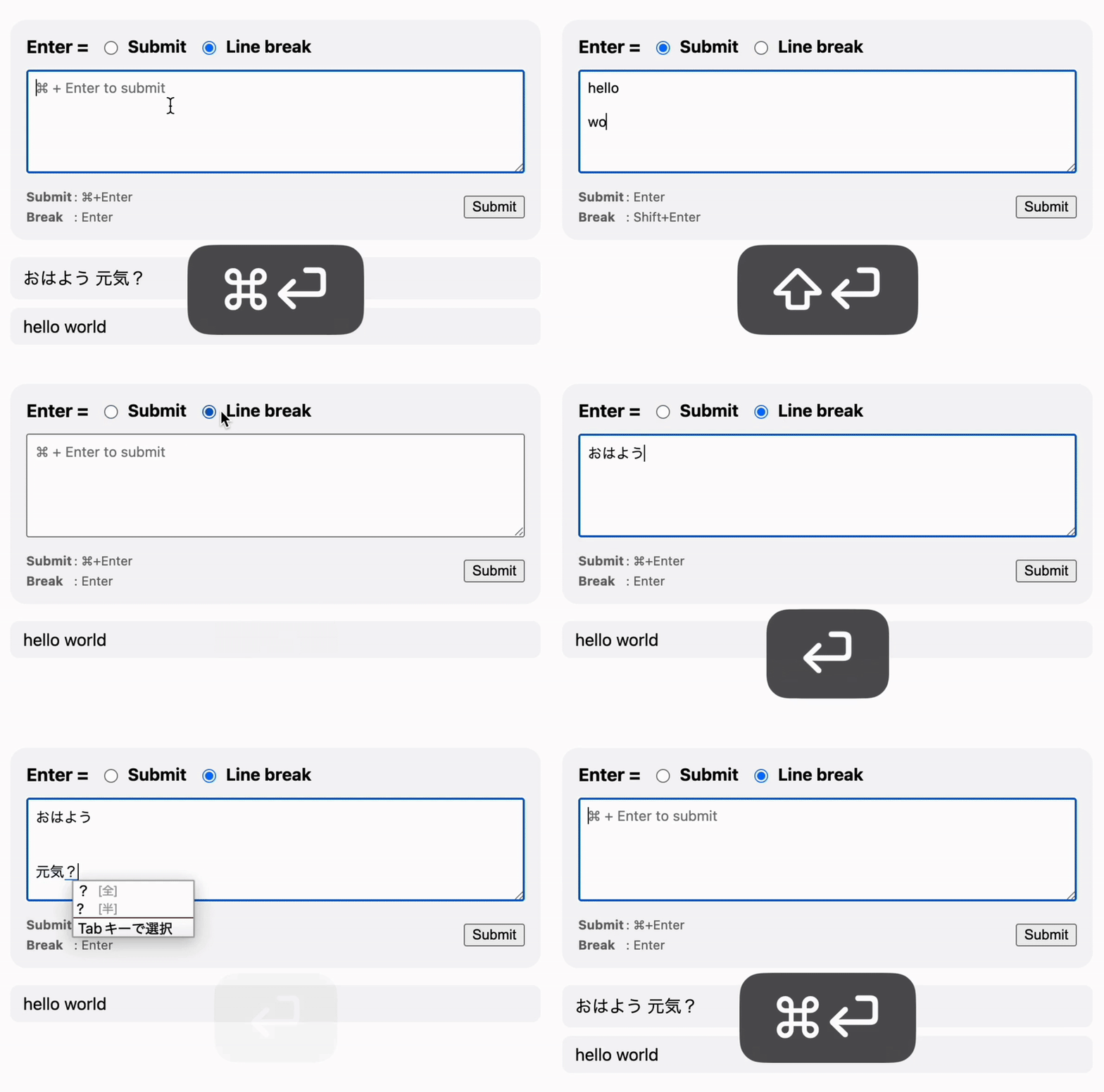
A small React Hook that brings the chat input behavior you’d expect:
1. Enter to submit. Shift + Enter to insert a line break.
2. Cmd/Ctrl + Enter to submit. Enter to insert a line break (preferred for Japanese input 🇯🇵).
It prevents accidental submissions while using an IME, works seamlessly with your own handlers, and normalizes Cmd vs. Ctrl differences across platforms.
Features
- Switch between submit/line-break keys based on user preference
- Works smoothly with IME languages (e.g., Japanese, Chinese)
- Zero dependencies
- Supports React 19+
- Just 1.5 KB gzipped 🚀
Installation
``bash`
pnpm add use-chat-submitor
npm i use-chat-submitor
yarn add use-chat-submit
Quick Start
`tsx
import * as React from "react";
import { useChatSubmit } from "use-chat-submit";
export function ChatBox() {
const [text, setText] = React.useState("");
const { getTextareaProps } =
useChatSubmit({
onSubmit: (value) => {
console.log("submit:", value);
setText(""); // clear input after submit
},
mode: "mod-enter", // switch behavior based on user preference
});
return (
value: text,
onChange: (e) => setText(e.target.value),
})}
/>
);
}
`
getTextareaProps() only attaches onKeyDown and ref, so you can freely pass any other props yourself.
`tsx`
// Equivalent behavior
value={text}
onChange={(e) => setText(e.target.value)}
/>
Key Behavior (Modes)
| options.mode | Enter | Shift+Enter | Cmd/Ctrl+Enter |mod-enter
| -------------- | ------- | ----------- | -------------- |
| | Line break | Line break | Submit |enter
| | Submit | Line break | Submit |
- Never submits while an IME is composing (two-step check with KeyboardEvent.isComposing on keydown/keyup).
-