v-odometer
v2.0.1
Odometer VusJS component
0/weekUpdated 3 years agoMITUnpacked: 1.5 MB
Published by Jeffery Hussin
npm install v-odometer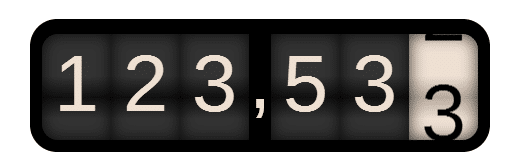
About Vue-Odometer
Smoothly transitions numbers with ease. Use this library to give you application a smooth animation, only applicable on numbers, for more details about the OdometerJS pelase refer to: https://github.com/HubSpot/odometer
Installation
``
console

npm install v-odometer
`
NOTE

If you are getting the error of "Unknown Odometer keyword", this means that you are missing odometer library in your application, simply because the Odometer library is not yet exported as an AMD module and still only a commenJS file (refer to: AMD exporting issues).

However if you are not building your applciation in a webpack envirment or similar, and you include VueJS file from a public cdn, then you are fine to include the ./v-odometer/dist/main.prod.js, the Vue will be public in your window there for this component will be automatically integrated as a global component and you can simply use it directly insidde your html file:
`html
...
...
`
Usage

#### ECMAScript 6 (ES6)/ ECMAScript 2015 (ES2015)

To cherry pick the component, start by importing it in the file where it is being used:
`javascript
import VueOdometer from 'v-odometer/src'
`
Then add it to your component definition:
`javascript
Vue.component('my-component', {
components: {
'vue-odometer': VueOdometer
}
// ...
})
`
Or register it globally:
`javascript
Vue.component('vue-odometer', VueOdometer);
`
#### ECMAScript 5 (ES5)
`xml
...
Odometer - VueJS component
...
...
...
`
`javascript
var app = new Vue({
data: {
mynumber: ""
}
})
`
Properties:
`typescript
value: { type: Number, default: () => 0 },
theme: { type: String, default: () => 'minimal' },
format: { type: String, default: () => '(.ddd),dd' },
duration: { type: Number, default: () => 3000 },
className: { type: String, default: () => 'odometer' },
animation: { type: String, default: () => 'count' },
formatFunction: { type: Function },
``