vanilla-colorful
v0.7.2TypeScript
A tiny framework agnostic color picker element for modern web apps
webcomponentsweb-componentswebcomponentweb-componentcustom-elementcustomelementcolorpickerhexcolorcolor-picker
0/weekUpdated 3 years agoMITUnpacked: 376.3 KB
Published by Serhii Kulykov
npm install vanilla-colorful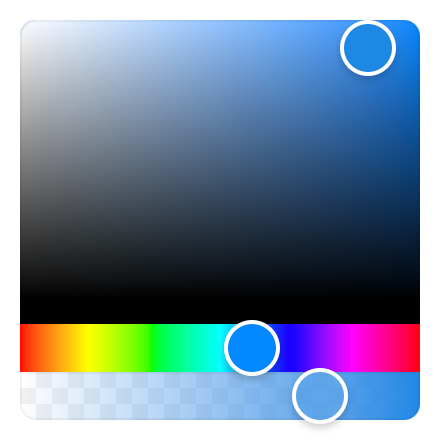


Features
- 🗜 Small: Just 2,7 KB (minified and gzipped). Size Limit controls the size.
- 🚀 Fast: Built with standards based Custom Elements.
- 🛡 Bulletproof: Written in strict TypeScript and has 100% test coverage.
- 🗂 Typed: Ships with types included.
- 😍 Simple: The interface is straightforward and easy to use.
- 💬 Accessible: Follows the WAI-ARIA guidelines to support users of assistive technologies.
- 📲 Mobile-friendly: Works well on mobile devices and touch screens.
- 👫 Framework-agnostic: Can be used with any framework.
- 💨 No dependencies
Live demos
- Website
- Angular example
- Lit example
- React example
- Svelte example
- Vue example
Install
``
npm install vanilla-colorful --save
Or use one of the following content delivery networks:
`html`
`html`
`html`
`html`
Usage
`html`
ES modules
vanilla-colorful is authored using ES modules which are natively supported
by modern browsers. However, all the code examples listed here use so-called "bare module specifiers":
import 'vanilla-colorful'.
There is now a feature in the HTML Standard called import maps
that enables resolving bare module specifiers without requiring any tools. As of October 2022, import
maps are not yet shipped in all browsers.
In the meantime, we recommend using one of the tools that leverage ES modules based development, such as
vite, @web/dev-server,
or wmr. None of these tools are needed when importing from CDN.
Supported color models
The default vanilla-colorful's input/output format is a HEX string (like #ffffff). In case if
you need another color model, we provide 12 additional color picker bundles.
How to use another color model
#### Available pickers
| File to import | HTML element | Value example |
| ------------------------------- | ---------------------------- | ---------------------------------- |
| "hex-color-picker.js" | | "#ffffff" |"hex-alpha-color-picker.js"
| | | "#ffffff88" |"hsl-color-picker.js"
| | | { h: 0, s: 0, l: 100 } |"hsl-string-color-picker.js"
| | | "hsl(0, 0%, 100%)" |"hsla-color-picker.js"
| | | { h: 0, s: 0, l: 100, a: 1 } |"hsla-string-color-picker.js"
| | | "hsla(0, 0%, 100%, 1)" |"hsv-color-picker.js"
| | | { h: 0, s: 0, v: 100 } |"hsv-string-color-picker.js"
| | | "hsv(0, 0%, 100%)" |"hsva-color-picker.js"
| | | { h: 0, s: 0, v: 100, a: 1 } |"hsva-string-color-picker.js"
| | | "hsva(0, 0%, 100%, 1)" |"rgb-color-picker.js"
| | | { r: 255, g: 255, b: 255 } |"rgba-color-picker.js"
| | | { r: 255, g: 255, b: 255, a: 1 } |"rgb-string-color-picker.js"
| | | "rgb(255, 255, 255)" |"rgba-string-color-picker.js"
| | | "rgba(255, 255, 255, 1)" |
#### Code example
`html`
Overriding styles
vanilla-colorful exposes CSS Shadow Parts
allowing to override the default styles:
`css
hex-color-picker {
height: 250px;
}
hex-color-picker::part(saturation) {
bottom: 30px;
border-radius: 3px 3px 0 0;
}
hex-color-picker::part(hue) {
height: 30px;
border-radius: 0 0 3px 3px;
}
hex-color-picker::part(saturation-pointer) {
border-radius: 5px;
}
hex-color-picker::part(hue-pointer) {
border-radius: 2px;
width: 15px;
height: inherit;
}
`
HEX input
vanilla-colorful provides an additional element that can be used to type a color:
`html`
renders an unstyled element inside a slot and exposes it for styling usingpart. You can also pass your own element as a child if you want to fully configure it.
In addition to color property, supports the following boolean properties:
| Property | Default | Description |
| ---------- | ------- | -------------------------------------------- |
| alpha | false | Allows #rgba and #rrggbbaa color formats |prefixed
| | false | Enables # prefix displaying |
Base classes
vanilla-colorful provides a set of base classes that can be imported without registering custom
elements. This is useful if you want to create your own color picker with a different tag name.
`js
import { RgbBase } from 'vanilla-colorful/lib/entrypoints/rgb.js';
customElements.define('custom-color-picker', class extends RgbBase {});
`
Code Recipes
- Custom styles and layout
- Prevent flash of unstyled content
- Prevent flash of unstyled content (picker with alpha)
- Text field to be able to type/copy/paste a color
TypeScript support
vanilla-colorful supports TypeScript and ships with types in the library itself; no need for any other install.
How you can get the most from our TypeScript support
$3
While not only typing its own class methods and variables, it can also help you type yours. Depending on
the element you are using, you can also import the type that is associated with the element.
For example, if you are using our element, you can also import the HslColor type.
`ts
import type { HslColor } from 'vanilla-colorful/hsl-color-picker';
const myHslValue: HslColor = { h: 0, s: 0, l: 0 };
`
$3
All the included custom elements provide overrides for addEventListener and removeEventListener methodscolor-changed
to include typings for the custom event detail property:
`ts
const picker = document.querySelector('rgba-color-picker');
picker.addEventListener('color-changed', (event) => {
console.log(event.detail.value.a); // (property) RgbaColor.a: number
});
`
$3
All the included custom elements are compatible with lit-analyzer and
lit-plugin extension for Visual
Studio Code, so you can benefit from type checking in Lit templates, for example
validating binding names.
Browser support
vanilla-colorful uses Custom Elements and Shadow DOM,
and does not support IE11 or legacy Edge.
Why vanilla-colorful?
vanilla-colorful has all the benefits of react-colorful
with one important difference.
While react-colorful` claims to have zero dependencies, it still expects you to use React or Preact.
This means that Angular, Vue, Svelte or vanilla JS users would have an extra dependency in their apps.
Now when all the evergreen browsers support standards based Custom Elements,
it's perfect time to build such tiny and lightweight UI controls as web components rather than framework components.