vizzu-story
v0.8.0TypeScript
Build and present animated data stories
0/weekUpdated 11 months agoApache-2.0Unpacked: 47.1 KB
Published by Vizzu Inc.
npm install vizzu-story
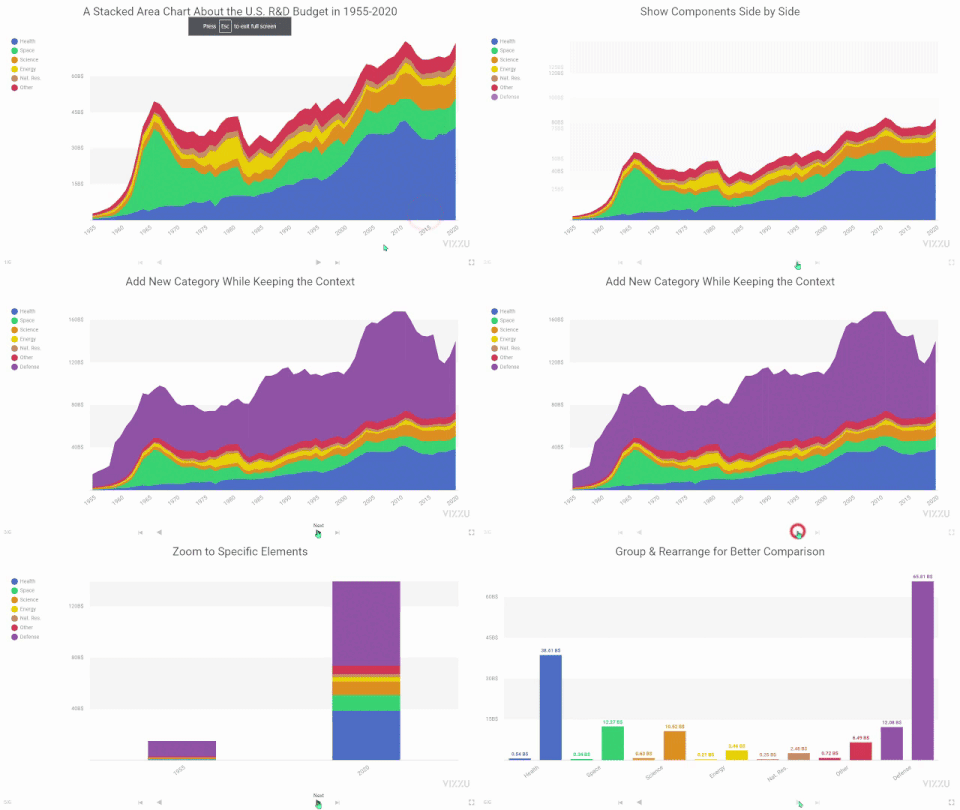
Vizzu-Story - Build and present animated data stories
Documentation
· Examples
· Code reference
· Repository
· Blog


Vizzu-Story
About The Extension
Vizzu-Story is an extension for the
Vizzu JavaScript library that allows
users to create interactive presentations from the animated data visualizations
built with Vizzu.
The extension provides a Web Component that contains the presentation and adds
controls for navigating between slides - predefined stages within the story.
Installation
Install via npm:
``sh`
npm install vizzu-story
Or use it from CDN:
`javascript`
import VizzuPlayer from 'https://cdn.jsdelivr.net/npm/vizzu-story@0.8/dist/vizzu-story.min.js'
Usage
Create a vizzu-player element that will contain the rendered story:
`
In a script module element import the extension from CDN or local install:
`
Add the underlying data for the data story. You can use the same data definition
formats as in the Vizzu library, but you must add the entire data set for the
whole story in the initial step; you can not change this later. See
Data chapter for more
details on data formats.
`javascript`
const data = {
series: [{
name: 'Foo',
values: ['Alice', 'Bob', 'Ted']
}, {
name: 'Bar',
values: [15, 32, 12]
}, {
name: 'Baz',
values: [5, 3, 2]
}]
}
Create the data story by defining a sequence of slides. A slide can be a single
chart corresponding to an animate
call from Vizzu. Or a slide can be a sequence of animation calls, in which
case all of these animations will be played until the last one in the sequence,
allowing for more complex transitions between slides.
`javascript`
const slides = [{
config: {
x: 'Foo',
y: 'Bar'
}
}, {
config: {
color: 'Foo',
x: 'Baz',
geometry: 'circle'
}
}]
Navigation controls beneath the chart will navigate between the slides. You can
use the PgUp and PgDn buttons, left and right arrows to navigate betweenHome
slides, and the and End buttons to jump to the first or last slide.
On each chart, you can define the chart configuration and style with the same
objects as in Vizzu. However, you can not modify the underlying data between
the slides, only the data filter used.
`typescript`
interface Chart {
config?: Vizzu.Config.Chart
filter?: Vizzu.Data.FilterCallback | null
style?: Vizzu.Styles.Chart
animOptions?: Vizzu.Anim.Options
}
Put the data and the slide list into the story descriptor object. Here you canstory
also set the style property to set the chart style used for the wholestory.
`javascript`
const story = {
data: data,
slides: slides
}
Then set up the created element with the configuration object:
`javascript`
const vp = document.querySelector('vizzu-player')
vp.slides = story
> Check out a live example in JSFiddle!
Documentation
Visit our Documentation site for more
details and a step-by-step tutorial into Vizzu-Story` or check out our
Example gallery.
Contributing
We welcome contributions to the project; visit our
Contributing guide for
further info.
Contact
- Join our Slack:
vizzu-community.slack.com
- Drop us a line at hello@vizzu.io
- Follow us on Twitter:
https://twitter.com/VizzuHQ
License
Copyright © 2022-2025 Vizzu Inc.
Released under the
Apache 2.0 License.