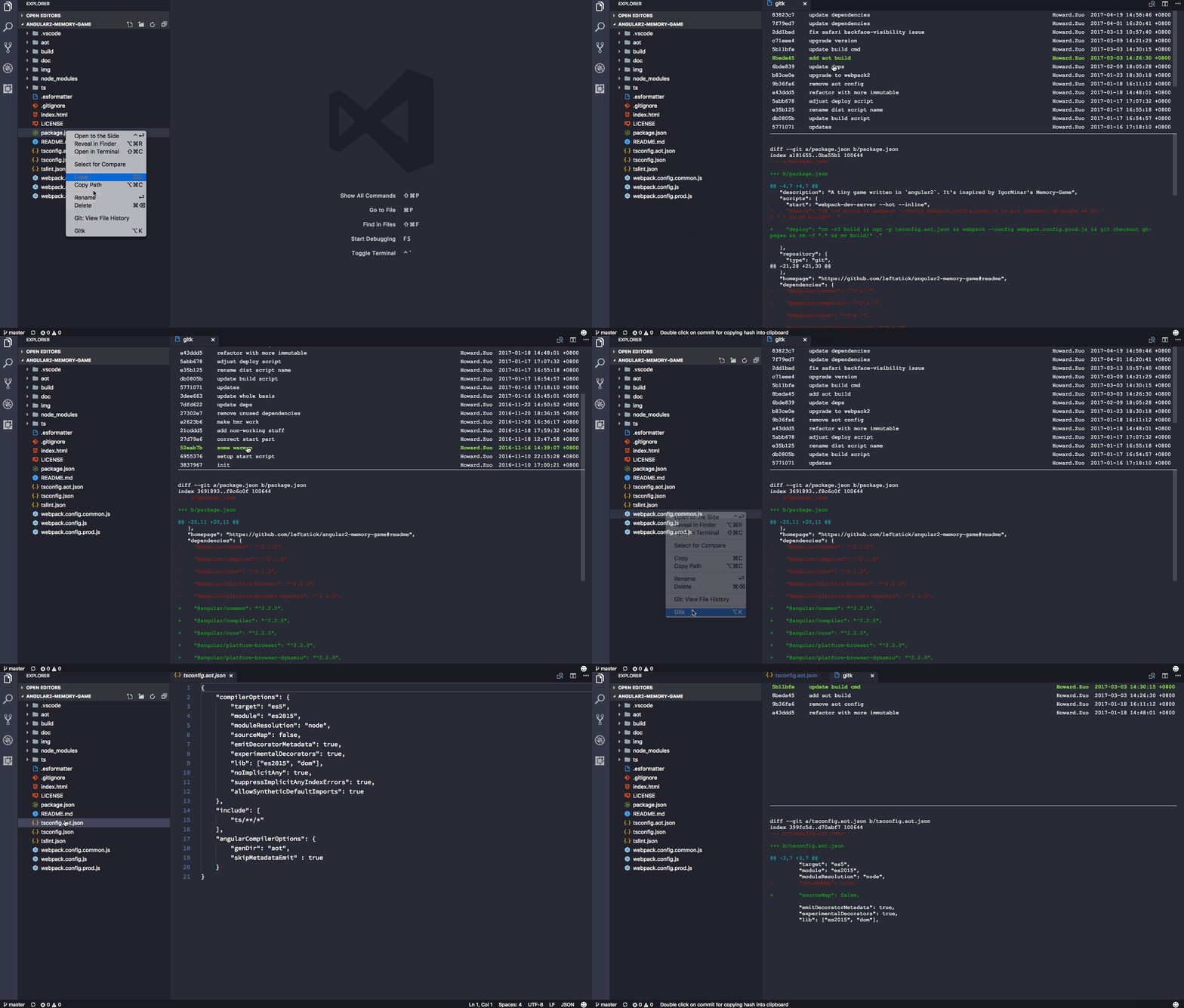
show commit log for selected source code information in an individual view
npm install vscode-gitk[![vscode version][vs-image]][vs-url]
![][install-url]
![][rate-url]
![][license-url]
Show git commit log for selected source code information in an individual view
Launch VS Code Quick Open (cmd/ctrl + p), paste the following command, and press enter.
``
ext install gitk
I assume you have git installed.
vscode-gitk will log your selected document, and display log information into a separate view
`javascript`
{
"gitk.fontFamily": "monospace" //font you preferred for the gitk view
}
1. add whole repository Gitk for Repository` support
[vs-url]: https://marketplace.visualstudio.com/items?itemName=howardzuo.vscode-gitk
[vs-image]: https://vsmarketplacebadge.apphb.com/version/howardzuo.vscode-gitk.svg
[install-url]: https://vsmarketplacebadge.apphb.com/installs/howardzuo.vscode-gitk.svg
[rate-url]: https://vsmarketplacebadge.apphb.com/rating/howardzuo.vscode-gitk.svg
[license-url]: https://img.shields.io/github/license/leftstick/vscode-gitk.svg