vue-apexcharts
v1.7.0TypeScript
Vue.js wrapper for ApexCharts
0/weekUpdated 1 years agoMITUnpacked: 460.6 KB
Published by Juned Chhipa
npm install vue-apexcharts


Vue.js wrapper for ApexCharts to build interactive visualizations in vue.
Download and Installation
##### Installing via npm
``bash`
npm install --save apexcharts
npm install --save vue-apexcharts
If you're looking for Vue 3.x.x compatibile component, check-out vue3-apexcharts
Usage
`
js
import VueApexCharts from 'vue-apexcharts'
Vue.use(VueApexCharts)Vue.component('apexchart', VueApexCharts)
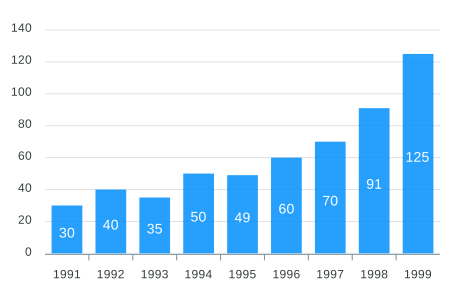
`To create a basic bar chart with minimal configuration, write as follows:
vue
`jsexport default {
data: function() {
return {
chartOptions: {
chart: {
id: 'vuechart-example'
},
xaxis: {
categories: [1991, 1992, 1993, 1994, 1995, 1996, 1997, 1998]
}
},
series: [{
name: 'series-1',
data: [30, 40, 35, 50, 49, 60, 70, 91]
}]
}
},
};
`This will render the following chart
$3
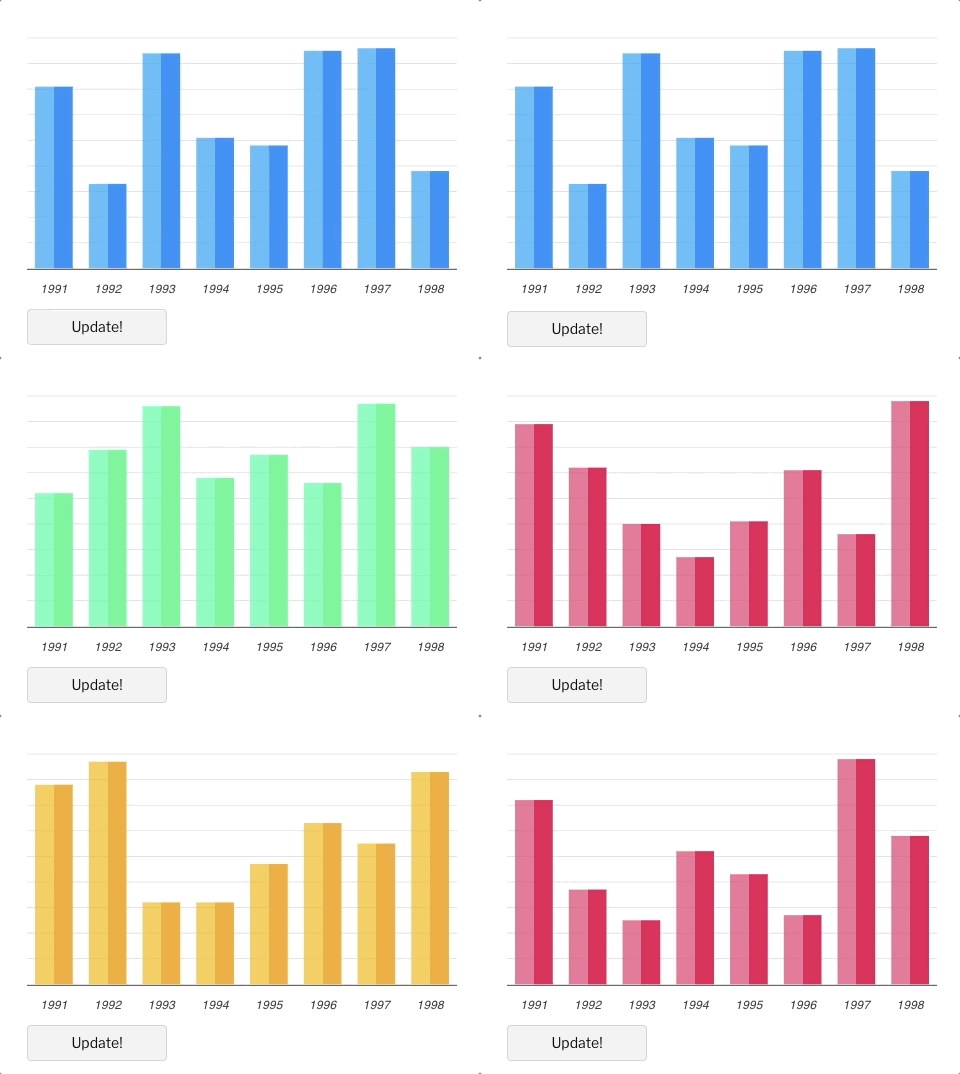
Simple! Just change the
or any option and it will automatically re-render the chart.
Click on the below example to see this in action
`vue
`js
export default {
data: function() {
return {
chartOptions: {
chart: {
id: 'vuechart-example',
},
xaxis: {
categories: [1991, 1992, 1993, 1994, 1995, 1996, 1997, 1998],
},
},
series: [{
name: 'series-1',
data: [30, 40, 45, 50, 49, 60, 70, 81]
}]
}
},
methods: {
updateChart() {
const max = 90;
const min = 20;
const newData = this.series[0].data.map(() => {
return Math.floor(Math.random() * (max - min + 1)) + min
}) const colors = ['#008FFB', '#00E396', '#FEB019', '#FF4560', '#775DD0']
// Make sure to update the whole options config and not just a single property to allow the Vue watch catch the change.
this.chartOptions = {
colors: [colors[Math.floor(Math.random()*colors.length)]]
};
// In the same way, update the series option
this.series = [{
data: newData
}]
}
}
};
`
Important: While updating the options, make sure to update the outermost property even when you need to update the nested property.
✅ Do this
javascript
this.chartOptions = {...this.chartOptions, ...{
    xaxis: {
        labels: {
           style: {
             colors: ['red']
           }
        }
    }
}}
`❌ Not this
javascript
this.chartOptions.xaxis = {
    labels: {
        style: {
          colors: ['red']
        }
    }
}}
`Props
| Prop | Type | Description |
| ------------- |-------------| -----|
| series*| Array | The series is an array which accepts an object in the following format. To know more about the format of dataSeries, checkout Series docs on the website. |
| type* | String |
, area, bar, pie, donut, scatter, bubble, heatmap, radialBar, candlestick |
| width | Number/String | Possible values for width can be 100% or 400px or 400 |
| height | Number/String | Possible values for height can be 100% or 300px or 300 |
| options | Object | The configuration object, see options on API (Reference) |
Methods
You don't actually need to call updateSeries() or updateOptions() manually. Changing the props will automatically update the chart. You only need to call these methods to update the chart forcefully.
| Method | Description |
| ------------- | -----|
| updateSeries | Allows you to update the series array overriding the existing one |
| updateOptions | Allows you to update the configuration object |
| toggleSeries | Allows you to toggle the visibility of series programatically. Useful when you have custom legend. |
| appendData | Allows you to append new data to the series array. |
| addText | The addText() method can be used to draw text after chart is rendered. |
| addXaxisAnnotation | Draw x-axis annotations after chart is rendered. |
| addYaxisAnnotation | Draw y-axis annotations after chart is rendered. |
| addPointAnnotation | Draw point (xy) annotations after chart is rendered. |
How to call the methods mentioned above?
`html
`How to call methods of ApexCharts without referencing the chart element?
Sometimes, you may want to call methods of the core ApexCharts library from some other place, and you can do so on
global variable directly. You need to target the chart by chart.id while calling this methodExample
`js
this.$apexcharts.exec('vuechart-example', 'updateSeries', [{
data: [40, 55, 65, 11, 23, 44, 54, 33]
}])
`
In the above method, is the ID of chart, updateSeries is the name of the method you want to call and the third parameter is the new Series you want to update.More info on the
.exec() method can be found hereAll other methods of ApexCharts can be called the same way.
What's included
The repository includes the following files and directories.
`
vue-apexcharts/
├── dist/
│   └── vue-apexcharts.js
└── src/
    ├── ApexCharts.component.js
    ├── Utils.js
    └── index.js
Running the examples
Basic Examples are included to show how to get started using ApexCharts with Vue easily.
To run the examples,
bash
cd example
npm install
npm run serve
`Development
#### Install dependencies
bash
npm install
`#### Bundling
bash
npm run build
``Supporting ApexCharts
ApexCharts is an open source project.
You can help by becoming a sponsor on Patreon or doing a one time donation on PayPal

License
Vue-ApexCharts is released under MIT license. You are free to use, modify and distribute this software, as long as the copyright header is left intact.