vue-at-ecidi
v1.0.0
<a href="https://www.npmjs.com/package/vue-at"><img height="20" src="https://img.shields.io/npm/dm/vue-at.svg"></a> <a href="https://github.com/fritx/vue-at"><img width="90" height="20" src="https://img.shields.io/badge/PRs-welcome-brightgreen.
0/weekUpdated 3 years agoISCUnpacked: 233.8 KB
Published by wei_jt@ecidi.com
npm install vue-at-ecidivue-at



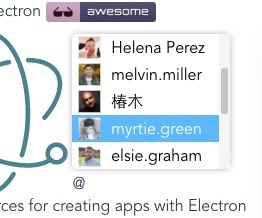
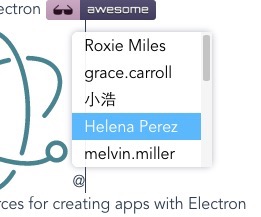
Live Demo & Documentation: https://fritx.github.io/vue-at
Docs is powered by At-UI.
- [x] Chrome/Firefox/Edge/IE9~IE11
- [x] Plain-text based, no jQuery, no extra nodes
- [x] ContentEditable/Textarea
- [x] Avatars, custom templates
- [x] Vue2/Vue1
See also: react-at
Motivation
At.js is awesome, but:
- It is based on jQuery and jQuery-Caret.
- It introduces extra node wrappers.
- It could be unstable on content edit/copy/paste.
Finally I ended up creating this.
``plain`
npm i vue-at@2.x # for Vue2 <----
npm i vue-at@1.x # for Vue1 (branch vue1-legacy)
npm i vue1-at # for Vue1 (branch vue1-new)
`vue
`
Using V-Model (Recommended)
Notice that could be buggy,
and should be like instead.
`vue
`
Textarea
`vue
`
`plain`
npm i -S textarea-caret # also, for textarea
Custom Templates
$3
`vue
`
#### Custom List with Vue 1.x
There is no "scoped slot" feature in Vue 1.
Use a "normal slot" with data- attribute instead.
`vue`
$3
This gives you the option of changing the style of inserted tagged items. It is only supported for ContentEditable version, not Textarea.
`vue``
{{ s.current.name }}