vue-cli-plugin-chrome-extension-cli
v1.1.4
Use Vue CLI generate chrome extension template | generate chrome extension with vue.js
0/weekUpdated 3 years agoMITUnpacked: 34.9 KB
Published by sanyu1225
npm install vue-cli-plugin-chrome-extension-clivue-cli-plugin-chrome-extension-cli
Start a chrome extension project with Vue-CLI with ease!


support vue2 vue3 TypeScript and JavaScript!
Requirements
vue-cli 5.0.1 or higher
Installation
This plugin is meant for using new project for chrome extensions. Tested on default project of Vue, Vue with TypeScript
Usage?
``
vue create Answer some questions
cd
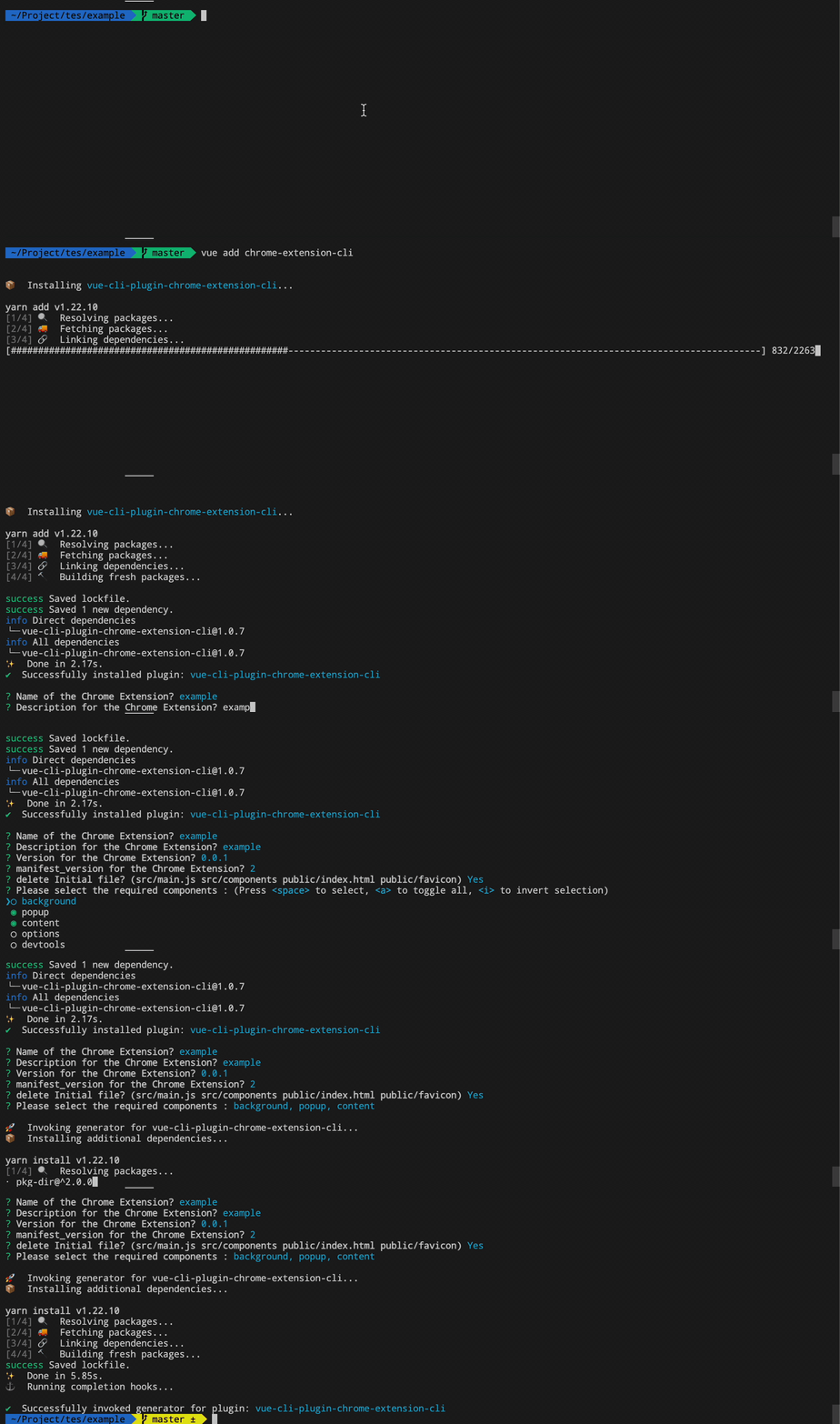
vue add chrome-extension-cliAnswer some questions
🎉
File folder
`
.
├── public
│   ├──  can set image.
├── src/
│   ├── assets
│   │   └── Static assets
│   ├── entry
│   │   ├── options.js
│   │   ├── popup.js
|   |   ├── devtools.js
│   │   ├── content.js
│   │   └── background.js
│   └── view
│   │   ├── popup.vue
│   │   ├── options.vue
|   |   └── devtools.vue
│   ├── manifest.development.json
│   └── manifest.production.json
└── vue.config.js
$3
- Run development mode with npm run build-watch and a dist file will be generated. Install Extension Reloader to reload chrome extensions easily everytime you reload. (take note that when u change manifest.json file, it will not automatically load, you need to click update extension )
- Build for production npm run build` and zip it and deploy onto chrome store.
$3
Vue CLI prompt is based on inquirer.js api.
Credit
- https://github.com/zwenza/vue-cli-plugin-build-watch
- https://github.com/RequireSun/vue-cli-plugin-chrome-extension
- https://github.com/superoo7/vue-cli-plugin-chrome-ext