e2e codeceptjs & puppeteer plugin for vue-cli
npm install vue-cli-plugin-codeceptjs-puppeteerHey, how about some end 2 end testing for your Vue apps? 🤔
Let's do it together! Vue, me, CodeceptJS & Puppeteer. 🤗
Browser testing was never that simple. Just see it! 😍
``js`
I.amOnPage('/');
I.click('My Component Button');
I.see('My Component');
I.say('I am happy!');
// that's right, this is a valid test!
Requirements:
* NodeJS >= 8.9
* NPM / Yarn
* Vue CLI installed globally
`
npm i vue-cli-plugin-codeceptjs-puppeteer --save-dev
This will install CodeceptJS, CodeceptUI & Puppeteer with Chrome browser.
To add CodeceptJS to your project invoke installer:
`
vue invoke vue-cli-plugin-codeceptjs-puppeteer
> You will be asked about installing a demo component. If you start a fresh project it is recommended to agree and install a demo component, so you could see tests passing.
We added npm scripts:
* test:e2e - will execute tests with browser opened. If you installed test component, and started a test server, running this command will show you a brower window passed test.--headless
* Use option to run browser headlessly--serve
* Use option to start a dev server before tests
Examples:
`
npm run test:e2e
npm run test:e2e -- --headless
npm run test:e2e -- --serve
> This command is a wrapper for codecept run --steps. You can use the Run arguments and options here.
* test:e2e:parallel - will execute tests headlessly in parallel processes (workers). By default runs tests in 2 workers.--serve
* Use an argument to set number of workers
* Use option to start dev server before running
Examples:
`
npm run test:e2e:parallel
npm run test:e2e:parallel -- 3
npm run test:e2e:parallel -- 3 --serve
> This command is a wrapper for codecept run-workers 2. You can use the Run arguments and options here.
* test:e2e:open - this opens interactive web test runner. So you could see, review & run your tests from a browser.
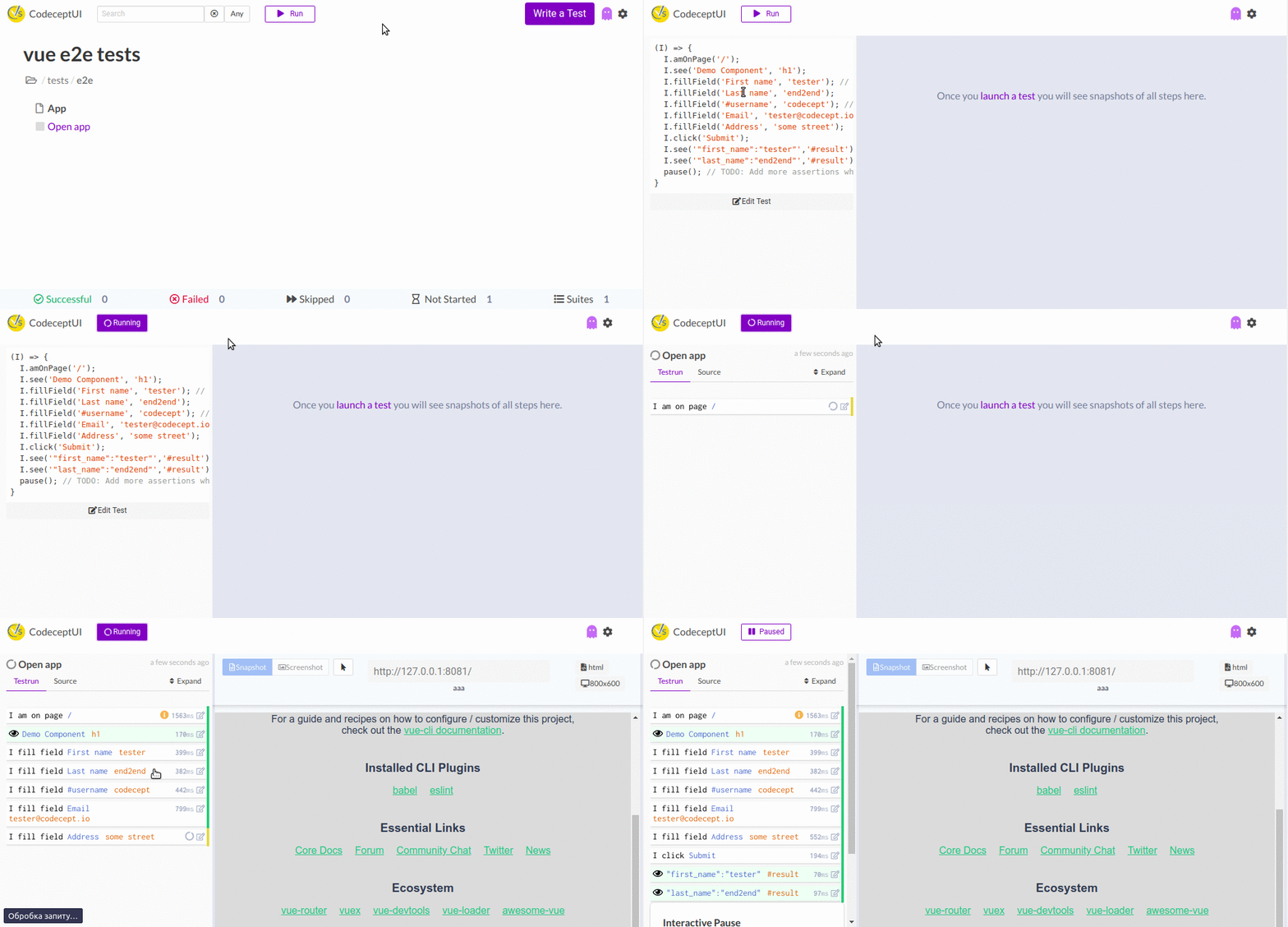
`
npm run test:e2e:open
Generator has created these files:
`js`
codecept.conf.js 👈 codeceptjs config
jsconfig.json 👈 enabling type definitons
tests
├── e2e
│ ├── app_test.js 👈 demo test, edit it!
│ ├── output 👈 temp directory for screenshots, reports, etc
│ └── support
│ └── steps_file.js 👈 common steps
└── steps.d.ts 👈 type definitions
If you agreed to create a demo component, you will also see TestMe component in src/components folder.
* Open tests/e2e/app_js` and see the demo test
* Execute a test & use interactive pause to see how CodeceptJS works
* Learn CodeceptJS basics
* Learn how to write CodeceptJS tests with Puppeteer
* See full reference for CodeceptJS Puppeteer Helper
* Ask your questions in Slack & Forum
Testing is simple & fun, enjoy it!
With ❤ CodeceptJS Team