vue2-dzone
Base on
Vue2, wrapper for
Dropzone.js.
-
Vue js -
Dropzone js
Render a Upload-Area Easily
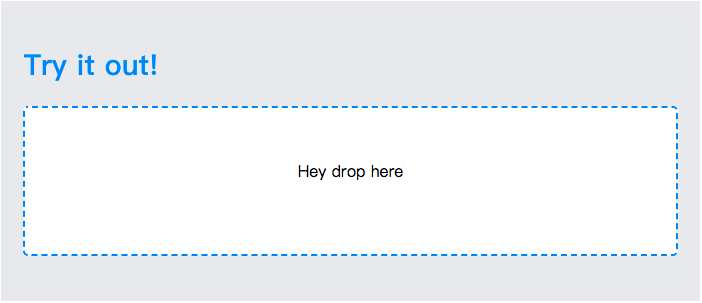
- Default Theme
``
html

    Hey drop here
``
Features
- Default theme
- Form using div tag, not form tag.
- Vue-Slot driven form template
- Vue-Slot driven preview template
- pass option to dropzone from single prop
- pass option to dropzone from entire object
- Catch native dropzone instance
Document and Demo
-
gh-page demoNPM Package
NPM PackageInstall
npm install vue2-dzone
or
yarn add vue2-dzone
Notice
- vue2-dzone base on Vue.js
- vue2-dzone base on Dropzone.js
- By Dropzone default, the DOM container with css (.dz-message) will be replace by preview template
How to use
Coming soon...
Props - Required
| Prop Name | Type | Description |
|----------|------|--------------|
| id | String | The dropzone form's id.|
| url | String | Upload url. (post by default)|
Props - Dropzone.js
Same as dropzone.js
See -
Dropzone configuration Props - Custom
| Prop Name | Type | Default | Description |
|----------|------|------|--------|
| dropzoneClass | String | empty string |The dropzone form's class.
do not use :class to bind class, it will effect entire component not Dropzone's form|
| dropzoneStyle | String | empty string |The dropzone form's style.|
| defaultTheme | Boolean | false |if true, it will generate a dropzone like official style|
| options | Object | empty object |if provide a object, it will be merge by dropzone's default options|
Events
| Event Name | Payload | Description |
|----------|------|--------|
| dzone-init |
Dropzone instance | when dropzone init, vue2dozne will emit this event with dropzone instance|
| dzone-drop | dom-event |The user dropped something onto the dropzone. |
| dzone-dragstart | dom-event | The user started to drag anywhere |
| dzone-dragend | dom-event | Dragging has ended |
| dzone-dragenter | dom-event | The user dragged a file onto the Dropzone |
| dzone-dragover | dom-event | The user is dragging a file over the Dropzone |
| dzone-dragleave | dom-event | The user dragged a file out of the Dropzone |
| dzone-success | file, response |The file has been uploaded successfully. Gets the server response as second argument. |
| dzone-error | file, error, xhr |An error occured. Receives the errorMessage as second parameter and if the error was due to the XMLHttpRequest the xhr object as third.|
| dzone-complete | nothing |Called when the upload was either successful or erroneous.|
| dzone-queuecomplete |
files |Called when all files in the queue finish uploading.|
| dzone-addedfile | file | When a file is added to the list |