wx-svelte-gantt
v2.5.1
Interactive and customizable Svelte Gantt chart component
svelteganttgantt-chartsvelte-ganttsvelte-gantt-chartgantt chartgantt-chart-componentgantt-diagramsvelte-gantt-componentsvar widgets
1.5K/weekUpdated 2 weeks agoMITUnpacked: 121.2 KB
Published by marta-ko
npm install wx-svelte-ganttSVAR Svelte Gantt Chart


SVAR Svelte Gantt is a customizable, easy-to-use, and interactive Gantt chart component written in Svelte. Its intuitive interface allows users to add and manage tasks and dependencies directly on the timeline using drag-and-drop or via a simple task edit form.
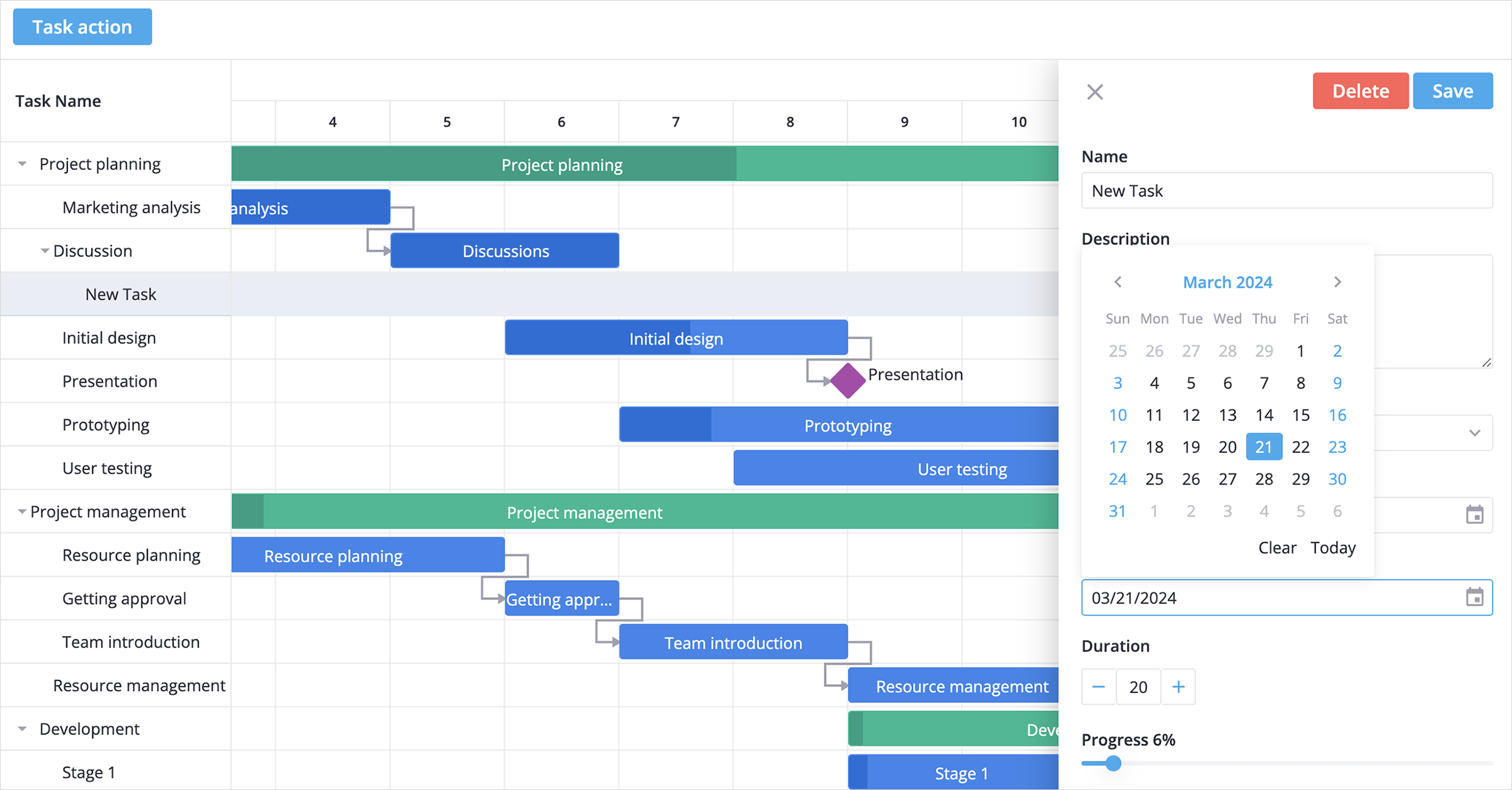
$3
Core features designed for flexible and interactive project timeline management:
- Interactive drag-and-drop interface
- Intuitive and customizable task edit form
- Set task dependencies on the timeline or in a popup form
- Showing task progress on the taskbar
- Hierarchical view of sub tasks
- Reordering tasks in grid with drag-and-drop
- Configurable timeline (hours, days, weeks)
- Flexible time units: support for hours and minutes
- Custom time scales: define custom periods like sprints or stages
- Ability to use custom HTML in grid cells
- Toolbar and context menu
- Tooltips for taskbars
- Weekends/holidays highlights
- Sorting tasks in grid
- Zooming with scroll
- Hotkeys support for common actions
- Fast performance with large data sets
- Localization
- Light and dark skins
- Full TypeScript support
$3
SVAR Svelte Gantt is available in open-source and PRO Editions. The PRO Edition offers additional features and automation logic:
- Work days calendar
- Auto-scheduling (forward mode and Finish-to-Start dependencies)
- Critical path
- Baselines
- Split tasks
- Vertical markers
- Unscheduled tasks
- Undo/redo
- Export to PDF, PNG, Excel
- MS Project import/export
Visit the pricing page for full feature comparison and licensing details.
$3
To use the Gantt chart, simply import the package and include the component in your Svelte file:
``svelte
`
For further instructions, follow the detailed how-to-start guide.
$3
Typically, you don't need to modify the code. However, if you wish to do so, follow these steps:
1. Run yarn to install dependencies. Note that this project is a monorepo using yarn workspaces, so npm will not workyarn start
2. Start the project in development mode with
$3
To run the test:
1. Start the test examples with:
`sh`
yarn start:tests
2. In a separate console, run the end-to-end tests with:
sh``
yarn test:cypress
$3
Join our community forum to get help and submit feature requests.