@dataverse/dataverse-connector
v1.0.33TypeScript
<br/> <p align="center"> <a href=" " target="_blank"> <img src="https://github.com/dataverse-os/dataverse-connector/raw/main/logo.svg" width="180" alt="Dataverse logo"> </a > </p > <br/>
0/weekUpdated 2 years agoMITUnpacked: 110.9 KB
Published by fuxiangyu
npm install @dataverse/dataverse-connector

dataverse-connector

!npm

The system calls exposed by Dataverse Kernel.
Installation
``
bash

pnpm install @dataverse/dataverse-connector
`
Run demo


$3


- Data Wallet -

  A secure data wallet to protect your identity and data assets.

- MetaMask -

  A cryptocurrency wallet browser extension.

- Node.js version >= 16.

- pnpm version >= 7.
`bash
pnpm install // install dependencies
pnpm build // build the package
pnpm test // run demo
`
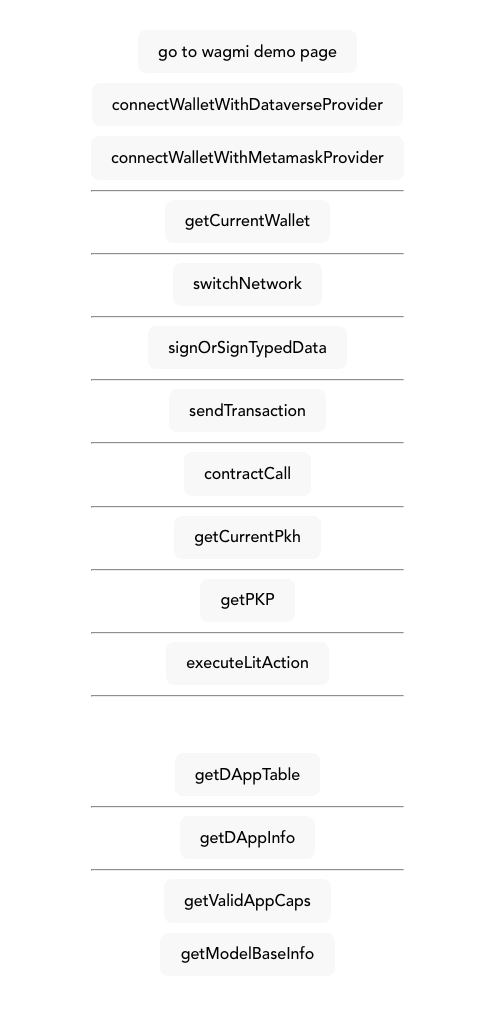
the demo will be running on http://localhost:5173/.
Usage
`typescript
import { DataverseConnector } from "@dataverse/dataverse-connector";
const dataverseConnector = new DataverseConnector();
`
Functions
dataverseConnector.connectWallet({ wallet: WALLET.METAMASK })
Connect with user wallet. pass in which wallet you want to connect with,

currently support MetaMask, WalletConnect, Coinbase and Particle Network.

You can also pass in provider from any wallet to perform operations such

as data reading and writing.
`ts
enum WALLET {
METAMASK = "MetaMask",
WALLETCONNECT = "WalletConnect",
COINBASE = "Coinbase",
PARTICLE = "Particle"
}
`
- Returns:

  - If the wallet is not connected, a pop-up will appear for the user to select

    a wallet address. After the user selects an address, the address will be

    returned to indicate that the wallet is connected.

  - If the wallet is already connected, will return wallet address and other

    info, example:
`json
{
"address": "0x312eA852726E3A9f633A0377c0ea882086d66666",
"chain": {
"chainId": 80001,
"chainName": "mumbai"
},
"wallet": "MetaMask"
}
`
dataverseConnector.createCapability({ appId: string, resource: RESOURCE, wallet: WALLET })
Create a capability for the application to access the data resources.


- appId: string - which appId is requesting the capability.
- resource: RESOURCE - Resource to give access to the capability.
`js
enum RESOURCE {
CERAMIC,
}
`
  This method will open a popup and ask the user to sign a message to create a

  capability. The message will be like this.
`yaml
Message:
Give this application access to some of your data
URI:
did:key:z6MknFM4H7EFyBGANghNvV43uLvUKvRPU94fUcc8AZQZCq8Z
Version:
1
Chain ID:
1
Nonce:
UboH08SYfJn9N2
Issued At:
2023-06-12T06:35:19.225Z
Expires At:
2023-06-19T06:35:19.225Z
Resources: 4
ceramic://*?model=kjzl6hvfrbw6c763ubdhowzao0m4yp84cxzbfnlh4hdi5alqo4yrebmc0qpjdi5
ceramic://*?model=kjzl6hvfrbw6c7cp6xafsa7ghxh1yfw4bsub1363ehrxhi999vlpxny9k69uoxz
ceramic://*?model=kjzl6hvfrbw6c5qdzwi9esxvt1v5mtt7od7hb2947624mn4u0rmq1rh9anjcnxx
ceramic://*?model=kjzl6hvfrbw6c6ad7ydn0hi4vtamx2v620hdgu6llq49h28rfd6cs02g3cmn9za
`
- Returns:

- pkh: string - a pkh did you may use to interact with the data resources
later.
`js
did:pkh:eip155:1:0x29761660d6Cb26a08e9A9c7de12E0038eE9cb623
``
check all functions in docs.
License
This project is licensed under the MIT License - see the LICENSE
file for details.
Documentation
View Docs.
View communicator API Doc.
View dataverse-connector API Doc.
View utils API Doc.
View wallet-adapter API Doc.
View wallet-provider API Doc.
Contributing
Contributions to this project are welcome. To contribute, please follow these
steps:
1. Fork the repository and create a new branch.
2. Make your changes and test them thoroughly.
3. Submit a pull request with a detailed description of your changes.