@sendbird/chat-ai-widget
v1.8.0-beta.4TypeScript
Sendbird Chat AI Widget, Detailed documentation can be found at https://github.com/sendbird/chat-ai-widget#readme
0/weekUpdated 12 months agoUnpacked: 3.3 MB
Published by sendbird
npm install @sendbird/chat-ai-widgetDist Tags
internal-interactive-demo1.1.0-interactive-demo-fintech-14
self-service1.1.3-self-service-rc-8
internal-sc-bot1.3.3-sc-bot-0
beta1.8.0-beta.4
config-test1.9.2-config-test
latest1.9.7


Developed with the software and tools below.





What is this for?
This is a Sendbird Chat AI Widget implemented on top of React UiKit.
> NOTE: Proper utilization through code build is available starting from the "AI Chatbot Pro" plan or higher of the Sendbird AI Chatbot pricing plan.
Demo
- Live Demo
- Sendbird Documentation
How to use
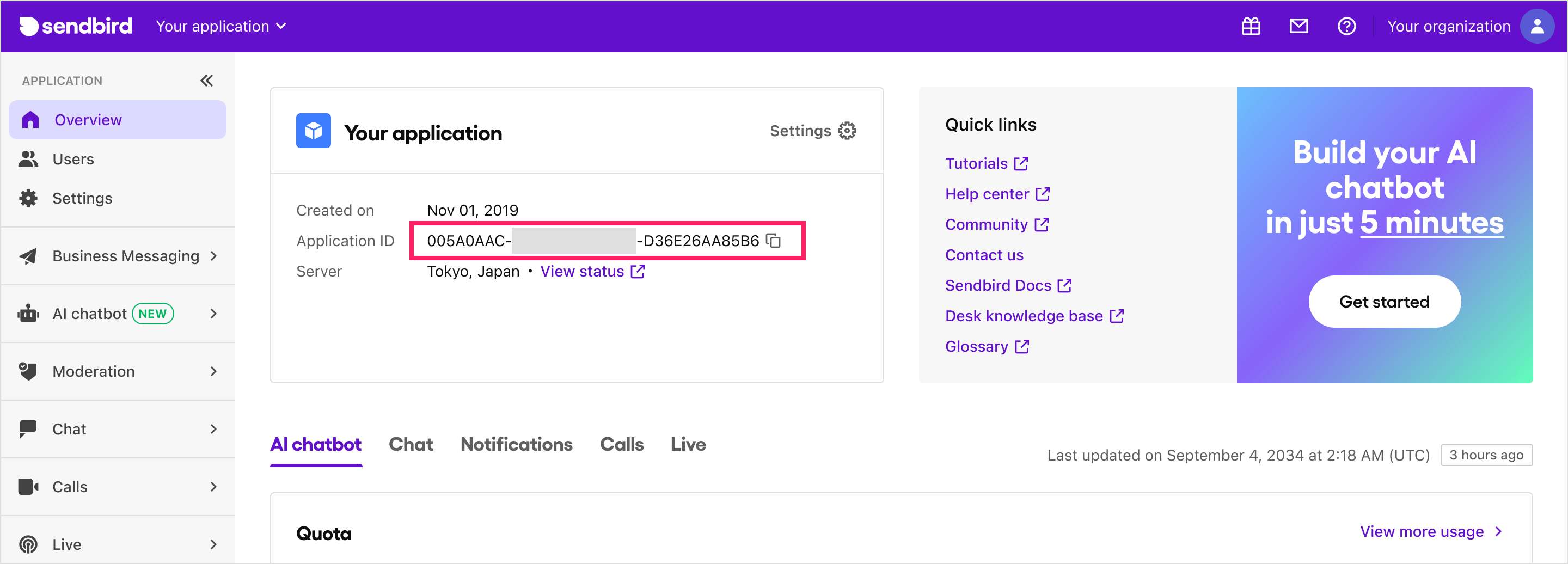
1. Prepare Sendbird Application ID and Bot ID. Here's how you can get them:
- Application ID: If you don't have an account, sign up on the Sendbird Dashboard and create a new application.
- Bot ID: If you don't have a bot, create one on the Sendbird Dashboard under AI Chatbot > Manage Bots > Create Bot.
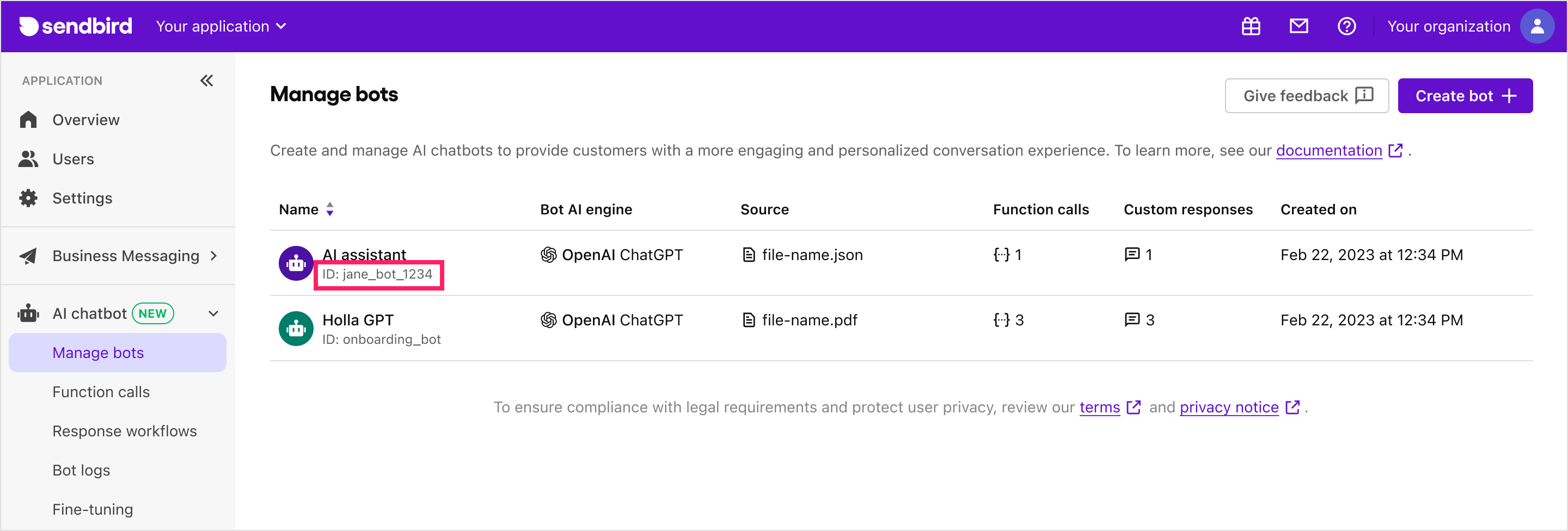
- You can also find your application ID and bot ID in the Sendbird Dashboard under AI Chatbot > Manage Bots > Bot Settings > Add to My Website.
2. Install the library:
``bash`
# With npm
npm install @sendbird/chat-ai-widget
# Or if you're using yarn
yarn add @sendbird/chat-ai-widget
3. Add the import statement and
`jsx
import { ChatAiWidget } from "@sendbird/chat-ai-widget";
import "@sendbird/chat-ai-widget/dist/style.css";
const App = () => {
return (
botId="khan-academy-bot" // Your Bot ID
/>
);
};
export default App;
`
> Not using React in your environment? You can also load this Chat AI Widget component from an HTML file on your website. Please refer to js-example.html for an example.
Run locally
`bash`
yarn install:deps
yarn dev
- If you want to change applicationId and botId when running locally, modify the following variables in .env:`
   # Vite prefix is required for Vite to load the env variables
   # Plz modify below two env variables on your needs
   VITE_CHAT_WIDGET_APP_ID=AE8F7EEA-4555-4F86-AD8B-5E0BD86BFE67
   VITE_CHAT_WIDGET_BOT_ID=khan-academy-bot
Customization
You can customize the UI of the ChatBot by using the ChatAiWidget
component. The following are the props that can be used to customize the UI.`jsx
import { ChatAiWidget } from "@sendbird/chat-ai-widget";
import '@sendbird/chat-ai-widget/dist/style.css';const App = () => {
return (
botId="Your Sendbird bot ID"
// more available props can be found in the next section
/>
);
};
export default App;
`$3
| Prop Name | Type | Required | Default Value | Description |
|-------------------------|---------------------------------------|----------|------------|----------------------------------------------------------------------------------------------------------------|
| | string | Yes | N/A | Your Sendbird application ID |
| botId | string | Yes | N/A | Your Sendbird bot ID | |
| userNickName | string | No | N/A | The nickname of the user | |
| enableEmojiFeedback | boolean | No | true | Enables emoji feedback functionality. |
| enableMention | boolean | No | true | Enables mention functionality. |
| deviceType | 'desktop' \| 'mobile' | No | N/A | Device type to be used in the widget |
| stringSet | { [key: string]: string } | No | N/A | Customizable string set. Available string sets can be found here. |
| customRefreshComponent | { icon: string, style: React.CSSProperties, width: string, height: string, onClick: () => void } | No | N/A | Customizable refresh component. You can set properties such as icon, style, width, height, and onClick. |
| userId | string | No | N/A | User ID to be used in the widget connect. Must be used with sessionToken and configureSession. The example usage can be found here. |
| sessionToken | string | No | N/A | Session token to be used in the widget connect. Must be used with userId and configureSession. The example usage can be found here. |
| configureSession | () => SessionHandler | No | N/A | Session configuration function. Must be used with userId and sessionToken. The example usage can be found here. |
| autoOpen | boolean | No | N/A | Determines whether the chatbot widget automatically opens when the browser window is opened. This property is being ignored in mobile view. |
| enableResetHistoryOnConnect | boolean | No | false | Determines whether the chatbot widget history is reset when the user connects. |
| messageInputControls.blockWhileBotResponding | boolean \| number | No | N/A | Allows to control enabled/disabled state of the message input for waiting for the bot's reply mesage. If number value is given, a timer will be set to force unblock the message input. |
| dateLocale | Locale | No | enUS | Locale value to be applied to string values of message timestamp and date separator. Locale values must be imported from date-fns. |
| enableHideWidgetForDeactivatedUser | boolean | No | false | Determines whether the chatbot widget is hidden when the user is deactivated. |
| enableWidgetExpandButton | boolean | No | false | Determines whether the expand button is displayed in the chatbot widget. |
| messageStackDirection | 'top' \| 'bottom' | No | 'bottom'` | Determines direction at which message stack starts in the message list. |For internal contributors
- Release guide