react-calendly
v4.0.0-beta.0TypeScript
Calendly integration for React apps
0/weekUpdated 8 months agoMITUnpacked: 137.3 KB
Published by tcampb
npm install react-calendlyreact-calendly
Calendly integration for React apps
  
---
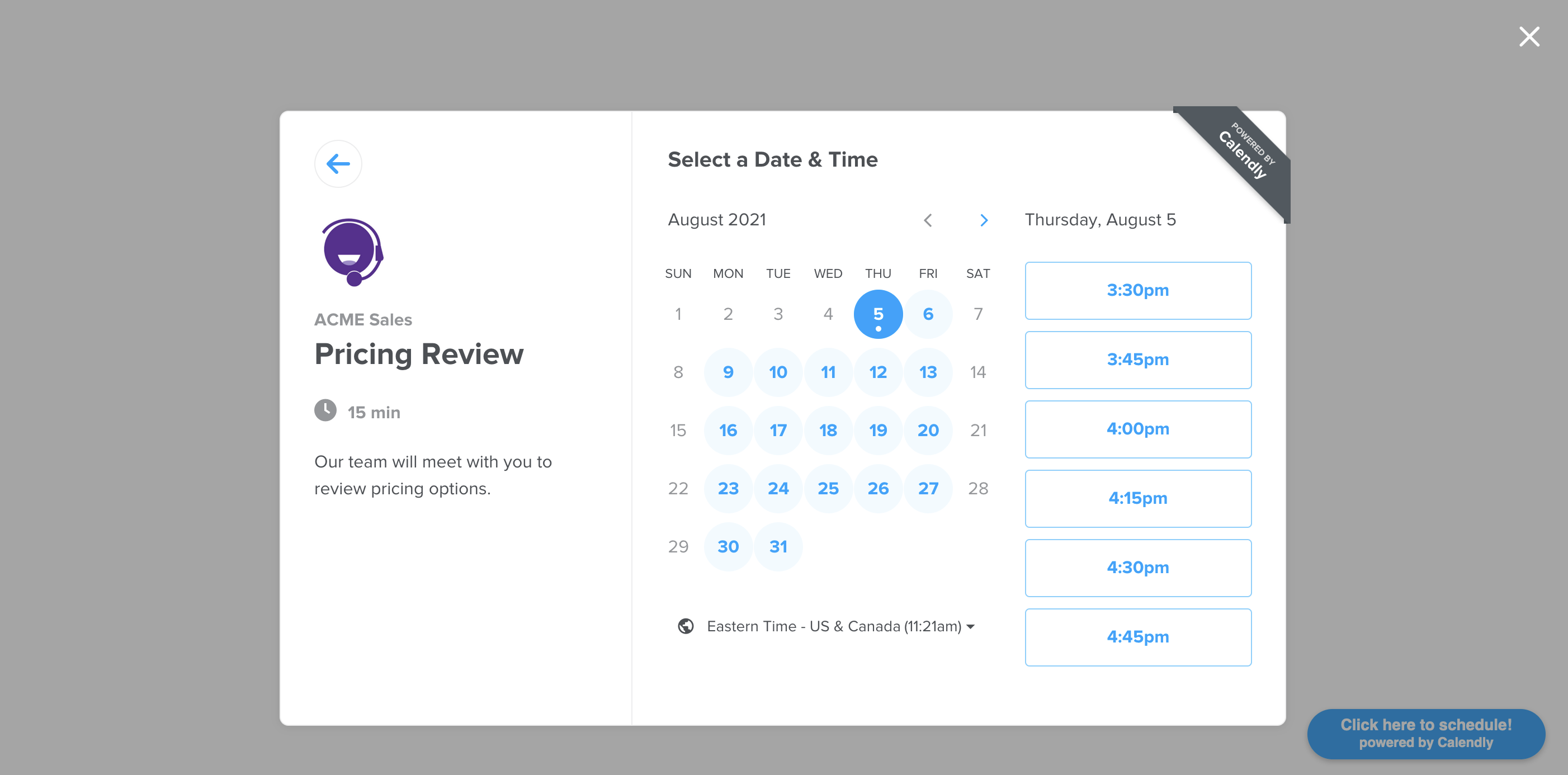
Installation
Depending on the package manager you are using for your project, use npm install or yarn add to include react-calendly in your react app.
``bash`
npm install --save react-calendly
`bash`
yarn add react-calendly
Documentation
- Basic Usage
- Advanced Usage
- Frequently Asked Questions
$3
Ensure that React has been included into your page or component. Then, you can import any of the following components from the "react-calendly" package:
- InlineWidget
- PopupWidget
- PopupButton
- useCalendlyEventListener
#### InlineWidget
`jsx
import React from "react";
import { InlineWidget } from "react-calendly";
const App = () => {
return (
);
};
export default App;
`
#### PopupWidget
`jsx
import React from "react";
import { PopupWidget } from "react-calendly";
const App = () => {
return (
/*
* react-calendly uses React's Portal feature (https://reactjs.org/docs/portals.html) to render the popup modal. As a result, you'll need to
* specify the rootElement property to ensure that the modal is inserted into the correct domNode.
*/
rootElement={document.getElementById("root")}
text="Click here to schedule!"
textColor="#ffffff"
color="#00a2ff"
/>
);
};
export default App;
`
#### PopupButton
`jsx
import React from "react";
import { PopupButton } from "react-calendly";
const App = () => {
return (
/*
* react-calendly uses React's Portal feature (https://reactjs.org/docs/portals.html) to render the popup modal. As a result, you'll need to
* specify the rootElement property to ensure that the modal is inserted into the correct domNode.
*/
rootElement={document.getElementById("root")}
text="Click here to schedule!"
/>
);
};
export default App;
`
#### useCalendlyEventListener
`jsx
import React from "react";
import { useCalendlyEventListener, InlineWidget } from "react-calendly";
const App = () => {
useCalendlyEventListener({
onProfilePageViewed: () => console.log("onProfilePageViewed"),
onDateAndTimeSelected: () => console.log("onDateAndTimeSelected"),
onEventTypeViewed: () => console.log("onEventTypeViewed"),
onEventScheduled: (e) => console.log(e.data.payload),
onPageHeightResize: (e) => console.log(e.data.payload.height),
});
return (
);
};
export default App;
`
$3
You can also take advantage of using optional props on the component(s) such as including a defined height, color customization options (available on Pro plan only), utm parameters, pre-filling custom questions, etc. Here are the optional props you can use with the inline embed:
#### Inline Embed Height
`jsx`
styles={{
height: '1000px'
}}
#### Page Settings
`jsx`
pageSettings={{
backgroundColor: 'ffffff',
hideEventTypeDetails: false,
hideLandingPageDetails: false,
primaryColor: '00a2ff',
textColor: '4d5055'
}}
#### Prefill Values
`jsx`
prefill={{
email: 'test@test.com',
firstName: 'Jon',
lastName: 'Snow',
name: 'Jon Snow',
guests: [
'janedoe@example.com',
'johndoe@example.com'
],
customAnswers: {
a1: 'a1',
a2: 'a2',
a3: 'a3',
a4: 'a4',
a5: 'a5',
a6: 'a6',
a7: 'a7',
a8: 'a8',
a9: 'a9',
a10: 'a10'
},
date: new Date(Date.now() + 86400000)
}}
#### UTM Parameters
`jsx`
utm={{
utmCampaign: 'Spring Sale 2019',
utmContent: 'Shoe and Shirts',
utmMedium: 'Ad',
utmSource: 'Facebook',
utmTerm: 'Spring'
}}
FAQ
#### Why are my page settings not working?
For the page settings to work, you'll need to pass in a url prop that is associated with a Calendly account on the Pro plan.
#### How do I create a custom button that triggers a pop-up scheduler?
`tsx
import { PopupModal } from "react-calendly";
class CustomButtonExample extends React.Component {
constructor(props) {
super(props);
this.state = {
isOpen: false,
};
}
render() {
return (
onClick={() => this.setState({ isOpen: true })}
>
Custom Button
pageSettings={this.props.pageSettings}
utm={this.props.utm}
prefill={this.props.prefill}
onModalClose={() => this.setState({ isOpen: false })}
open={this.state.isOpen}
/*
* react-calendly uses React's Portal feature (https://reactjs.org/docs/portals.html) to render the popup modal. As a result, you'll need to
* specify the rootElement property to ensure that the modal is inserted into the correct domNode.
*/
rootElement={document.getElementById("root")}
/>
);
}
}
`
#### How can I access the event details when an event is scheduled?
prop receives an event with the following data structure:`javascript
{
event: "calendly.event_scheduled",
payload: {
event: {
uri: "https://calendly.com/api/v2/scheduled_events/AAAAAAAAAAAAAA"
},
invitee: {
uri: "https://calendly.com/api/v2/scheduled_events/AAAAAAAAAAAAAA/invitees/AAAAAAAAAAAAAA"
}
}
}
``If you are using Calendly's v2 api you can reference the event/invitee URIs included in the event payload to retrieve additional information about the event and/or invitee record.
- Scheduled Event Schema
- Invitee Schema
#### Can I use react-calendly with Nextjs?
Yes, see https://github.com/tcampb/react-calendly/issues/105 for additional details.
Additional Resources
License
MIT © tcampb