npm install react-native-drawer$3
This module is not as performant as it should be. For production applications we generally recommend using either React Native Side Menu or React Navigation as applicable. React Native Drawer will continue to be available and potentially useful for its high customizability but again it is not recommended for production appliciations. If you are interested in revamping react native drawer to be more performant (i.e. use Animated) please get in touch!
React Native Drawer
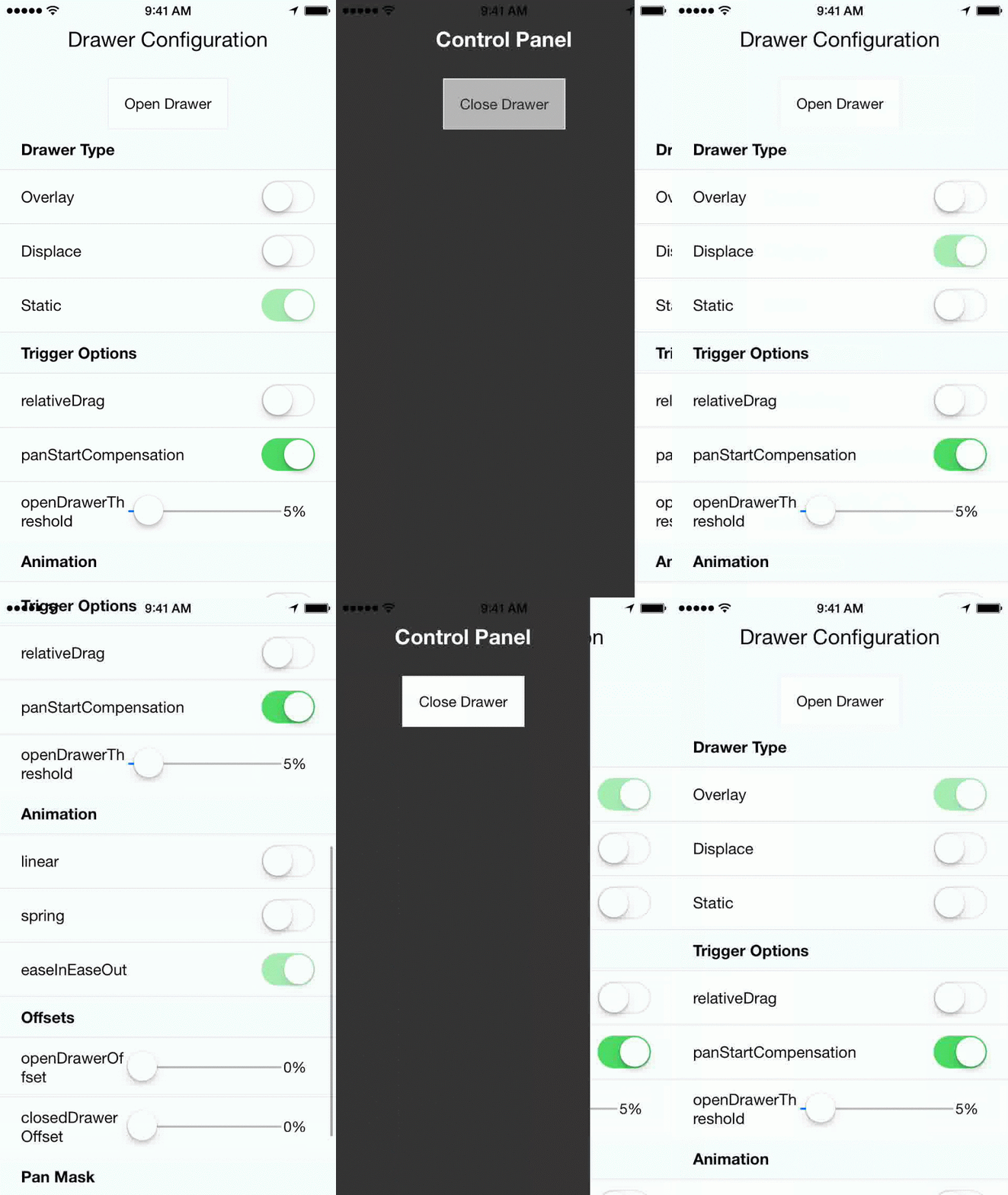
React native drawer, configurable to achieve material design style, slack style, parallax, and more. Works in both iOS and Android.


- Installation
- Usage
- Examples
- Props
- Demo
- Credits
$3
npm install --save react-native-drawer$3
``
javascript
import Drawer from 'react-native-drawer'class Application extends Component {
closeControlPanel = () => {
this._drawer.close()
};
openControlPanel = () => {
this._drawer.open()
};
render () {
return (
content={
>
)
}
})
`$3
js
//Parallax Effect (slack style)
content={
openDrawerOffset={100}
styles={drawerStyles}
tweenHandler={Drawer.tweenPresets.parallax}
>
//Material Design Style Drawer
content={
tapToClose={true}
openDrawerOffset={0.2} // 20% gap on the right side of drawer
panCloseMask={0.2}
closedDrawerOffset={-3}
styles={drawerStyles}
tweenHandler={(ratio) => ({
main: { opacity:(2-ratio)/2 }
})}
>
const drawerStyles = {
drawer: { shadowColor: '#000000', shadowOpacity: 0.8, shadowRadius: 3},
main: {paddingLeft: 3},
}
`$3
This module supports a wide range of drawer styles, and hence has a lot of props.
##### Important
- (React.Component) null - Menu component
- type (String: displace:overlay:static) displace- Type of drawer.
- open (Boolean) null - If true will trigger drawer open, if false will trigger close.
- openDrawerOffset (Number|Function) 0 - Can either be a integer (pixel value) or decimal (ratio of screen width). Defines the right hand margin when the drawer is open. Or, can be function which returns offset: (viewport) => viewport.width - 200
- (Number|Function) 0 - Same as openDrawerOffset, except defines left hand margin when drawer is closed.
- disabled (Boolean) false - If true the drawer can not be opened and will not respond to pans.
- styles (Object) null - Styles for the drawer, main, drawerOverlay and mainOverlay container Views.##### Animation / Tween
Note: In the future animations with use Animated, and the api will change.
-
tweenHandler (Function) null - Takes in the pan ratio (decimal 0 to 1) that represents the tween percent. Returns an object of native props to be set on the constituent views { drawer: {/native props/}, main: {/native props/}, mainOverlay: {/native props/} }
- tweenDuration (Integer) 250 - The duration of the open/close animation.
- tweenEasing (String) linear - A easing type supported by tween-functions##### Event Handlers
-
onOpen (Function) - Will be called immediately after the drawer has entered the open state.
- onOpenStart (Function) callback fired at the start of an open animation.
- onClose (Function) - Will be called immediately after the drawer has entered the closed state.
- onCloseStart (Function) callback fired at the start of a close animation.##### Gestures
-
captureGestures (oneOf(true, false, 'open', 'closed')) open - If true, will capture all gestures inside of the pan mask. If 'open' will only capture when drawer is open.
- acceptDoubleTap (Boolean) false - Toggle drawer when double tap occurs within pan mask?
- acceptTap (Boolean) false - Toggle drawer when any tap occurs within pan mask?
- acceptPan (Boolean) true - Allow for drawer pan (on touch drag). Set to false to effectively disable the drawer while still allowing programmatic control.
- tapToClose (Boolean) false - Same as acceptTap, except only for close.
- negotiatePan (Boolean) false - If true, attempts to handle only horizontal swipes, making it play well with a child ScrollView.##### Additional Configurations
-
panThreshold (Number) .25 - Ratio of screen width that must be travelled to trigger a drawer open/close.
- panOpenMask (Number) null - Ratio of screen width that is valid for the start of a pan open action. If null -> defaults to max(.05, closedDrawerOffset).
- panCloseMask (Number) null - Ratio of screen width that is valid for the start of a pan close action. If null -> defaults to max(.05, openDrawerOffset).
- initializeOpen (Boolean) false - Initialize with drawer open?
- side (String left|right|top|bottom) left - which side the drawer should be on.
- useInteractionManager (Boolean) false - if true will run InteractionManager for open/close animations.
- elevation (Number) 0 - (Android-only) Sets the elevation of the drawer using Android's underlying elevation API$3
You can achieve pretty much any animation you want using the tween handler with the transformMatrix property. E.G.
`js
tweenHandler={(ratio) => {
var r0 = -ratio/6
var r1 = 1-ratio/6
var t = [
r1, r0, 0, 0,
-r0, r1, 0, 0,
0, 0, 1, 0,
0, 0, 0, 1,
]
return {
main: {
style: {
transformMatrix: t,
opacity: 1 - ratio/2,
},
}
}
}}
`
Will result in a skewed fade out animation.$3
Three options:1. Use the open prop (controlled mode):
js
`2. Using the Drawer Ref:
js
    // assuming ref is set up on the drawer as (ref) => this._drawer = ref
    onPress={() => {this._drawer.open()}}
`3. Using Context
js
    contextTypes = {drawer: React.PropTypes.object}
    // later...
    this.context.drawer.open()
`$3
*
*
* iOS
* Open in xcode
* command+r (in xcode)
* Android
* Run android simulator / plug in your android device
* Run react-native run-android` in terminal$3
Component was adapted from and inspired by
@khanghoang's RNSideMenu
AND
@kureevalexey's react-native-side-menu